Build the duck phone holder
You print four single-color parts: the yellow duck, bill and feet in orange, two black eyes and the wall plate. The ZIP contains a ready-made Kobra S1 project for OrcaSlicer for every part. If you print the duck in one color, skip step 2.
You need
- Super glue – best as gel
- 2 nails or screws up to 4 mm (countersunk), a hammer or screwdriver (stone wall: wall plugs)
- A spirit level or a phone app for it
- A black marker for the nostrils
- Your phone and its charging cable

1Everything there?
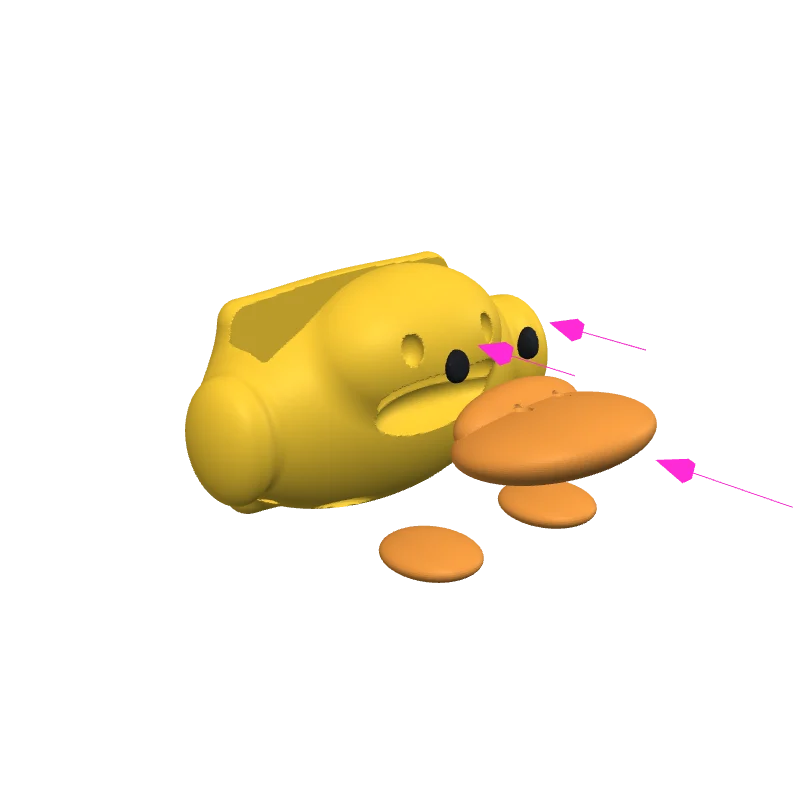
You need the yellow duck with the phone pocket, the bill and two feet in orange, two black eyes and the wall plate. Carefully break off the supports under the bill and wings and peel off the brim.
2Glue in bill, feet and eyes
Every part fits into a recess in the duck. Test without glue first, then 2–3 small drops into the recess, insert the part and press for 20 seconds. The nostrils are small dents in the bill – fill them in with the black marker.
3Nail on the wall plate
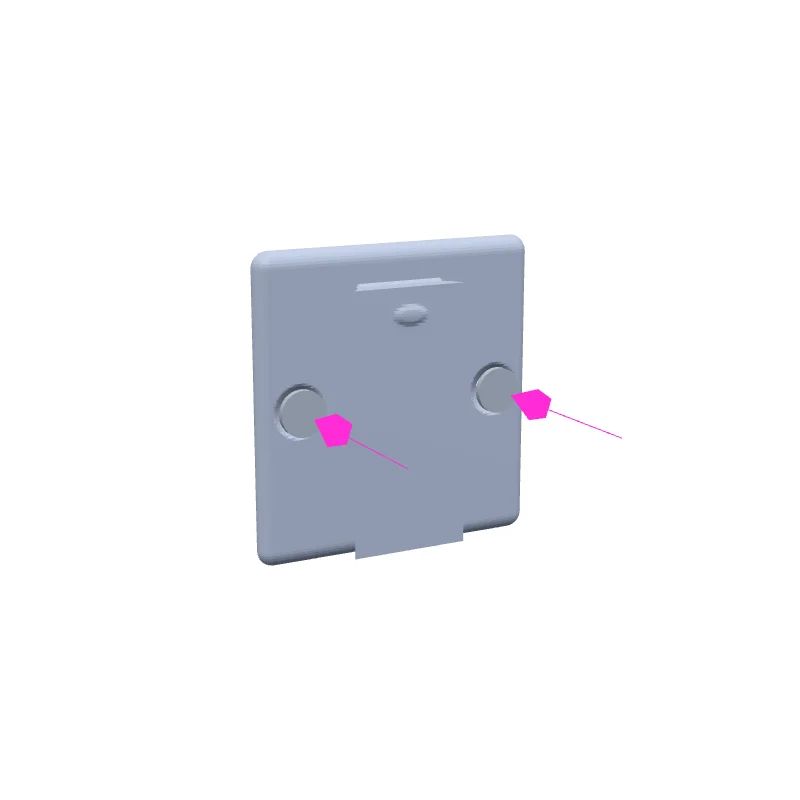
Hold the plate against the wall: rail facing out, the small nub at the top. Level it and fix it with 2 nails or screws through the holes. The heads must sit fully inside the countersinks, or the duck will jam.
4Click the duck on
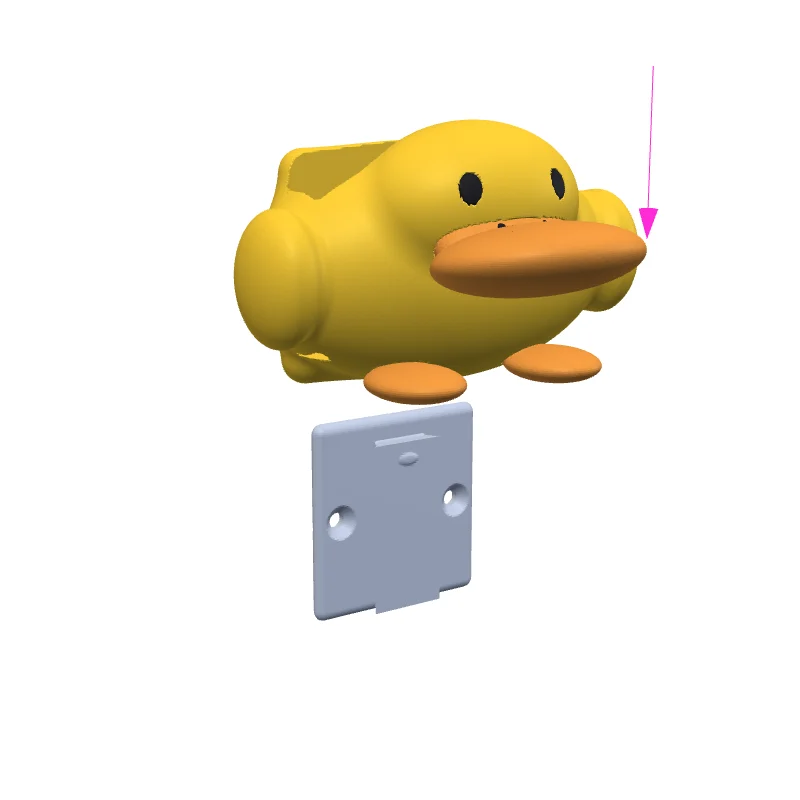
Hold the duck with the groove in its back right above the rail and slide it straight down until it clicks. To take it off, just pull it up again. Other Blockwerk models will fit the same wall plate later.
5Phone in
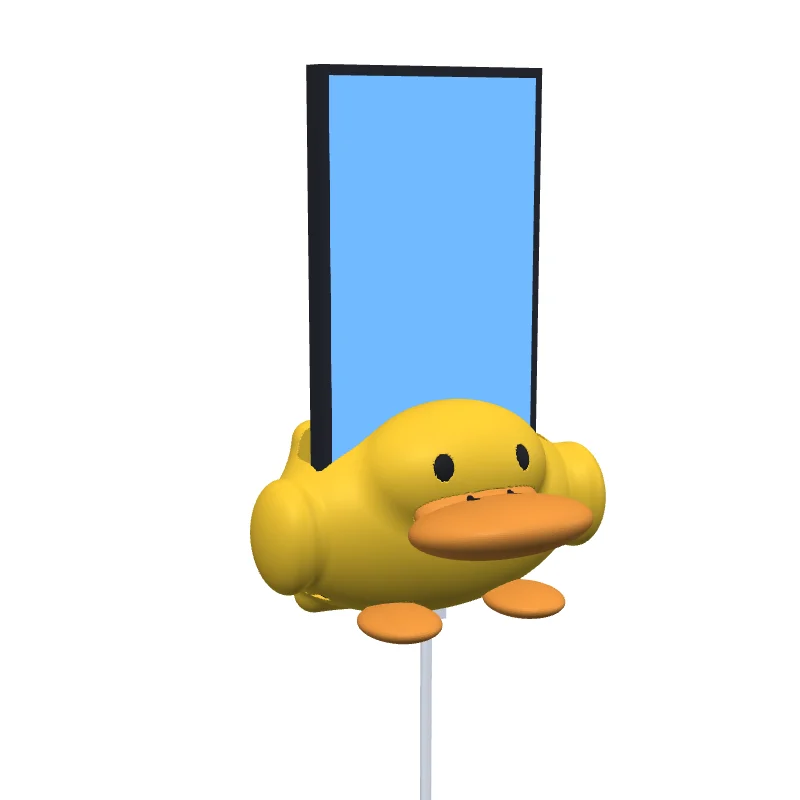
Push the charging cable up through the hole in the floor, plug it into the phone and stand the phone upright in the pocket – screen facing out. Done! 🦆📱
If something goes wrong
The duck is hard to slide onto the rail.
Often the first layer is a bit too wide (“elephant foot”). Smooth the edges of the rail and the groove with sandpaper – not too much, or it will wobble.
It does not click.
Push the duck all the way down until it sits on top of the rail. If the nub broke off, the duck still holds – just not quite as tight.
The phone does not fit into the pocket.
The pocket is 82 × 15 mm inside. Very thick cases or big tablets do not fit. You can make the pocket wider in the editor.
A part does not fit.
Usually a support leftover is in the way. Sand it briefly and try again.