Giant Aviary for Flying Reptiles
- DifficultyHard
- Size39 × 55 blocks, 21 tall
- Build timeabout 8 hours
A huge dome of iron bars, 37 blocks wide and 20 tall, held by steel ribs. Inside, the flying reptiles can fly freely.
Inside stands a rock hill with a waterfall and nests, surrounded by jungle. Visitors walk through an entrance building with an airlock and across a wooden walkway.

🔍 Click on parts
Tap any part of the build in the 3D model – a lamp, a tree, a bench next to the house – and you’ll see exactly how to build that part, with its materials and a layer-by-layer plan.
🧊 Build it as a hologram in Minecraft Bedrock (HoloPrint)
Download this build idea as a .mcstructure file – it is made right from the blueprint below. The HoloPrint website turns it into a pack that places the build as a see-through hologram in your world – you just fill in the blocks.
- Tap the button above – the file giant-aviary.mcstructure is downloaded.
- Open the HoloPrint website.
- Upload the file there.
- Create your build template texture pack.
- Download the .mcpack file.
- Open it with Minecraft and activate the pack in your world.
- Place an armor stand – the build template appears there. Tip: put it exactly where the build should stand.
Works with Minecraft Bedrock (phone, tablet, console, Windows). HoloPrint is a free fan project, not made by Blockwerk.
Layer-by-layer blueprint
Click through from bottom to top. Every square is one block, the front is at the bottom. Gray shows the layer below. 21 layers, area in the plan: 39 × 55 blocks.

Layer 1 of 21 (268 blocks)
- Light Gray Concrete174
- Smooth Stone88
- Jungle Log5
- Water1
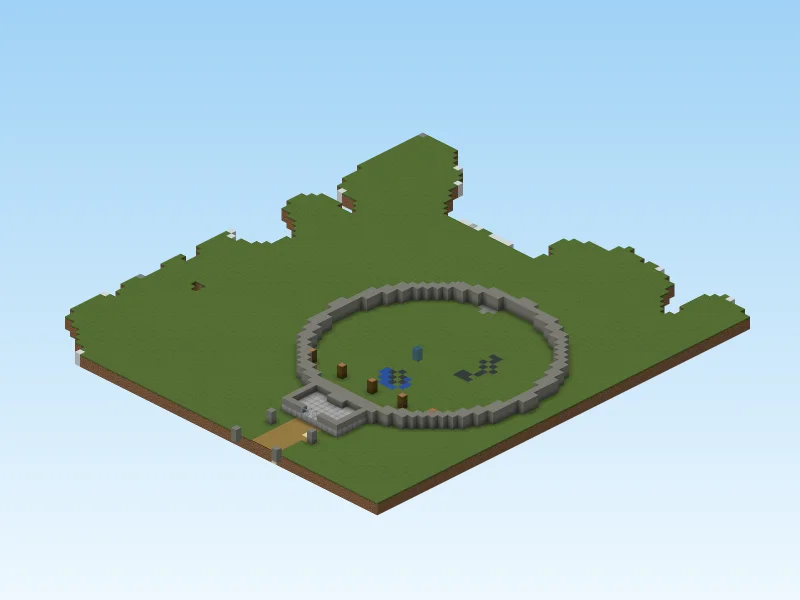
Layer 2 of 21 (226 blocks)
- Light Gray Concrete217
- Jungle Log5
- Glass2
- Water1
- Iron Door1

Layer 3 of 21 (154 blocks)
- Iron Bars90
- Light Gray Concrete27
- Block of Iron20
- Light Gray Stained Glass8
- Jungle Log5
- Glass2
- Water1
- Iron Door1
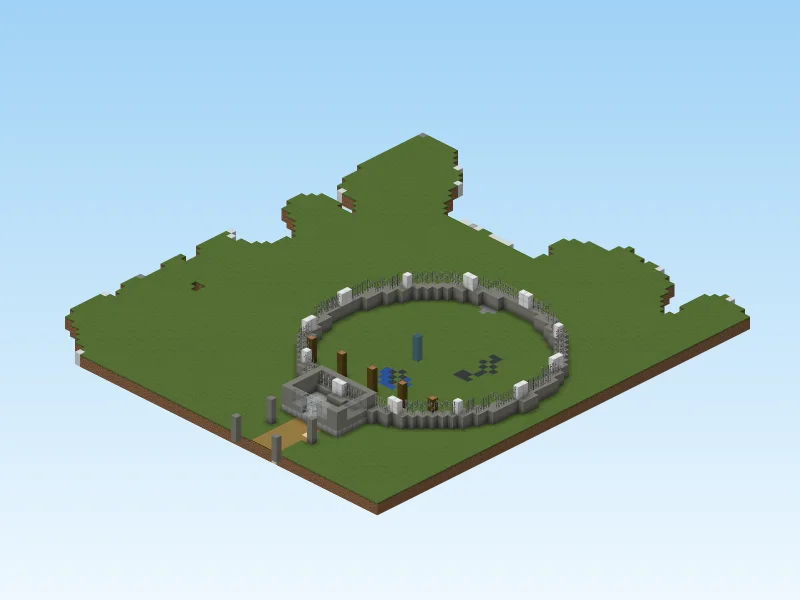
Layer 4 of 21 (168 blocks)
- Iron Bars104
- Light Gray Concrete27
- Block of Iron20
- Light Gray Stained Glass8
- Jungle Log5
- Glass3
- Water1

Layer 5 of 21 (231 blocks)
- Iron Bars106
- Jungle Planks62
- Block of Iron24
- Light Gray Concrete23
- Light Gray Stained Glass11
- Sea Lantern4
- Water1

Layer 6 of 21 (158 blocks)
- Iron Bars78
- Light Gray Concrete34
- Oak Fence25
- Block of Iron20
- Water1
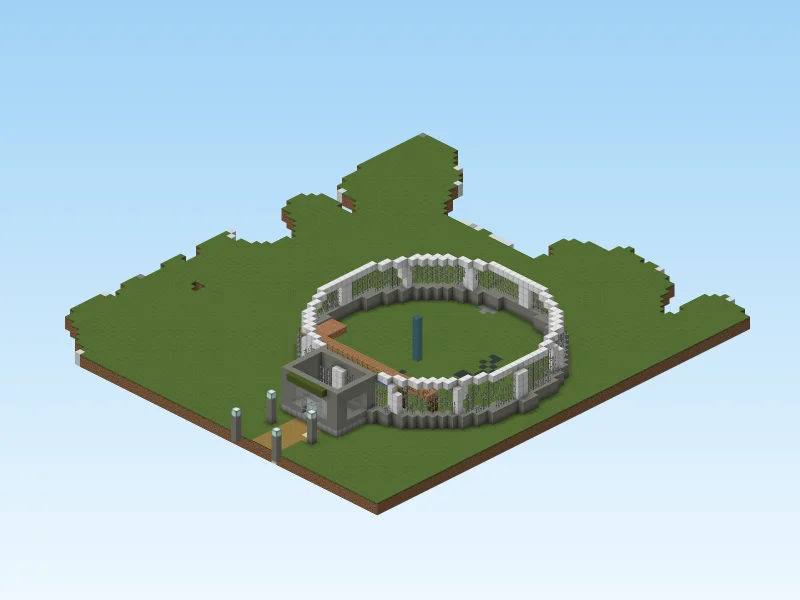
Layer 7 of 21 (143 blocks)
- Block of Iron101
- Light Gray Concrete34
- Green Concrete7
- Water1

Layer 8 of 21 (237 blocks)
- Gray Concrete123
- Iron Bars91
- Block of Iron14
- Green Concrete7
- Water1
- Hay Bale1
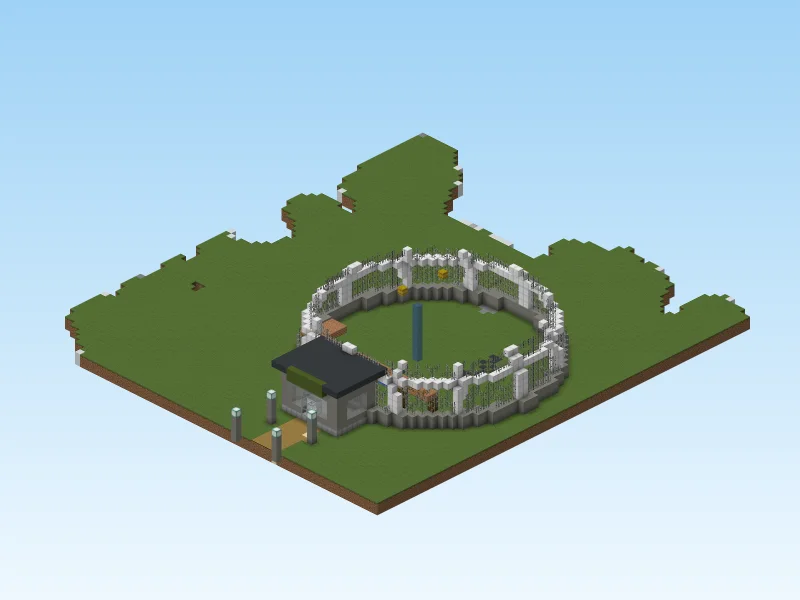
Layer 9 of 21 (98 blocks)
- Iron Bars80
- Block of Iron16
- Water1
- Hay Bale1
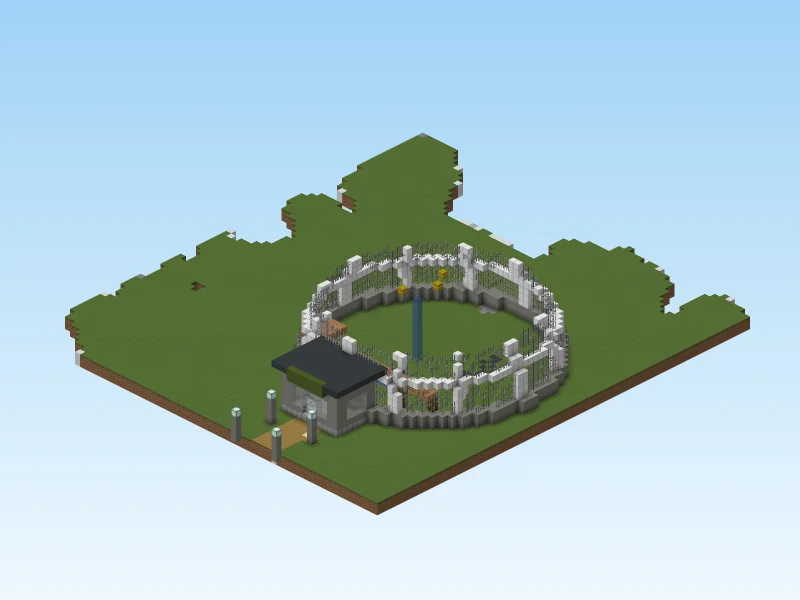
Layer 10 of 21 (122 blocks)
- Iron Bars100
- Block of Iron20
- Water1
- Hay Bale1

Layer 11 of 21 (112 blocks)
- Iron Bars92
- Block of Iron20

Layer 12 of 21 (116 blocks)
- Iron Bars92
- Block of Iron24

Layer 13 of 21 (124 blocks)
- Block of Iron124

Layer 14 of 21 (124 blocks)
- Iron Bars100
- Block of Iron24
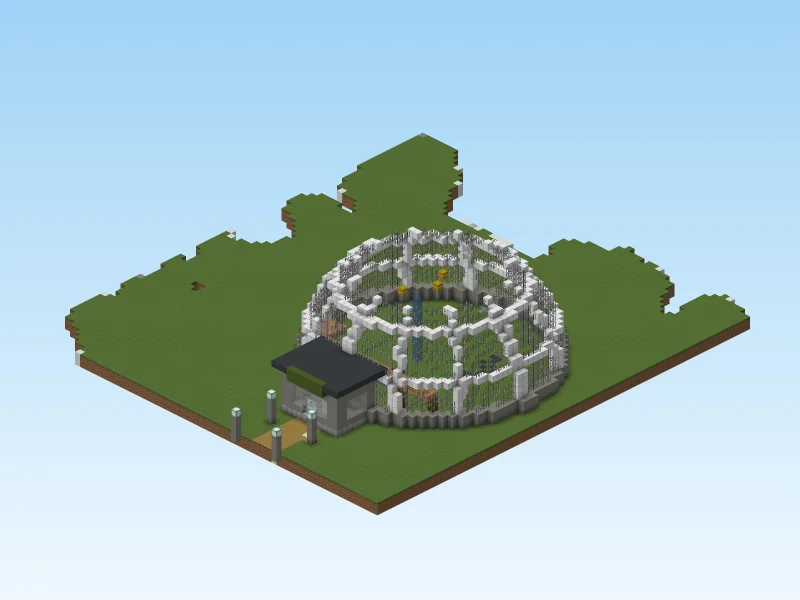
Layer 15 of 21 (96 blocks)
- Iron Bars80
- Block of Iron16
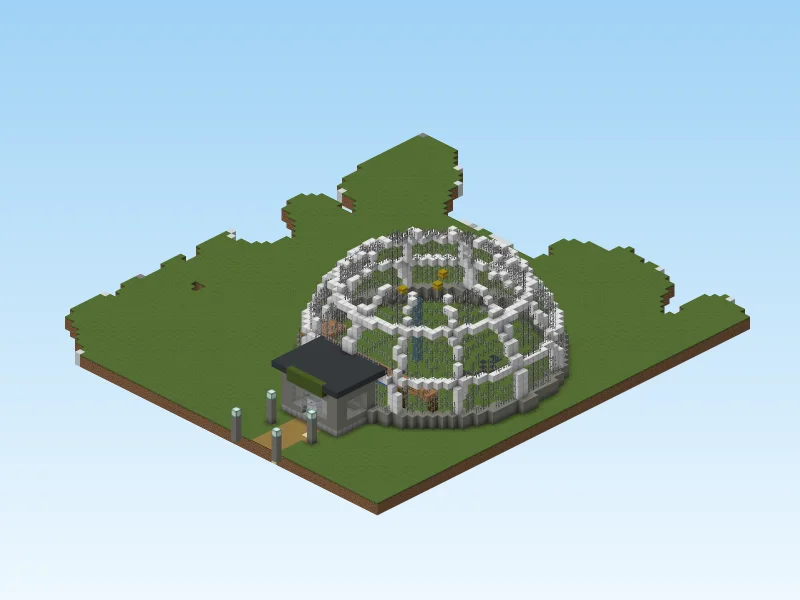
Layer 16 of 21 (108 blocks)
- Iron Bars88
- Block of Iron20

Layer 17 of 21 (120 blocks)
- Iron Bars100
- Block of Iron20

Layer 18 of 21 (120 blocks)
- Iron Bars84
- Block of Iron36

Layer 19 of 21 (5 blocks)
- Block of Iron5
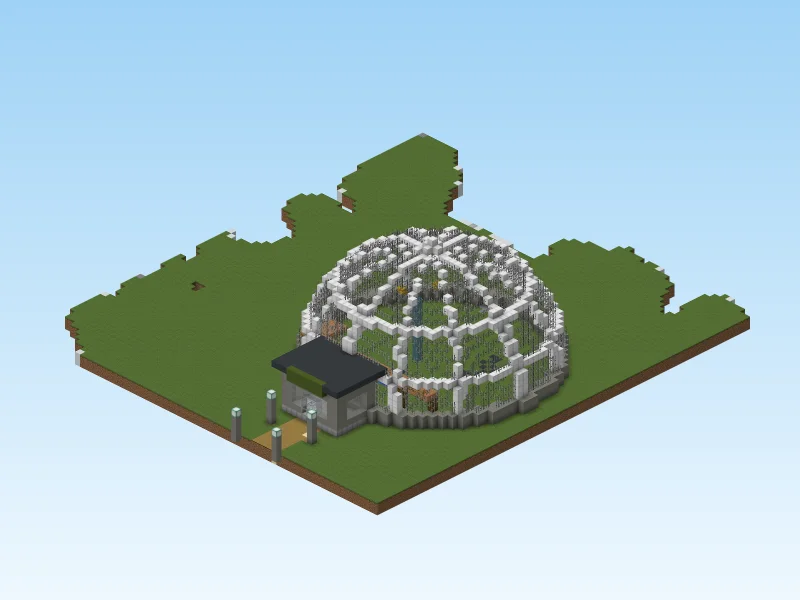
Layer 20 of 21 (1 blocks)
- Block of Iron1

Layer 21 of 21 (1 blocks)
- Redstone Lamp1
Simplified blueprint: stairs and slabs are partly shown as full blocks, animals and plants as small squares. Tip: use the arrow keys ← → to switch layers.
Step-by-step guide
Base ring
Lay a ring of light gray concrete 37 blocks across and 2 blocks tall. The dome will stand on it.
Rock hill and waterfall
In the back, build a hill of stone about 9 blocks tall. A waterfall falls from its top into a small pond. Put hay bales on three rock ledges as nests.
Steel ribs
Build the iron block ribs first: one rib every 30 degrees from the ground to the top, plus two horizontal rings at heights 6 and 12. The dome is almost a hemisphere.
Adding the bars
Fill the spaces between the ribs with iron bars. An iron block and a lamp go at the very top.
Wooden walkway
A walkway of jungle planks, 4 blocks above the ground, leads through the aviary, with oak fences as railing and jungle log supports.
Entrance building
At the front stands a light gray concrete building, 11 × 8 blocks and 6 tall, with a glass front, iron door, gray concrete roof and green sign. The back is open to the aviary – that's the airlock.
Jungle
Plant jungle trees, bushes and ferns inside and outside. A path with lamps leads to the entrance.
Pro tips
- The easiest way to build a dome is with the blueprint: click through layer by layer – each layer is a circle.
- Build the park in the jungle biome: jungle trees, ferns and vines will already grow around your buildings.
- You get concrete by placing concrete powder next to water. Dye it gray, light gray or yellow first.
Variations
- With glass instead of iron bars, the aviary becomes a huge tropical greenhouse.
- Put parrots in the aviary – they fit perfectly into the jungle.


