Sports Park with all Stadiums
- DifficultyMedium
- Size134 × 78 blocks, 16 high
- Build timeabout 6 hours
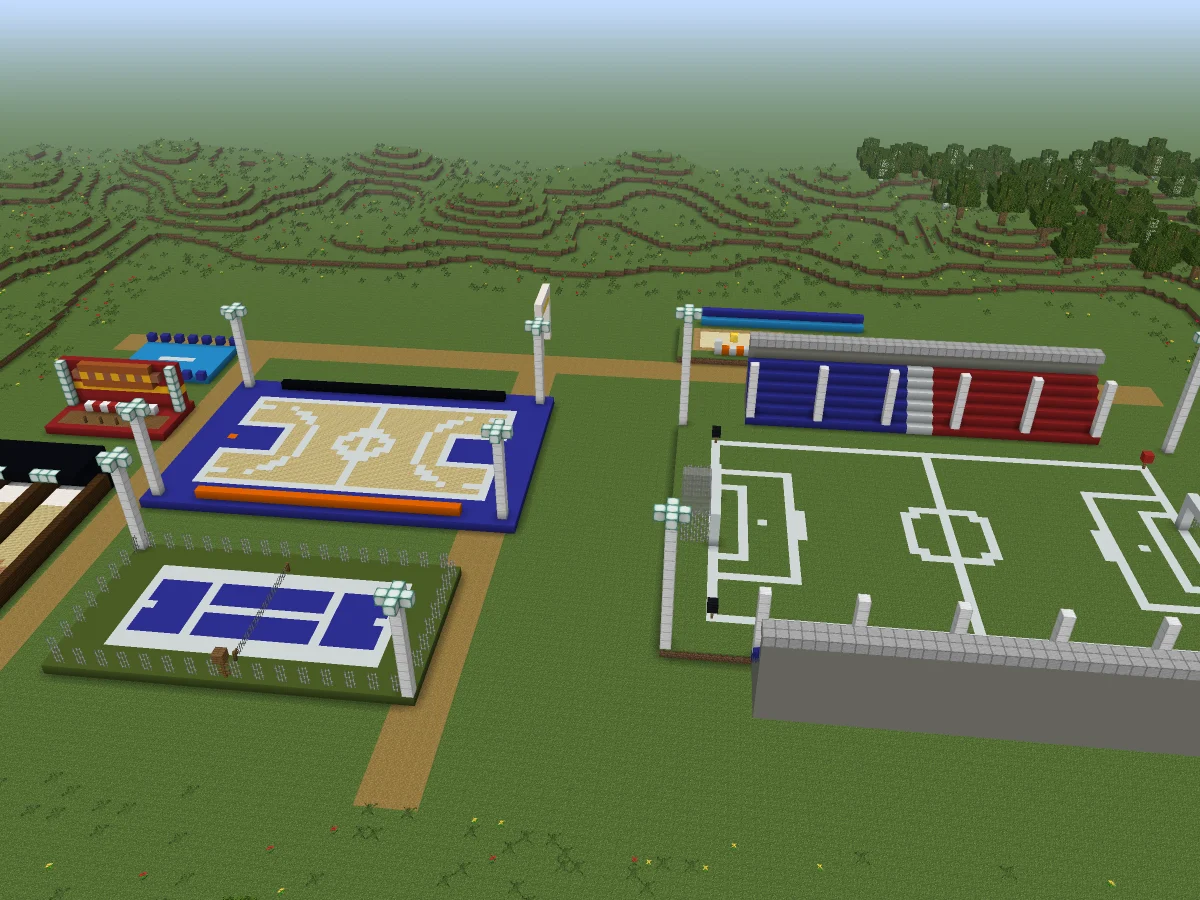
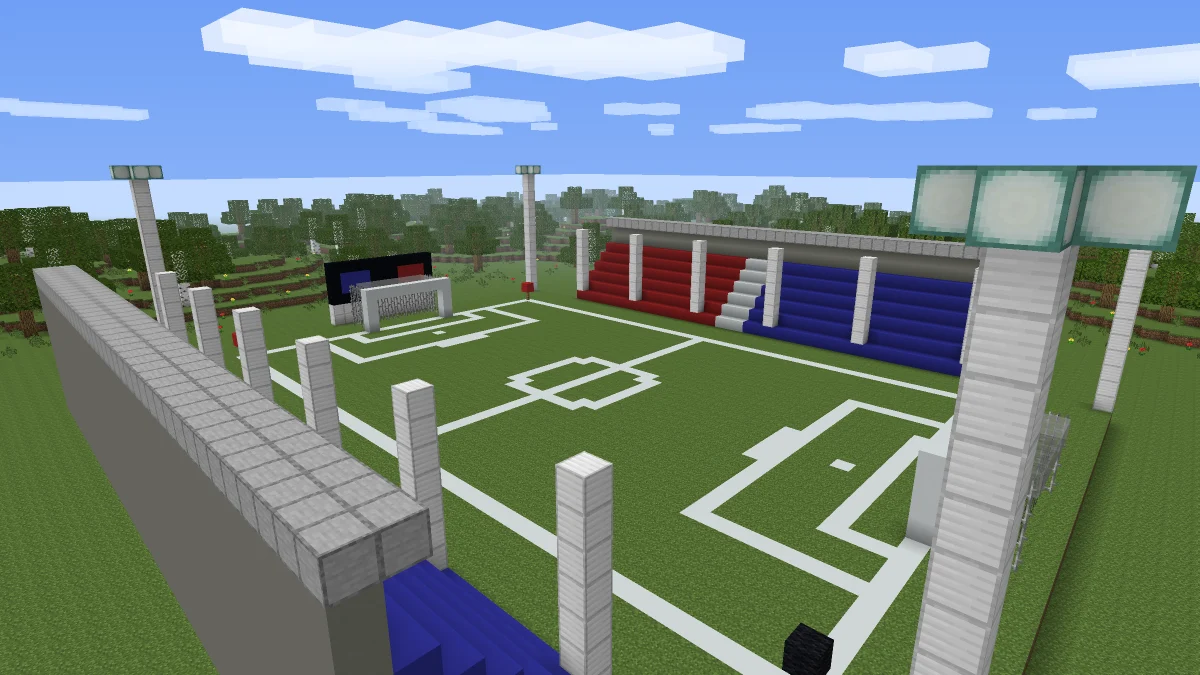
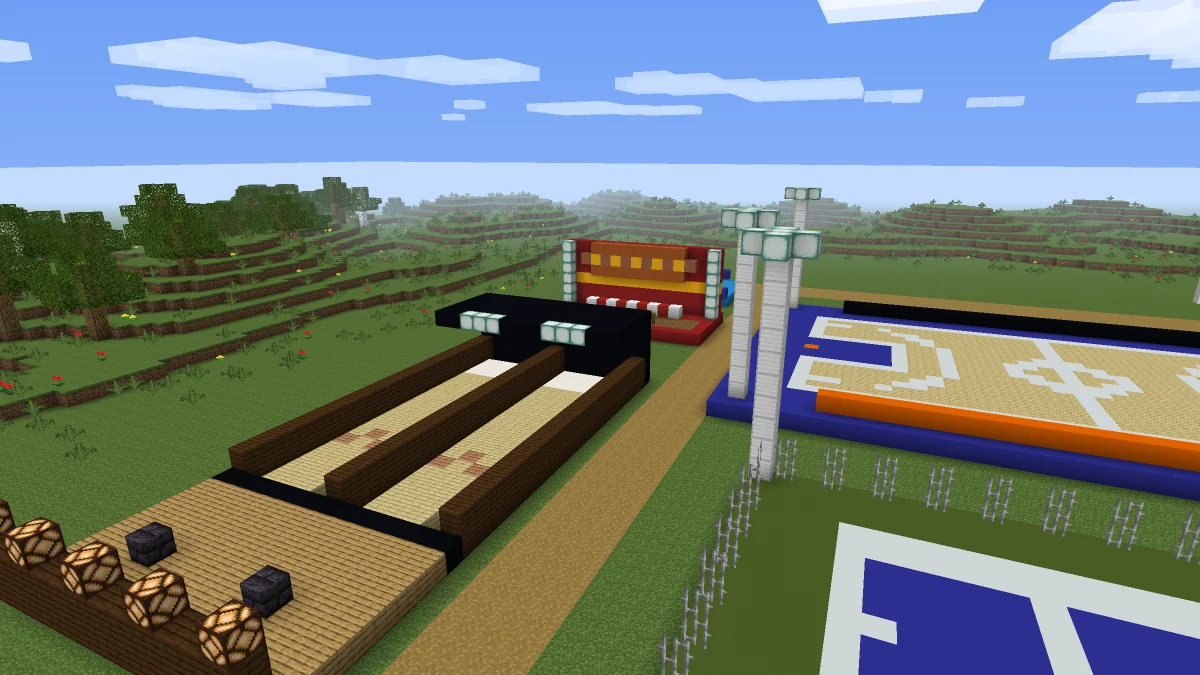
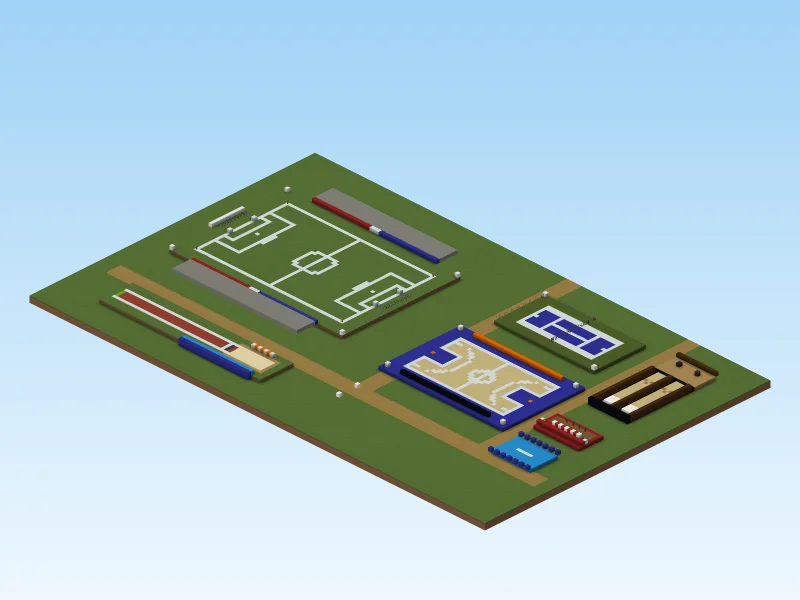
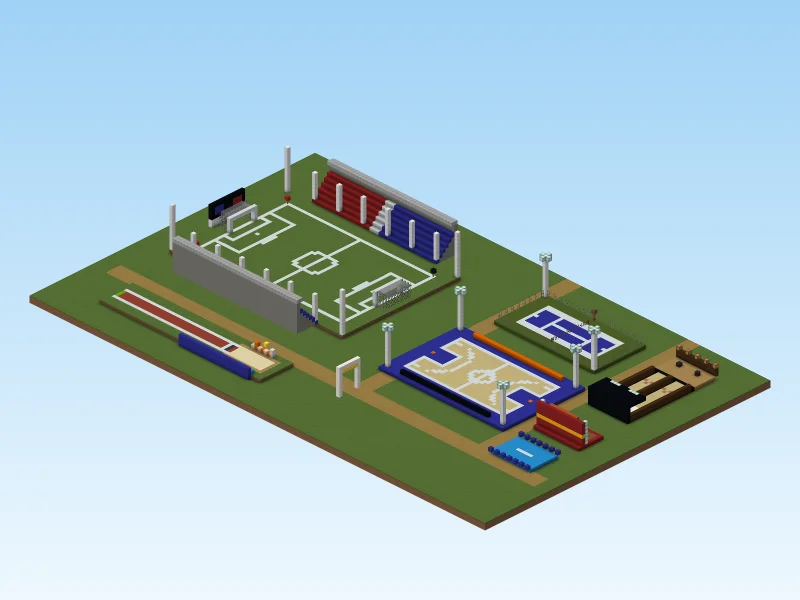
A whole sports park: football stadium with stands and floodlights, tennis court, outdoor basketball court, bowling center with two lanes, long jump track, eating contest stage and a table tennis corner.
What makes it special: every venue has exactly the sizes of the free sports add-on. Build it, then tap two corners with the Venue Marker in the game – and you can play football, tennis, basketball, bowling, long jump, eating contest and table tennis here.
Football pitch 49 × 31 with 7 × 3 goals, tennis court 25 × 11, basketball court 33 × 19, bowling lanes 18 long – 8,690 blocks in total.
Pictures
🔍 Click on parts
Tap any part of the build in the 3D model – a lamp, a tree, a bench next to the house – and you’ll see exactly how to build that part, with its materials and a layer-by-layer plan.
🧊 Build it as a hologram in Minecraft Bedrock (HoloPrint)
Download this build idea as a .mcstructure file – it is made right from the blueprint below. The HoloPrint website turns it into a pack that places the build as a see-through hologram in your world – you just fill in the blocks.
- Tap the button above – the file sports-park.mcstructure is downloaded.
- Open the HoloPrint website.
- Upload the file there.
- Create your build template texture pack.
- Download the .mcpack file.
- Open it with Minecraft and activate the pack in your world.
- Place an armor stand – the build template appears there. Tip: put it exactly where the build should stand.
Works with Minecraft Bedrock (phone, tablet, console, Windows). HoloPrint is a free fan project, not made by Blockwerk.
Blueprint layer by layer
Click through from bottom to top. Each square is one block, the front is at the bottom. The layer below is shown in grey. 16 layers, blueprint area: 134 × 78 blocks.

Layer 1 of 16 (5019 blocks)
- Grass Block1568
- White Concrete761
- Blue Concrete695
- Grass Block635
- Birch Planks442
- Green Concrete286
- Light Blue Concrete112
- Red Terracotta105
- Oak Planks89
- Red Concrete81
- Dark Oak Planks60
- Sand55
- Spruce Planks39
- Stripped Oak Log31
- Black Concrete26
- Block of Quartz18
- Jungle Planks6
- Lime Concrete3
- Gray Concrete3
- Orange Concrete2
- Polished Blackstone Bricks2
Layer 2 of 16 (936 blocks)
- Light Gray Concrete492
- Iron Bars85
- Blue Concrete75
- Dark Oak Planks73
- Red Concrete53
- Black Concrete42
- Orange Concrete32
- Light Blue Concrete23
- Block of Iron21
- White Concrete14
- Spruce Fence7
- White Wool5
- Oak Fence4
- Red Wool4
- Block of Quartz2
- Sea Lantern2
- Polished Blackstone Bricks2

Layer 3 of 16 (678 blocks)
- Light Gray Concrete410
- Iron Bars74
- Blue Concrete61
- Red Concrete53
- Block of Iron33
- Dark Oak Planks13
- Black Concrete13
- White Concrete11
- Red Wool2
- Black Wool2
- Block of Quartz2
- Sea Lantern2
- Orange Concrete1
- Spruce Fence1
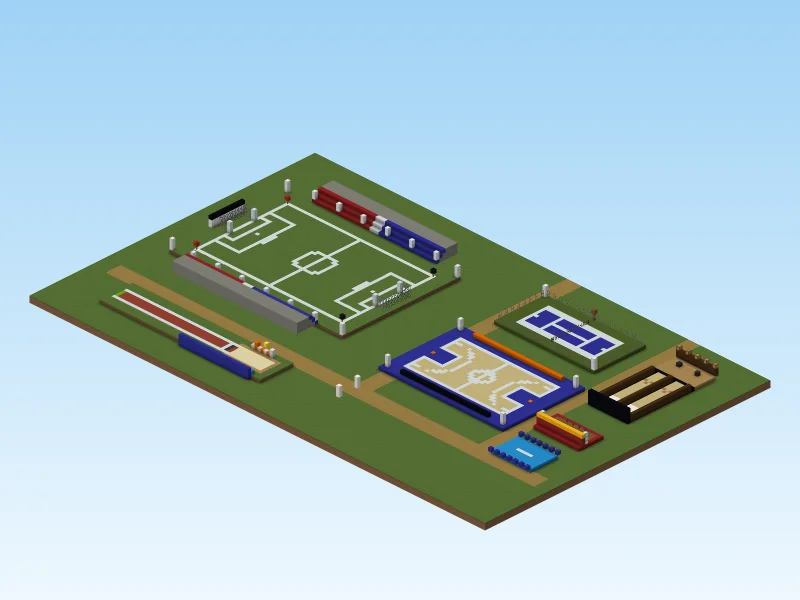
Layer 4 of 16 (512 blocks)
- Light Gray Concrete328
- Red Concrete38
- Blue Concrete38
- Iron Bars26
- Black Concrete24
- Block of Iron22
- Yellow Concrete15
- White Concrete10
- Redstone Lamp5
- Block of Quartz2
- Sea Lantern2
- Block of Gold1
- Spruce Planks1

Layer 5 of 16 (539 blocks)
- Light Gray Concrete246
- Black Concrete77
- Red Concrete56
- Light Gray Stained Glass42
- Blue Concrete41
- White Concrete24
- Block of Iron22
- Iron Bars12
- Orange Terracotta9
- Sea Lantern8
- Block of Quartz2

Layer 6 of 16 (309 blocks)
- Light Gray Concrete164
- Red Concrete56
- Blue Concrete41
- Block of Iron22
- White Concrete6
- Terracotta6
- Black Concrete5
- Yellow Concrete5
- Block of Quartz2
- Sea Lantern2

Layer 7 of 16 (225 blocks)
- Light Gray Concrete82
- Red Concrete53
- Blue Concrete38
- Block of Iron22
- Black Concrete11
- Orange Terracotta9
- White Concrete6
- Block of Quartz2
- Sea Lantern2
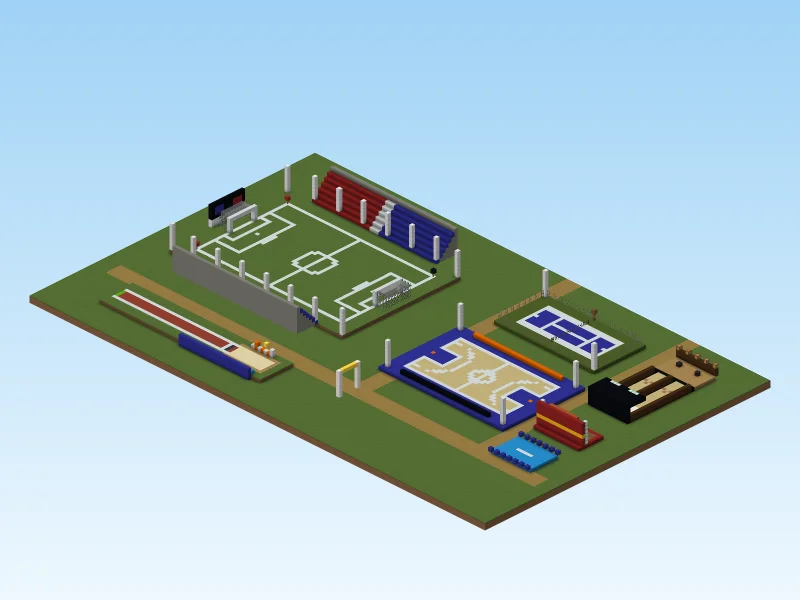
Layer 8 of 16 (111 blocks)
- Light Gray Concrete82
- Block of Iron22
- Block of Gold5
- Block of Quartz2
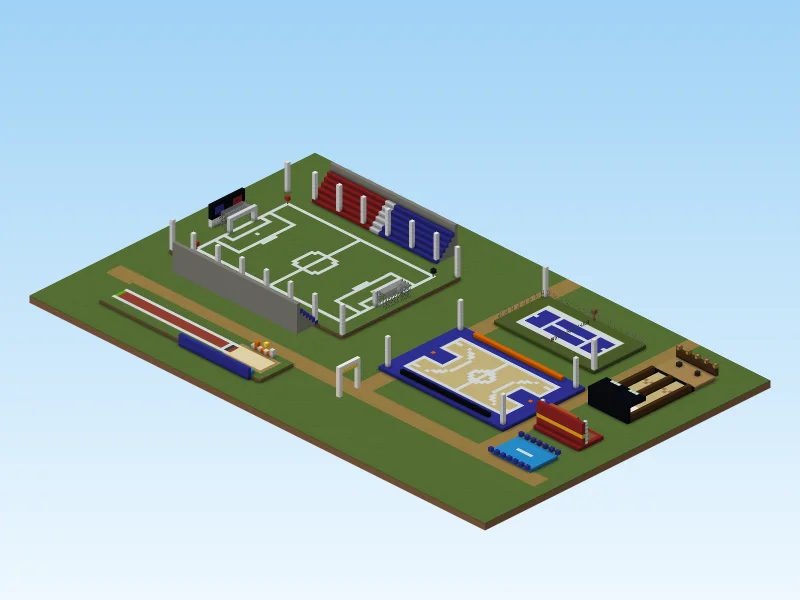
Layer 9 of 16 (111 blocks)
- Light Gray Concrete82
- Block of Iron22
- Block of Quartz7
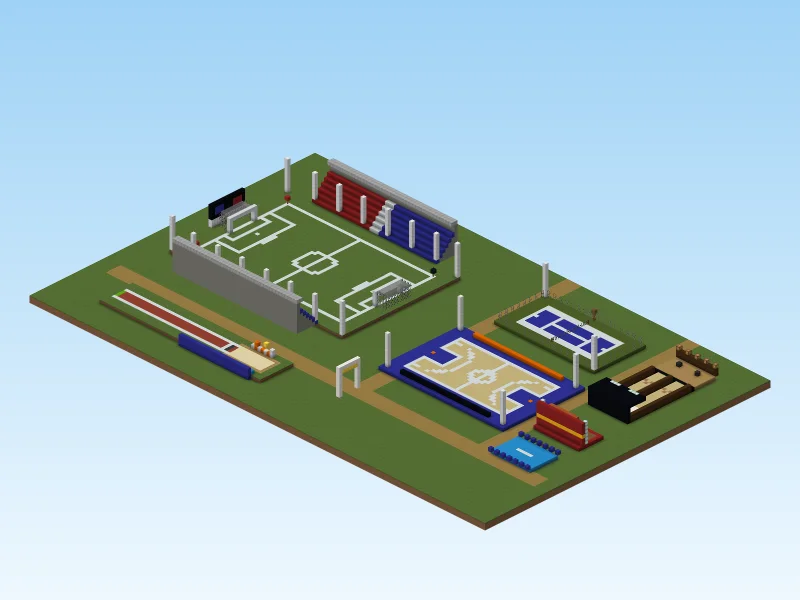
Layer 10 of 16 (174 blocks)
- Smooth Stone164
- Block of Iron10

Layer 11 of 16 (10 blocks)
- Block of Iron10

Layer 12 of 16 (34 blocks)
- Sea Lantern30
- Block of Iron4
Layer 13 of 16 (4 blocks)
- Block of Iron4

Layer 14 of 16 (4 blocks)
- Block of Iron4

Layer 15 of 16 (4 blocks)
- Block of Iron4

Layer 16 of 16 (20 blocks)
- Sea Lantern20
Simplified blueprint: stairs and slabs are partly shown as full blocks, animals and plants as small squares. Tip: use the arrow keys ← → to switch layers.
Step-by-step guide
Football stadium
Lay the grass and the white lines, then put the two goals exactly on the goal lines (posts 3 high, crossbar on top), net, stands and floodlights.
Tennis and basketball
The tennis court is blue with a green border, the net is made of iron bars. The basketball court has a wooden floor – the orange dots on the baselines show where the hoops go.
Bowling center
Lanes of birch planks with a gutter on each side without a block (one step lower). The pit at the back stays empty, above it the black back wall.
Long jump, eating contest, table tennis
Red runway, white board, sand pit. On the stage there is the table with a red and white cloth, the eaters stand on the stage side.
Register in the game
With the Venue Marker: football – two opposite corners of the lines; tennis – corners of the outer lines; basketball – corners of the lines (the hoops are added automatically); bowling – first the lane right at the foul line, then the back corner before the pit; long jump – first the board, then the end of the sand pit; eating contest – both ends of the table (from the stage side).
Pro tips
- Build with HoloPrint – then every line sits on the right block and the marker finds the goals right away.
- The gutters and the pit of the bowling lanes are gaps: just don’t place a block there.
- At night the floodlights and sea lanterns glow – perfect for evening matches.
Variations
- Bigger stadium? No problem: the marker detects any pitch size and finds your goals by itself.
- Put a roof over the bowling center and the basketball court – then it becomes a hall.
- Paint the stands in your favourite club’s colours.


