Storage room: Bricks & Dark Oak
- DifficultyEasy
- Size13 × 9 blocks, 7 high
- Build timeabout 30 minutes
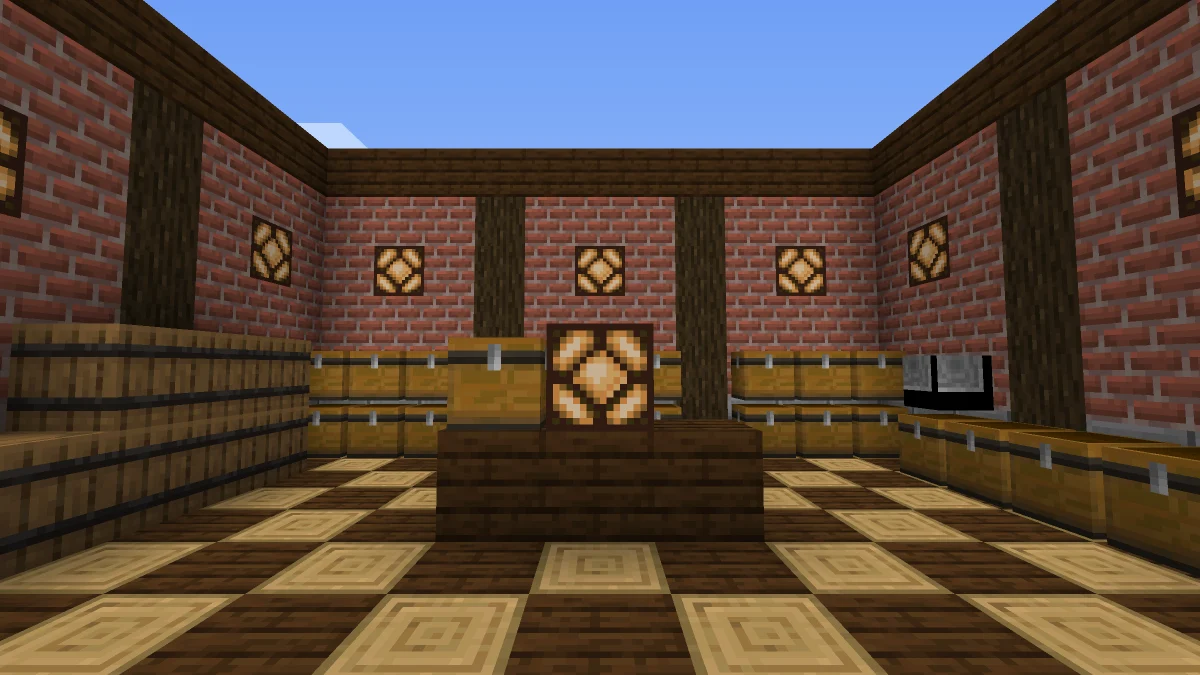
Red bricks with almost black wood – looks like an old workshop or factory. Redstone lamps in the wall give a warm glow.
The wall combo: a base of Stone Bricks, a post of Dark Oak Log every four blocks, Bricks in between and Dark Oak Planks on top. Redstone Lamp in the wall provides light. The floor is Dark Oak Planks and Stripped Oak Wood in a checkerboard pattern. In the pictures the room is open at the front and has no ceiling so you can look inside – in your basement just add a ceiling of Dark Oak Planks.

Pictures
🔍 Click on parts
Tap any part of the build in the 3D model – a lamp, a tree, a bench next to the house – and you’ll see exactly how to build that part, with its materials and a layer-by-layer plan.
🧊 Build it as a hologram in Minecraft Bedrock (HoloPrint)
Download this build idea as a .mcstructure file – it is made right from the blueprint below. The HoloPrint website turns it into a pack that places the build as a see-through hologram in your world – you just fill in the blocks.
- Tap the button above – the file storage-room-brick-dark-oak.mcstructure is downloaded.
- Open the HoloPrint website.
- Upload the file there.
- Create your build template texture pack.
- Download the .mcpack file.
- Open it with Minecraft and activate the pack in your world.
- Place an armor stand – the build template appears there. Tip: put it exactly where the build should stand.
Works with Minecraft Bedrock (phone, tablet, console, Windows). HoloPrint is a free fan project, not made by Blockwerk.
Blueprint layer by layer
Click through from bottom to top. Each square is one block, the front is at the bottom. The layer below is shown in grey. 7 layers, blueprint area: 13 × 9 blocks.
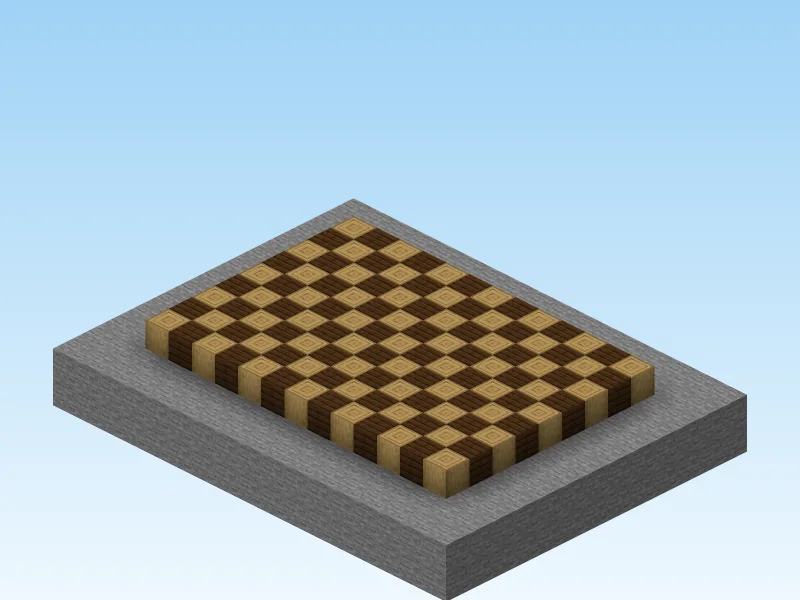
Layer 1 of 7 (117 blocks)
- Stripped Oak Wood59
- Dark Oak Planks58
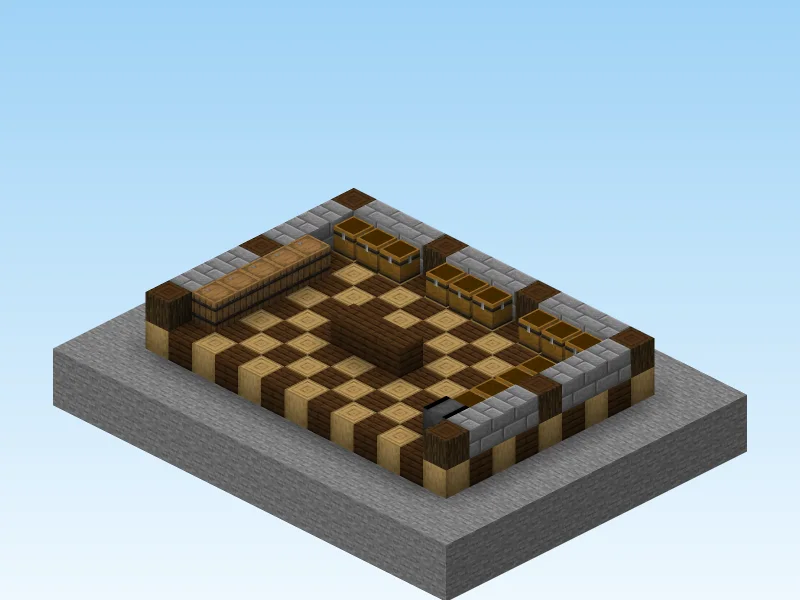
Layer 2 of 7 (51 blocks)
- Stone Bricks21
- Chest13
- Dark Oak Log8
- Barrel5
- Dark Oak Planks3
- Anvil1
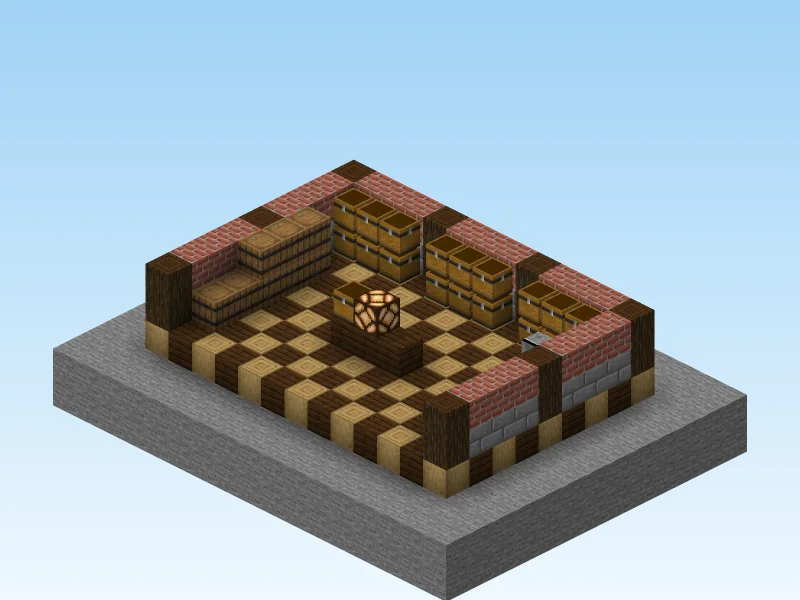
Layer 3 of 7 (44 blocks)
- Bricks21
- Chest10
- Dark Oak Log8
- Barrel3
- Grindstone1
- Redstone Lamp1
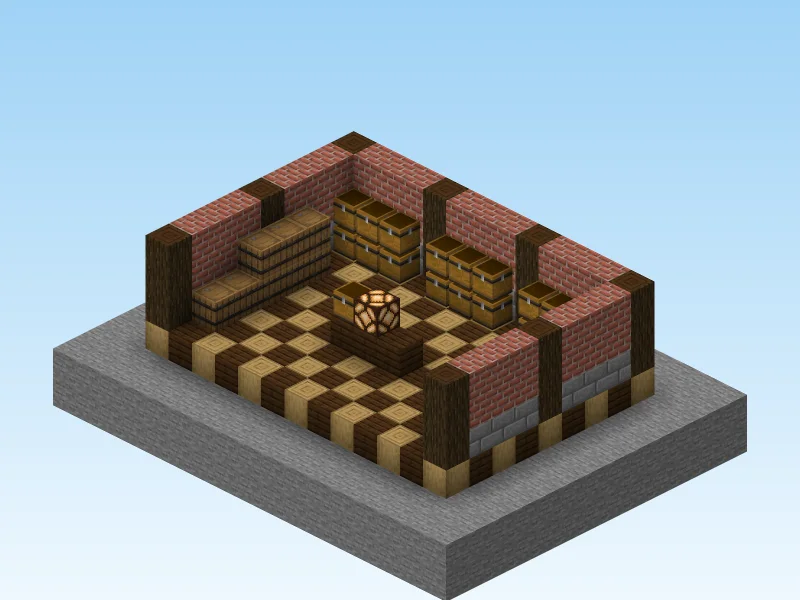
Layer 4 of 7 (29 blocks)
- Bricks21
- Dark Oak Log8
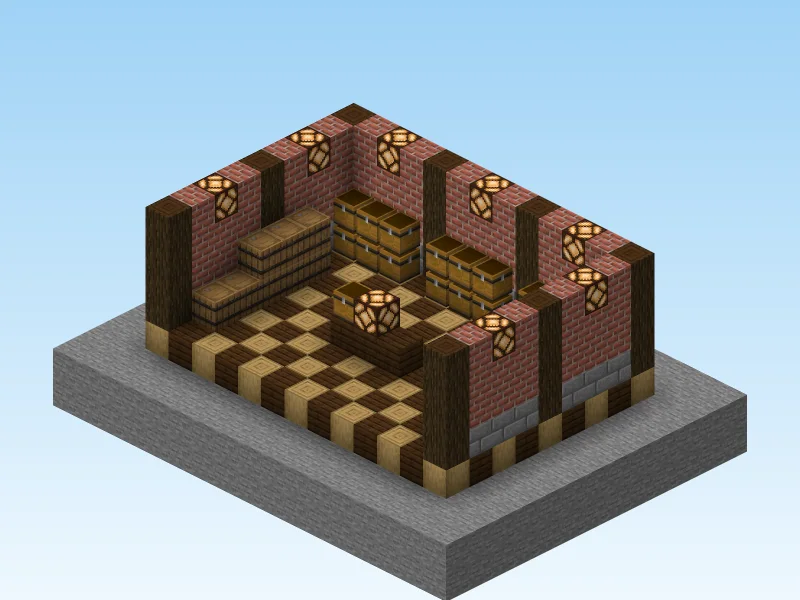
Layer 5 of 7 (29 blocks)
- Bricks14
- Dark Oak Log8
- Redstone Lamp7
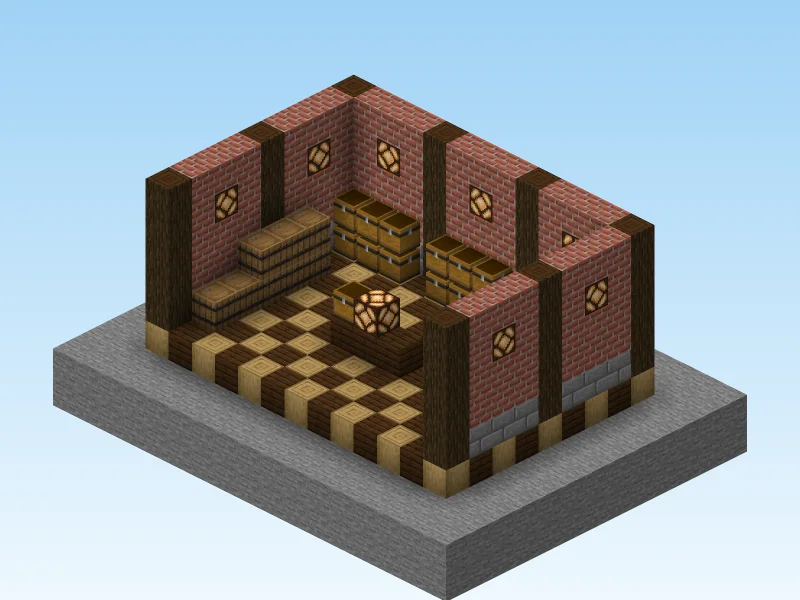
Layer 6 of 7 (29 blocks)
- Bricks21
- Dark Oak Log8
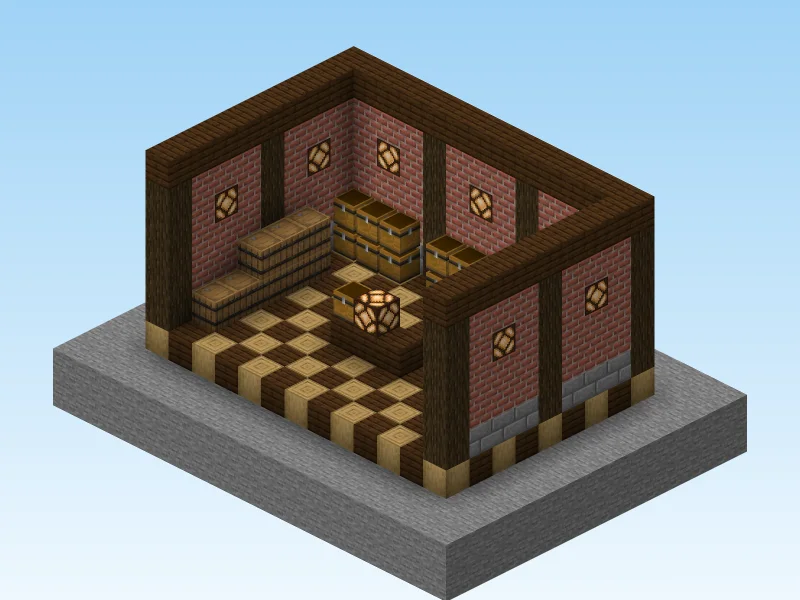
Layer 7 of 7 (29 blocks)
- Dark Oak Planks29
Simplified blueprint: stairs and slabs are partly shown as full blocks, animals and plants as small squares. Tip: use the arrow keys ← → to switch layers.
Step-by-step guide
Lay the floor
Lay a 13 × 9 floor of Dark Oak Planks and Stripped Oak Wood in a checkerboard pattern.
Base
Place the bottom row of the back, left and right walls in Stone Bricks. The base makes the wall look heavy and solid.
Posts
Every four blocks, put up a post of Dark Oak Log, 5 blocks high. This splits the wall into panels.
Fill
Fill the panels between the posts with Bricks. Redstone Lamp in the wall provides light.
Top
Add a continuous top row of Dark Oak Planks – it ties the wall together.
Chests and decor
Put double chests two high between the posts on the back wall. Stack barrels on the left, chests and work blocks on the right and a small table with a light in the middle.
Ceiling
In a real basement: a ceiling of Dark Oak Planks or Dark Oak Log with lanterns on chains.
Pro tips
- Remember the rule: dark base, calm fill, posts as contrast, a top row – that makes every wall look good.
- Use at most three main blocks, otherwise the wall looks busy.
- Label chests with signs or item frames so you find everything right away.
- Leave 2 blocks of walking space between chest rows.
Variations
- Just swap the posts – with a different wood Bricks & Dark Oak gets a new look instantly.
- Make the room longer and add a second row of chests in the middle.
- Build a sorting system with hoppers under the chests.


