Victorian House with Tower
- DifficultyHard
- Size39 × 28 blocks, 37 high
- Build timeabout 6 hours
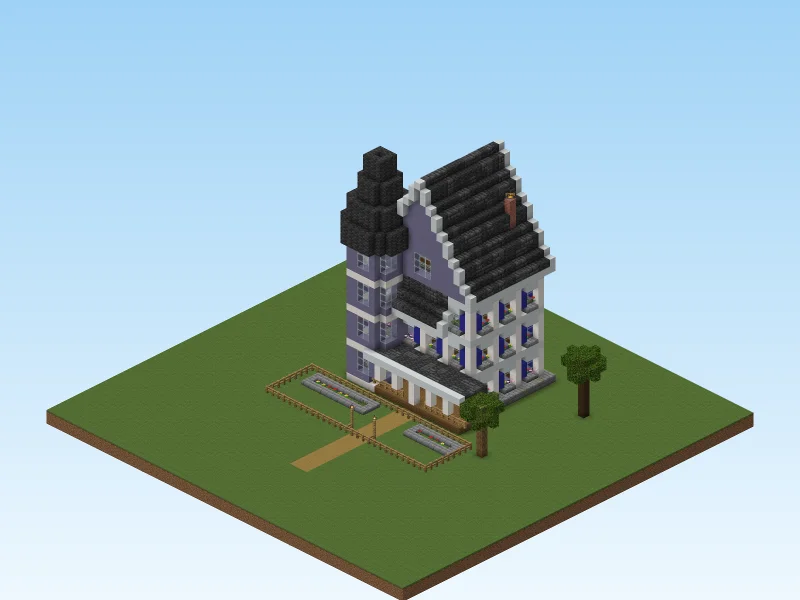
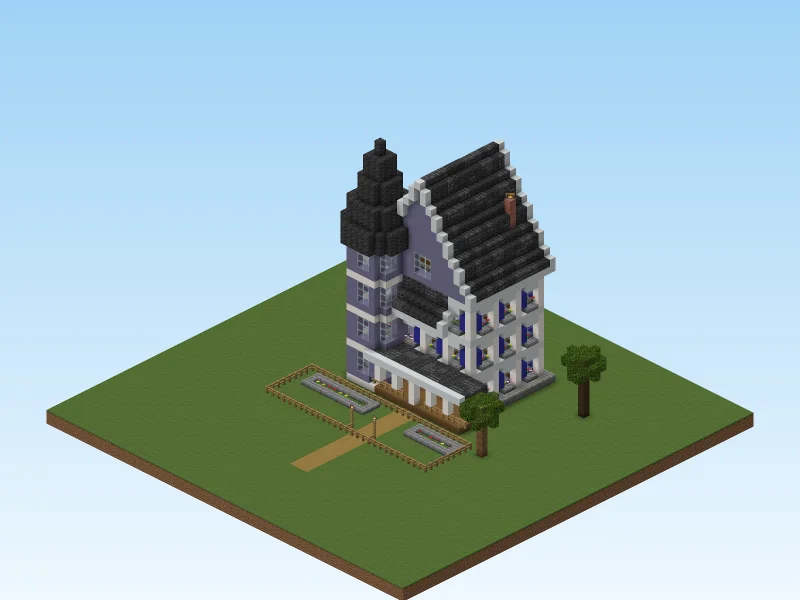
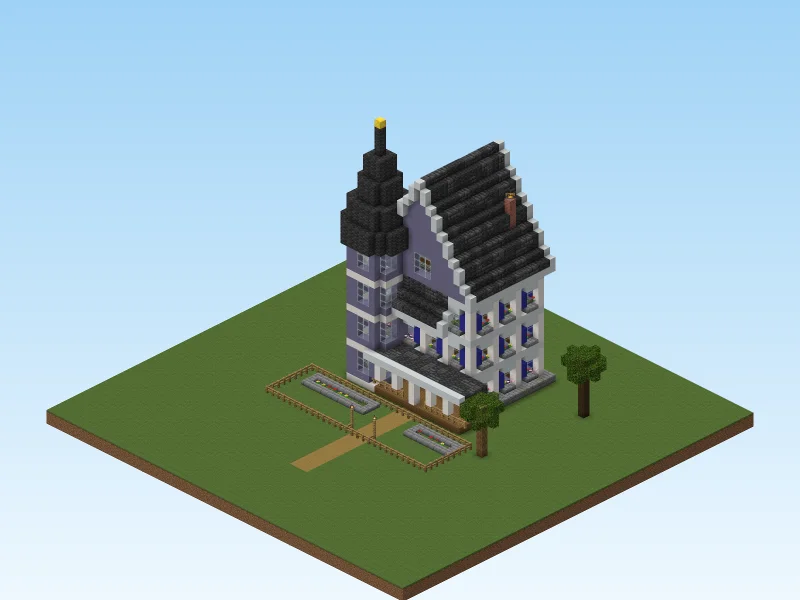
Victorian House with Tower – rebuilt, bigger and with many more details: three storeys in light blue with white columns and window frames.
What makes it special: a round corner tower with a pointed slate roof, a porch with columns, railing and lanterns and two brick chimneys and a white picket fence around the front garden. Altogether it is 39 × 28 blocks and 37 blocks high – 3,750 blocks in total.
You need the most Light Blue Terracotta, Dark Oak Planks, Deepslate Tile Stairs and White Concrete. Paths, streets and water are shown as ground in the blueprint.

Pictures
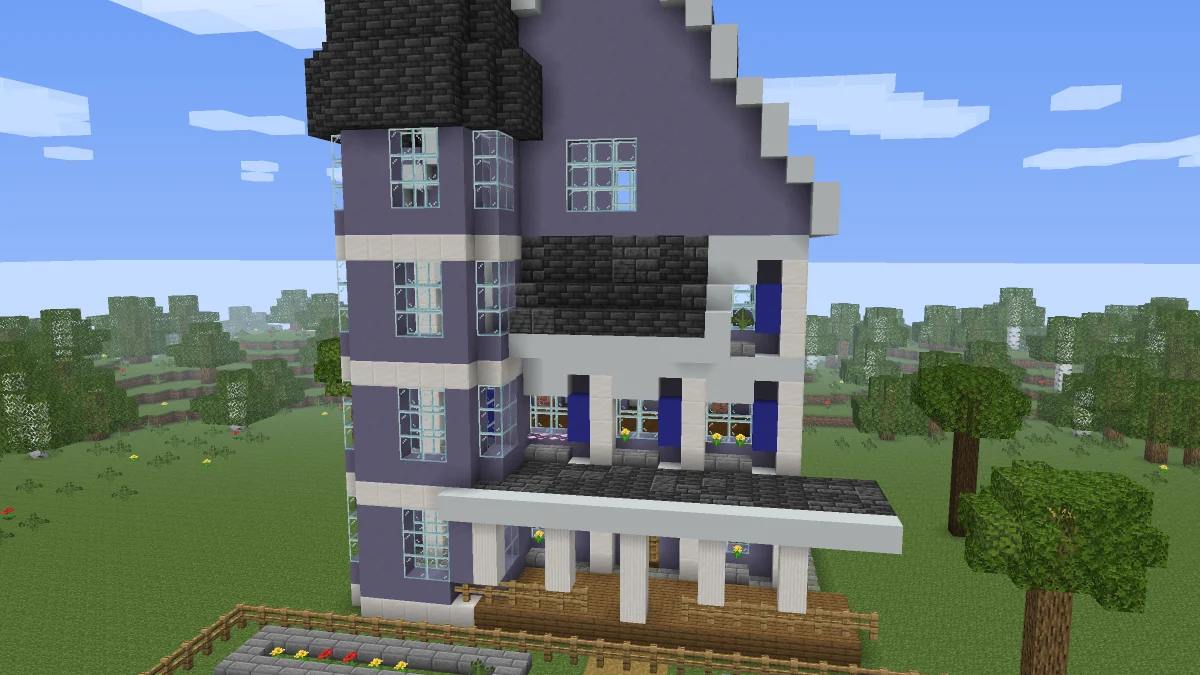
🔍 Click on parts
Tap any part of the build in the 3D model – a lamp, a tree, a bench next to the house – and you’ll see exactly how to build that part, with its materials and a layer-by-layer plan.
🧊 Build it as a hologram in Minecraft Bedrock (HoloPrint)
Download this build idea as a .mcstructure file – it is made right from the blueprint below. The HoloPrint website turns it into a pack that places the build as a see-through hologram in your world – you just fill in the blocks.
- Tap the button above – the file victorian-house-with-tower.mcstructure is downloaded.
- Open the HoloPrint website.
- Upload the file there.
- Create your build template texture pack.
- Download the .mcpack file.
- Open it with Minecraft and activate the pack in your world.
- Place an armor stand – the build template appears there. Tip: put it exactly where the build should stand.
Works with Minecraft Bedrock (phone, tablet, console, Windows). HoloPrint is a free fan project, not made by Blockwerk.
Blueprint layer by layer
Click through from bottom to top. Each square is one block, the front is at the bottom. The layer below is shown in grey. 37 layers, blueprint area: 39 × 28 blocks.
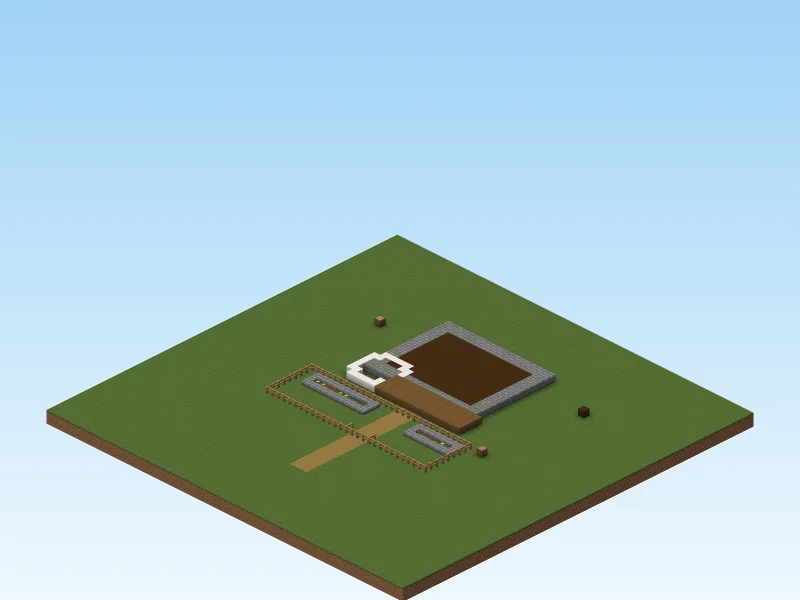
Layer 1 of 37 (474 blocks)
- Dark Oak Planks160
- Oak Fence73
- Spruce Planks60
- Stone Bricks59
- Stone Brick Slab42
- Mossy Stone Bricks22
- Cracked Stone Bricks21
- Block of Quartz21
- Dandelion5
- Poppy5
- Oak Log2
- Dark Oak Log1
- Fern1
- Pink Petals1
- Oak Fence Gate1
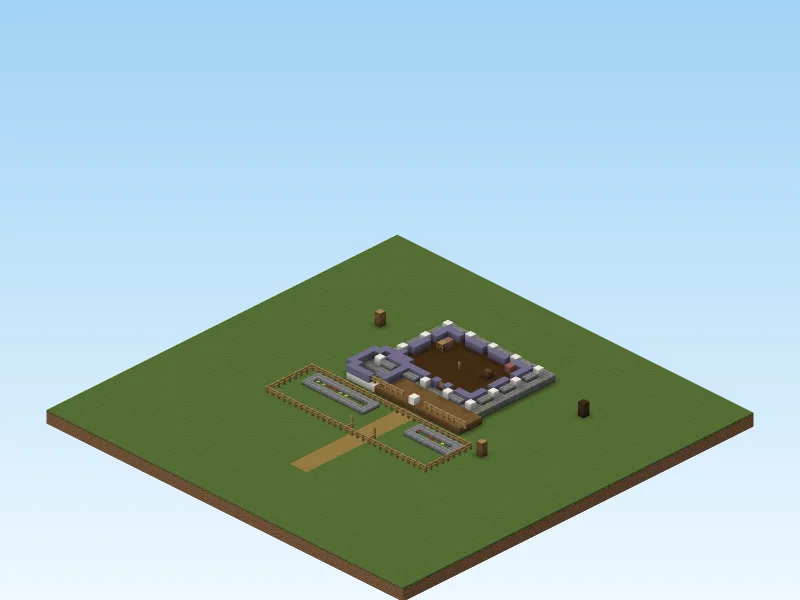
Layer 2 of 37 (122 blocks)
- Light Blue Terracotta58
- Stone Brick Slab25
- Oak Fence17
- Block of Quartz13
- Bricks2
- Oak Log2
- Dark Oak Log1
- Bookshelf1
- Note Block1
- Oak Door1
- Quartz Pillar1
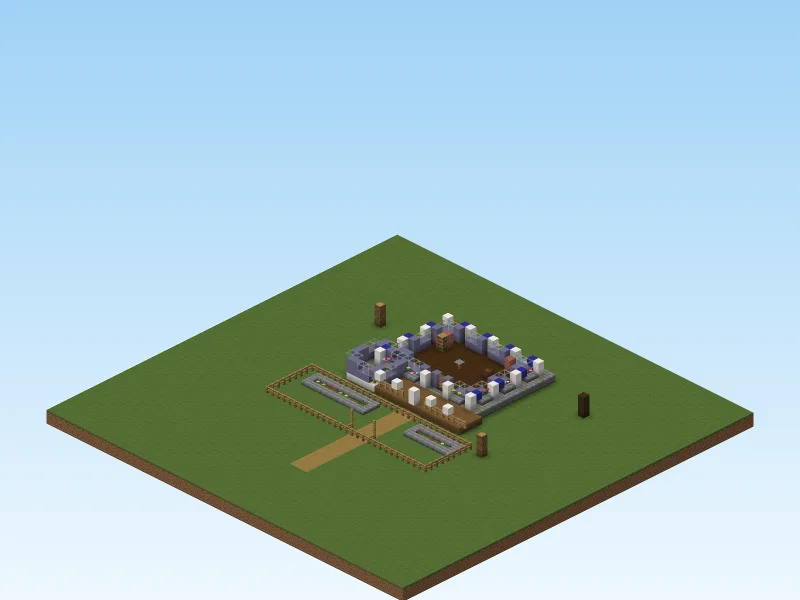
Layer 3 of 37 (120 blocks)
- Glass35
- Light Blue Terracotta24
- Block of Quartz13
- Dandelion10
- Blue Concrete10
- Poppy7
- Pink Petals6
- Quartz Pillar5
- Bricks2
- Oak Log2
- Oak Fence2
- Dark Oak Log1
- Bookshelf1
- Stone Pressure Plate1
- Oak Door1

Layer 4 of 37 (95 blocks)
- Glass36
- Light Blue Terracotta24
- Block of Quartz13
- Blue Concrete10
- Quartz Pillar5
- Bricks2
- Oak Log2
- Lantern2
- Dark Oak Log1
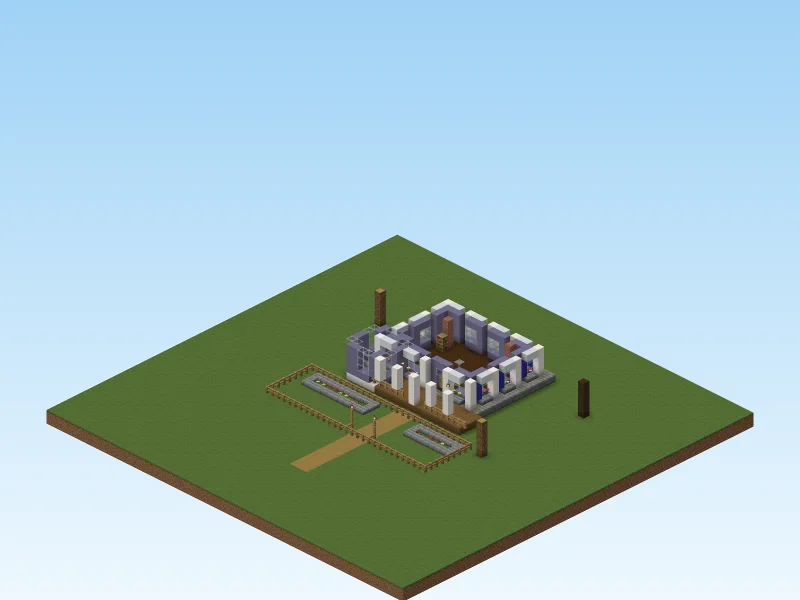
Layer 5 of 37 (110 blocks)
- Light Blue Terracotta48
- White Concrete25
- Block of Quartz13
- Glass12
- Quartz Pillar5
- Bricks2
- Oak Log2
- Lantern2
- Dark Oak Log1
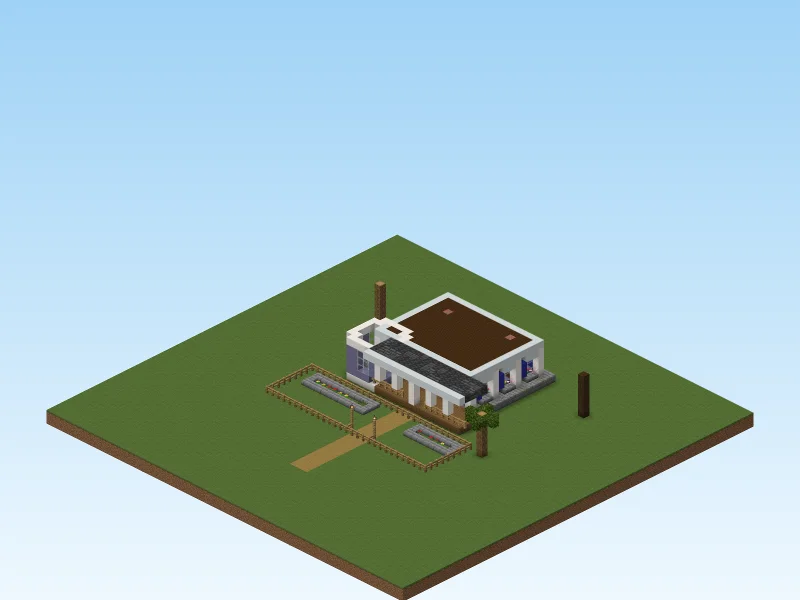
Layer 6 of 37 (333 blocks)
- Dark Oak Planks158
- White Concrete71
- Deepslate Tile Stairs45
- Block of Quartz19
- Deepslate Bricks15
- Leaves10
- Polished Deepslate8
- Bricks2
- Oak Log2
- Azalea Leaves2
- Dark Oak Log1
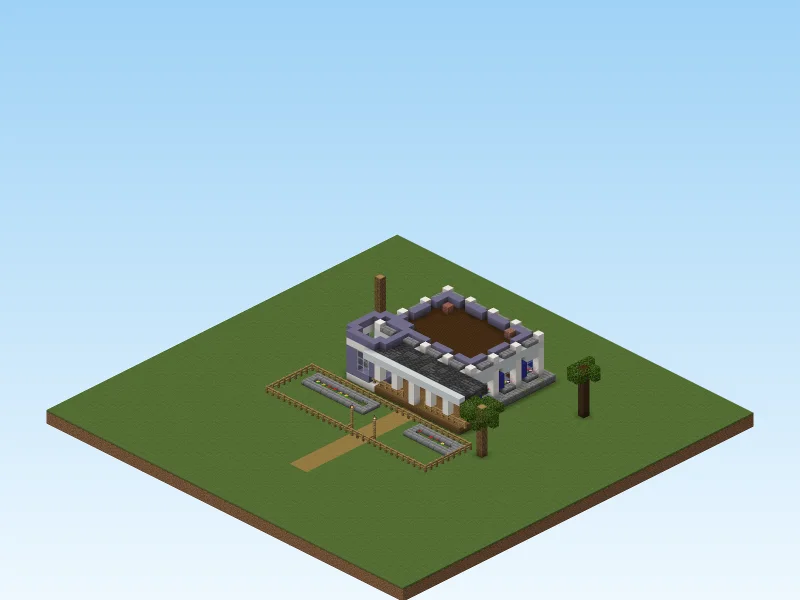
Layer 7 of 37 (135 blocks)
- Light Blue Terracotta60
- Leaves28
- Stone Brick Slab27
- Block of Quartz13
- Oak Log2
- Azalea Leaves2
- Granite1
- Dark Oak Log1
- Bricks1

Layer 8 of 37 (155 blocks)
- Glass37
- Leaves36
- Light Blue Terracotta23
- Blue Concrete14
- Block of Quartz13
- Dandelion11
- Pink Petals8
- Poppy5
- Azalea Leaves4
- Bricks1
- Dark Oak Log1
- Granite1
- Oak Log1
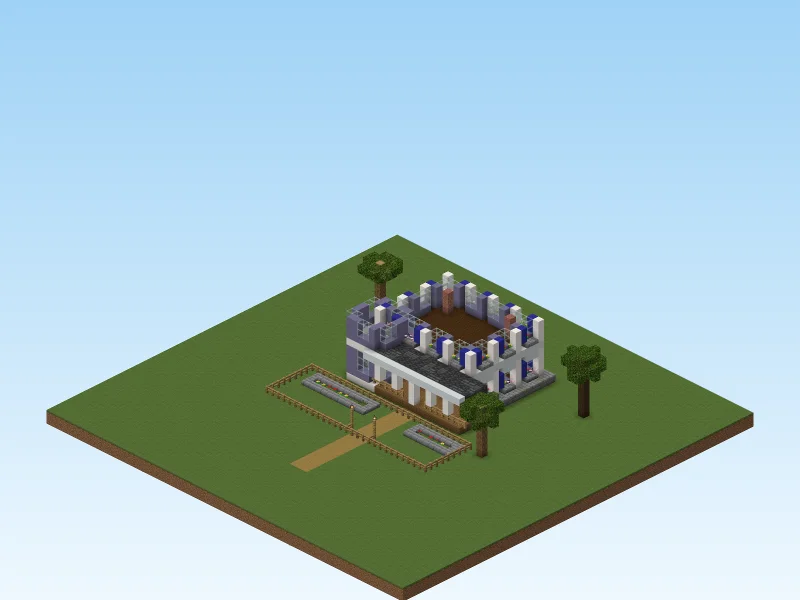
Layer 9 of 37 (122 blocks)
- Glass37
- Leaves29
- Light Blue Terracotta23
- Blue Concrete14
- Block of Quartz13
- Azalea Leaves3
- Bricks2
- Oak Log1

Layer 10 of 37 (114 blocks)
- Light Blue Terracotta48
- White Concrete27
- Block of Quartz13
- Glass12
- Leaves9
- Azalea Leaves3
- Bricks1
- Granite1

Layer 11 of 37 (238 blocks)
- Dark Oak Planks158
- White Concrete54
- Block of Quartz24
- Bricks2

Layer 12 of 37 (129 blocks)
- Light Blue Terracotta60
- White Concrete28
- Stone Brick Slab27
- Block of Quartz12
- Granite1
- Bricks1
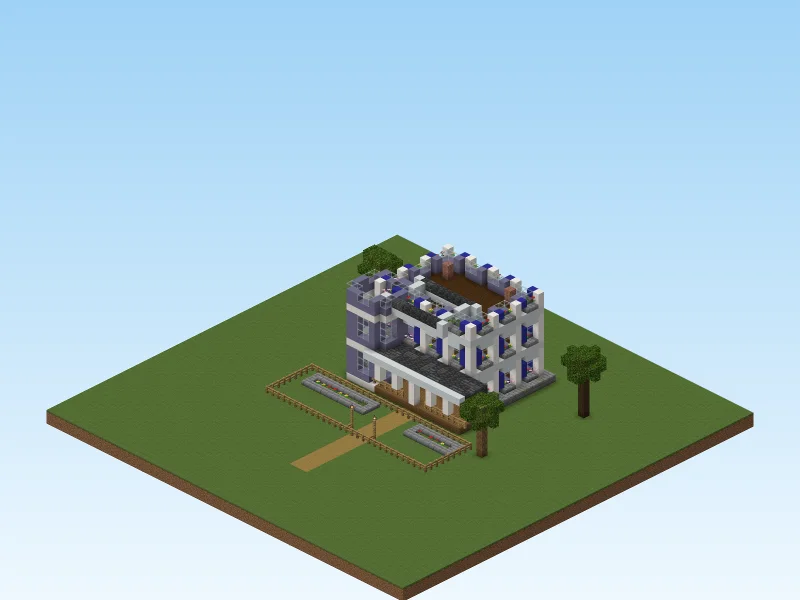
Layer 13 of 37 (139 blocks)
- Glass38
- Light Blue Terracotta23
- Blue Concrete14
- Deepslate Tile Stairs14
- Block of Quartz12
- White Concrete10
- Dandelion8
- Poppy8
- Pink Petals4
- Fern3
- Granite2
- Polished Deepslate2
- Deepslate Bricks1

Layer 14 of 37 (113 blocks)
- Glass37
- Light Blue Terracotta23
- Blue Concrete14
- Block of Quartz12
- Deepslate Tile Stairs12
- White Concrete8
- Polished Deepslate3
- Bricks2
- Deepslate Bricks2

Layer 15 of 37 (116 blocks)
- Light Blue Terracotta48
- White Concrete26
- Glass12
- Block of Quartz11
- Deepslate Tile Stairs9
- Deepslate Bricks6
- Bricks2
- Polished Deepslate2

Layer 16 of 37 (238 blocks)
- Dark Oak Planks147
- White Concrete48
- Block of Quartz24
- Deepslate Tile Stairs9
- Deepslate Bricks7
- Bricks2
- Polished Deepslate1
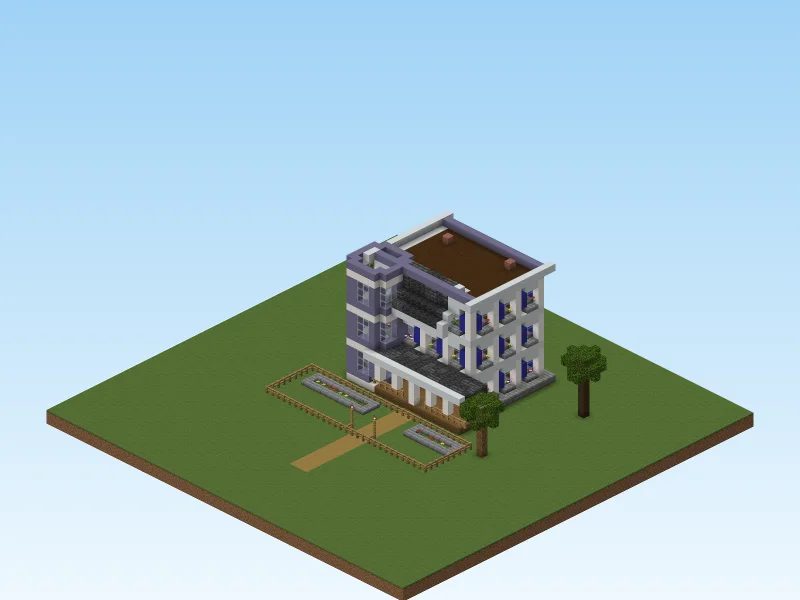
Layer 17 of 37 (96 blocks)
- Light Blue Terracotta57
- White Concrete29
- Deepslate Bricks5
- Deepslate Tile Stairs3
- Bricks2
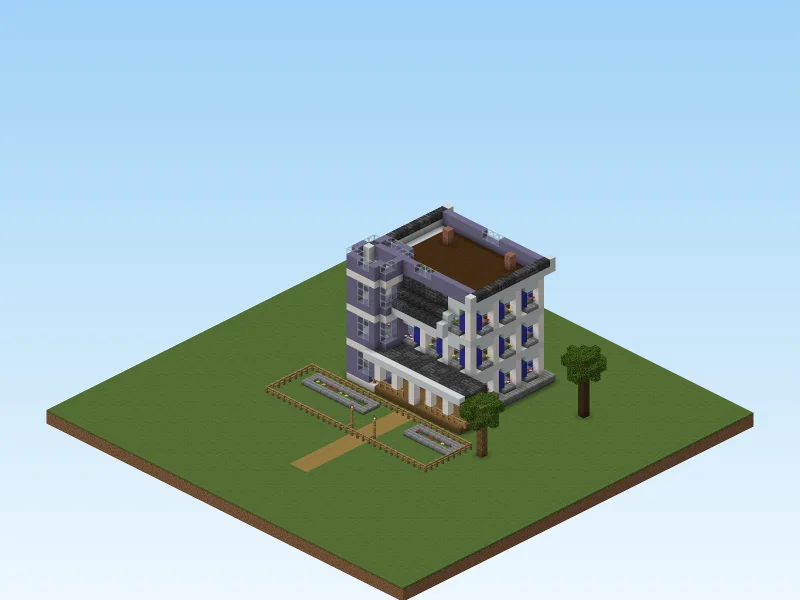
Layer 18 of 37 (87 blocks)
- Light Blue Terracotta39
- Glass18
- Deepslate Tile Stairs13
- Deepslate Bricks10
- White Concrete4
- Granite1
- Bricks1
- Polished Deepslate1
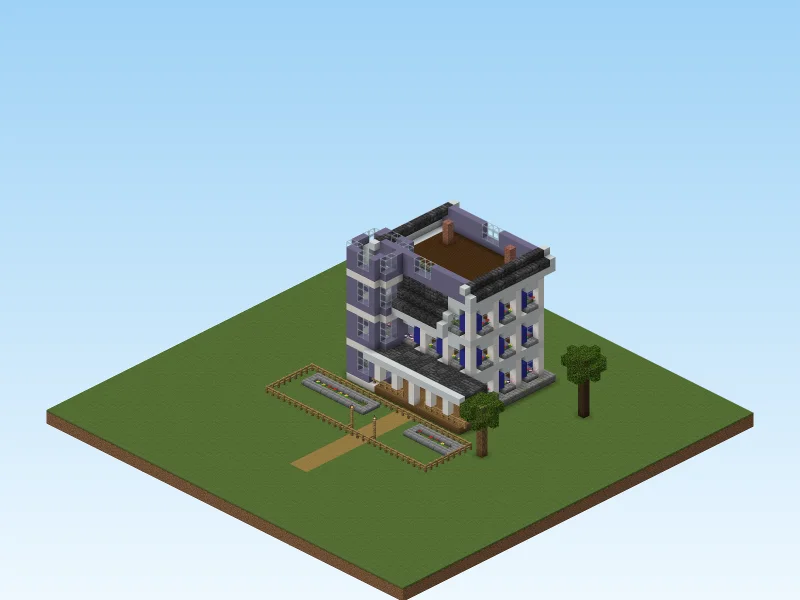
Layer 19 of 37 (84 blocks)
- Light Blue Terracotta35
- Glass18
- Deepslate Tile Stairs16
- Deepslate Bricks9
- White Concrete4
- Bricks1
- Granite1
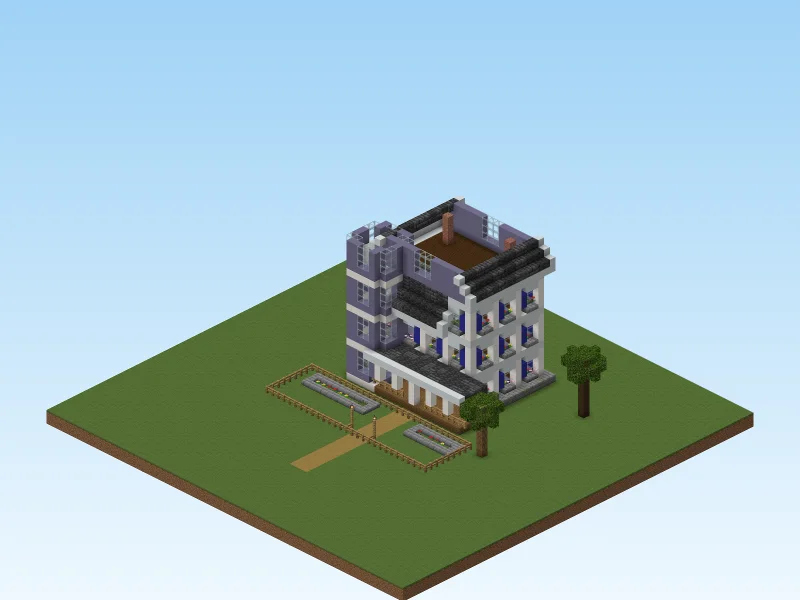
Layer 20 of 37 (80 blocks)
- Light Blue Terracotta31
- Glass18
- Deepslate Tile Stairs12
- Deepslate Bricks11
- White Concrete4
- Polished Deepslate2
- Bricks1
- Granite1

Layer 21 of 37 (80 blocks)
- Deepslate Tile Stairs42
- Light Blue Terracotta25
- Deepslate Bricks5
- White Concrete4
- Bricks2
- Polished Deepslate2

Layer 22 of 37 (76 blocks)
- Deepslate Tile Stairs36
- Light Blue Terracotta21
- Deepslate Bricks10
- White Concrete4
- Polished Deepslate3
- Bricks2

Layer 23 of 37 (70 blocks)
- Deepslate Tile Stairs38
- Light Blue Terracotta17
- Deepslate Bricks8
- White Concrete4
- Polished Deepslate1
- Bricks1
- Granite1
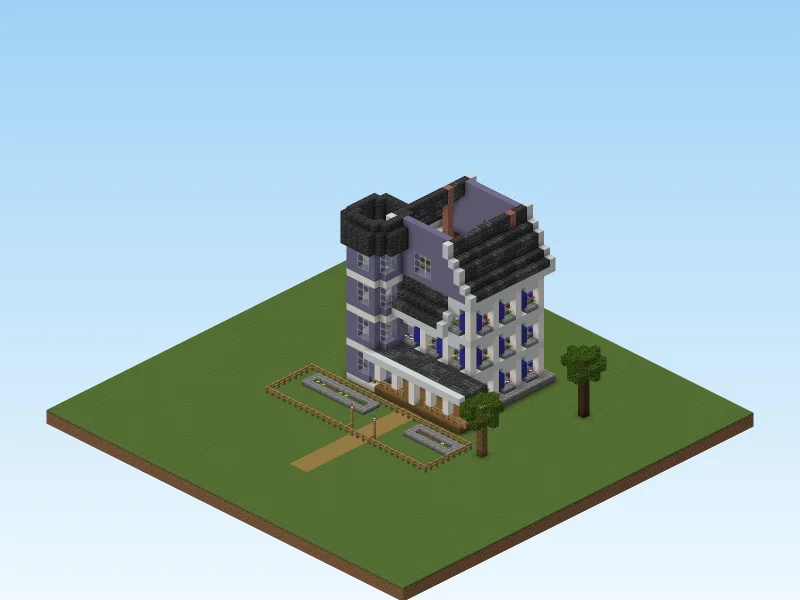
Layer 24 of 37 (69 blocks)
- Deepslate Tile Stairs41
- Light Blue Terracotta17
- Deepslate Bricks5
- White Concrete4
- Bricks1
- Granite1
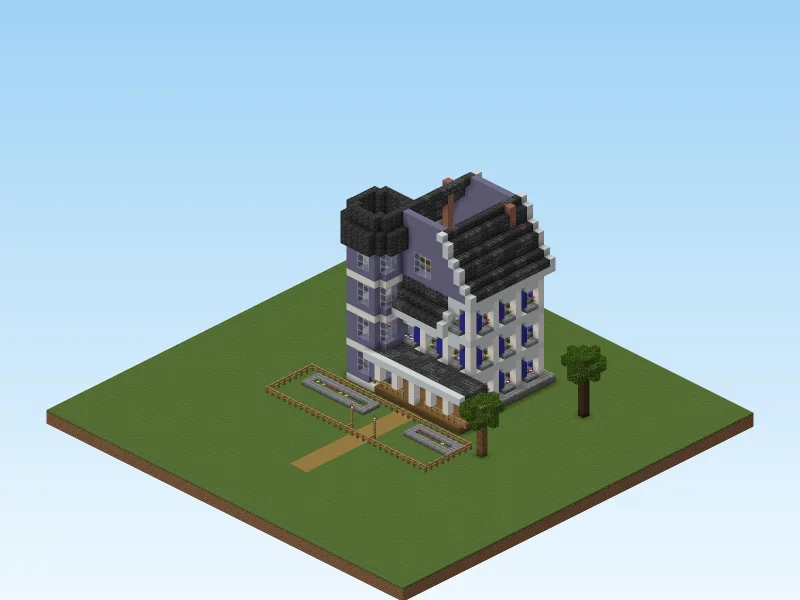
Layer 25 of 37 (67 blocks)
- Deepslate Tile Stairs39
- Light Blue Terracotta14
- Deepslate Bricks5
- Polished Deepslate4
- White Concrete3
- Bricks2
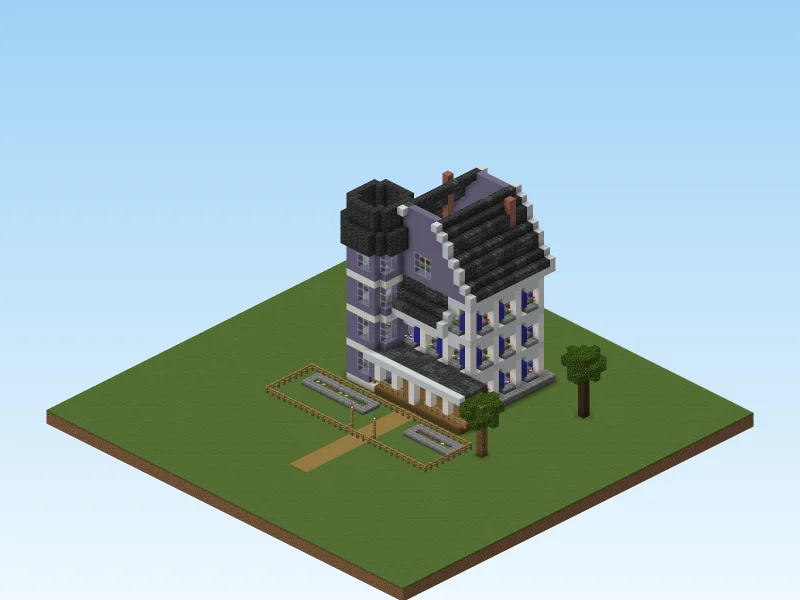
Layer 26 of 37 (66 blocks)
- Deepslate Tile Stairs46
- Light Blue Terracotta10
- White Concrete4
- Deepslate Bricks3
- Bricks2
- Polished Deepslate1

Layer 27 of 37 (54 blocks)
- Deepslate Tile Stairs28
- Light Blue Terracotta10
- Deepslate Bricks7
- White Concrete4
- Polished Deepslate3
- Campfire2

Layer 28 of 37 (48 blocks)
- Deepslate Tile Stairs28
- Deepslate Bricks8
- Light Blue Terracotta6
- White Concrete4
- Polished Deepslate2

Layer 29 of 37 (44 blocks)
- Deepslate Tile Stairs28
- Polished Deepslate6
- White Concrete4
- Deepslate Bricks4
- Light Blue Terracotta2

Layer 30 of 37 (40 blocks)
- Deepslate Tile Stairs25
- Deepslate Bricks7
- White Concrete4
- Light Blue Terracotta2
- Polished Deepslate2

Layer 31 of 37 (23 blocks)
- Deepslate Tile Stairs13
- Deepslate Bricks5
- Polished Deepslate3
- White Concrete2
Layer 32 of 37 (8 blocks)
- Deepslate Tile Stairs8

Layer 33 of 37 (1 blocks)
- Deepslate Tile Stairs1
Layer 34 of 37 (1 blocks)
- Deepslate Tile Stairs1

Layer 35 of 37 (1 blocks)
- Deepslate Tile Stairs1

Layer 36 of 37 (1 blocks)
- Deepslate Tile Stairs1
Layer 37 of 37 (1 blocks)
- Block of Gold1
Simplified blueprint: stairs and slabs are partly shown as full blocks, animals and plants as small squares. Tip: use the arrow keys ← → to switch layers.
Step-by-step guide
Mark out the plot
Mark out the area (39 × 28). The front is at the bottom of the blueprint. Lay paths, water and flower beds first.
Base and ground floor
Build the stone base and then the ground floor walls. Pillars and beams are at the front, the wall in between one block further back – that gives depth.
Upper floors and windows
Every floor starts with a ring of beams. Each window gets a sill with flowers in front.
Roof
The roof sticks out one block and has an edge in a different colour. Build it layer by layer from bottom to top.
The special part
Now the part that makes this house unique: three storeys in light blue with white columns and window frames, a round corner tower with a pointed slate roof, a porch with columns, railing and lanterns and two brick chimneys and a white picket fence around the front garden.
Garden, furniture and light
Finally trees, fences, lanterns and the furniture inside. The blueprint shows every layer on its own.
Pro tips
- Build the pillars at all corners to full height first – then you see the size right away.
- The blueprint shows the layer below in grey – that makes it easy to find your way.
- With “Click parts” you see single parts (trees, lanterns, cars) with their own blueprint.
Variations
- Swap the colours of the walls or the roof – with other blocks everything looks completely different.
- Build several houses and shops next to each other – that makes a whole street or village.
- Add glowstone or lanterns inside – then everything glows nicely at night.


