Plush fox castle
- DifficultyMedium
- Size27 × 24 blocks, 47 high
- Build timeabout 3 hours
The plush fox as a castle: the cuddly toy shape stays, but it is built of stone – orange terracotta for the fur and smooth stone for the white cheeks and belly. The head is flat on top with battlements and a wall walk, the ears are two round towers with red cone roofs and flags, the eyes are windows, the belly holds the castle gate with a portcullis and the drawbridge lies between the legs. The legs are walls with battlements, with arrow slits and banners at the sides.
For Minecraft Bedrock the fox castle is also available as a .mcstructure file for HoloPrint.

Pictures

🔍 Click on parts
Tap any part of the build in the 3D model – a lamp, a tree, a bench next to the house – and you’ll see exactly how to build that part, with its materials and a layer-by-layer plan.
🧊 Build it as a hologram in Minecraft Bedrock (HoloPrint)
Download the plush fox castle as a .mcstructure file. The HoloPrint website turns it into a pack that places the build as a see-through hologram in your world – you just fill in the blocks.
⬇ Download plush fox castle as .mcstructure HoloPrint ↗
- Download the file pluesch-fuchs-burg.mcstructure above.
- Open the HoloPrint website.
- Upload the file there.
- Create your build template texture pack.
- Download the .mcpack file.
- Open it with Minecraft and activate the pack in your world.
- Place an armor stand – the build template appears there.
Works with Minecraft Bedrock (phone, tablet, console, Windows). HoloPrint is a free fan project, not made by Blockwerk.
Blueprint layer by layer
Click through from bottom to top. Each square is one block, the front is at the bottom. The layer below is shown in grey. 47 layers, blueprint area: 27 × 24 blocks.
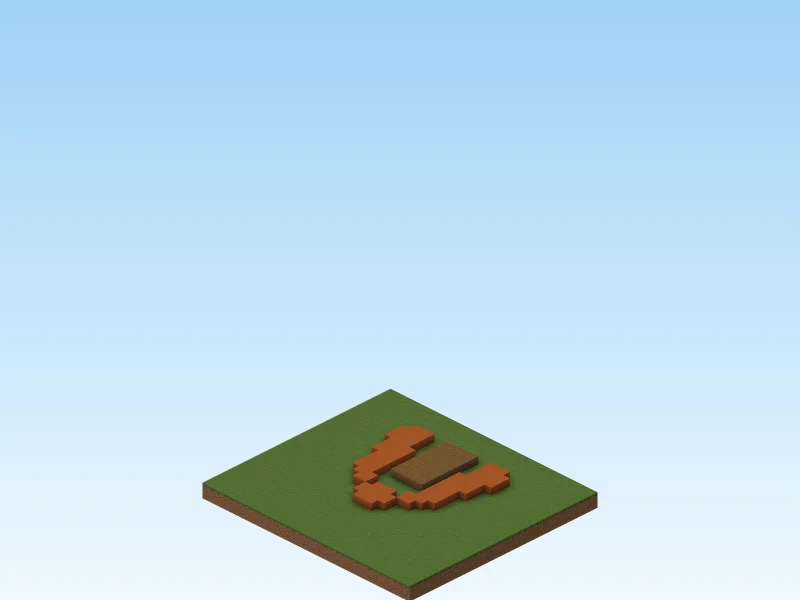
Layer 1 of 47 (149 blocks)
- Orange Terracotta104
- Spruce Planks45
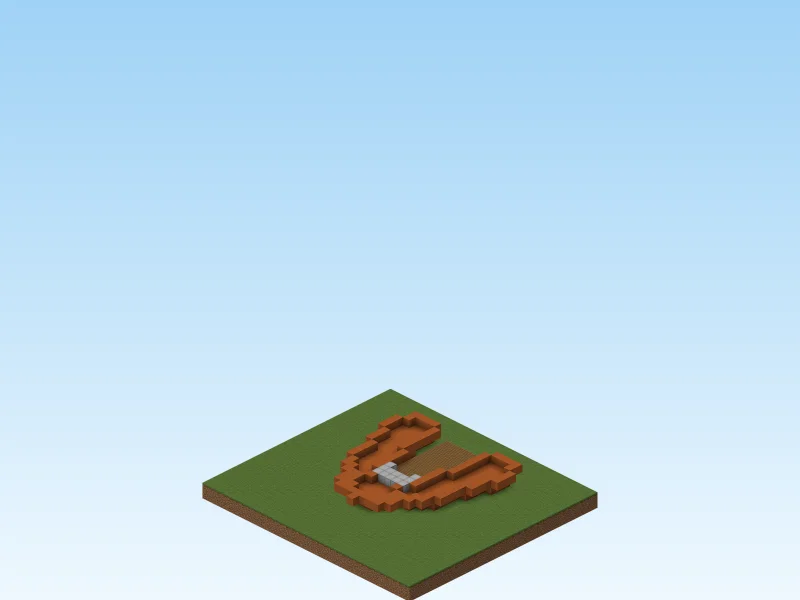
Layer 2 of 47 (96 blocks)
- Orange Terracotta84
- Smooth Stone12

Layer 3 of 47 (76 blocks)
- Orange Terracotta71
- Smooth Stone3
- Iron Bars2

Layer 4 of 47 (78 blocks)
- Orange Terracotta73
- Iron Bars5
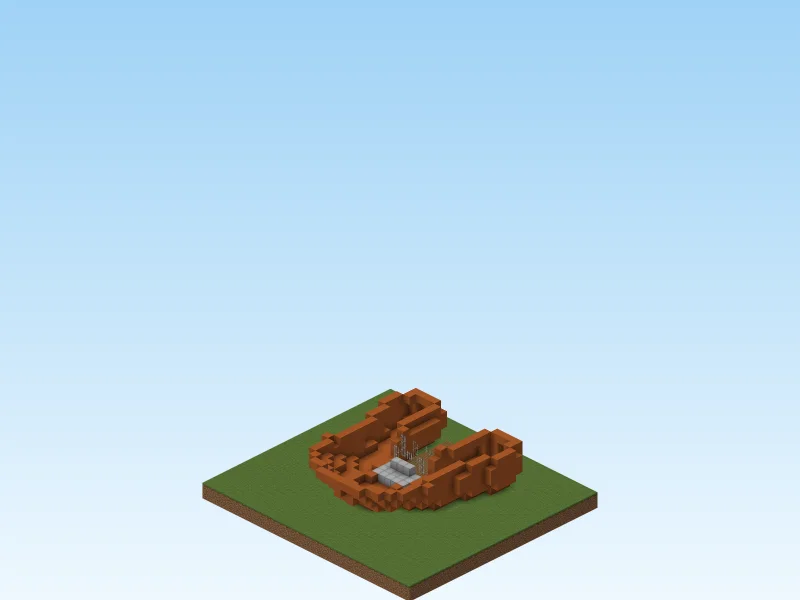
Layer 5 of 47 (74 blocks)
- Orange Terracotta69
- Iron Bars5

Layer 6 of 47 (104 blocks)
- Orange Terracotta89
- Stone Bricks10
- Iron Bars5

Layer 7 of 47 (86 blocks)
- Orange Terracotta63
- Stone Bricks20
- Iron Bars3

Layer 8 of 47 (58 blocks)
- Orange Terracotta45
- Smooth Stone13

Layer 9 of 47 (58 blocks)
- Orange Terracotta43
- Smooth Stone15

Layer 10 of 47 (60 blocks)
- Orange Terracotta41
- Smooth Stone15
- Black Concrete2
- Red Wool2

Layer 11 of 47 (58 blocks)
- Orange Terracotta39
- Smooth Stone15
- Black Concrete2
- Red Wool2

Layer 12 of 47 (58 blocks)
- Orange Terracotta43
- Smooth Stone13
- Red Wool2
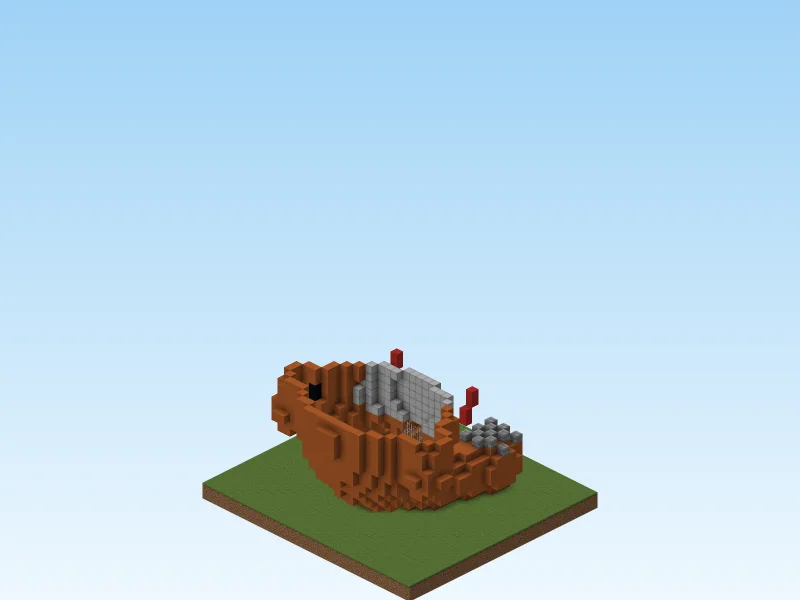
Layer 13 of 47 (54 blocks)
- Orange Terracotta39
- Smooth Stone13
- Red Wool2

Layer 14 of 47 (54 blocks)
- Orange Terracotta37
- Smooth Stone13
- Black Concrete2
- Red Wool2

Layer 15 of 47 (52 blocks)
- Orange Terracotta37
- Smooth Stone11
- Black Concrete2
- Red Wool2

Layer 16 of 47 (52 blocks)
- Orange Terracotta31
- Smooth Stone19
- Red Wool2

Layer 17 of 47 (48 blocks)
- Orange Terracotta29
- Smooth Stone18
- Black Concrete1

Layer 18 of 47 (48 blocks)
- Orange Terracotta27
- Smooth Stone18
- Black Concrete3

Layer 19 of 47 (48 blocks)
- Orange Terracotta27
- Smooth Stone16
- Black Concrete5
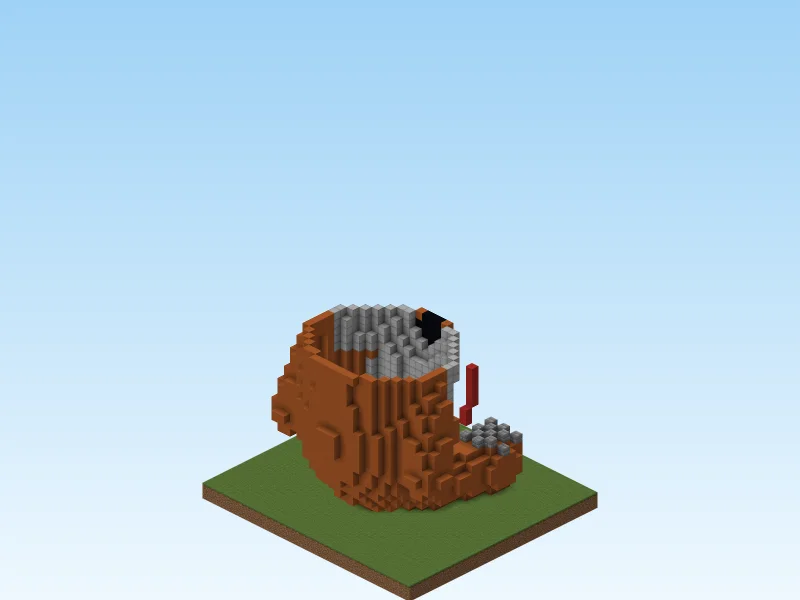
Layer 20 of 47 (46 blocks)
- Orange Terracotta27
- Smooth Stone16
- Black Concrete3

Layer 21 of 47 (50 blocks)
- Orange Terracotta34
- Smooth Stone16

Layer 22 of 47 (50 blocks)
- Orange Terracotta34
- Smooth Stone16

Layer 23 of 47 (52 blocks)
- Orange Terracotta38
- Smooth Stone12
- Stone Bricks2

Layer 24 of 47 (50 blocks)
- Orange Terracotta34
- Smooth Stone12
- Black Stained Glass4

Layer 25 of 47 (76 blocks)
- Stone Bricks32
- Orange Terracotta30
- Smooth Stone10
- Black Stained Glass4

Layer 26 of 47 (74 blocks)
- Orange Terracotta42
- Stone Bricks32

Layer 27 of 47 (74 blocks)
- Orange Terracotta42
- Stone Bricks32
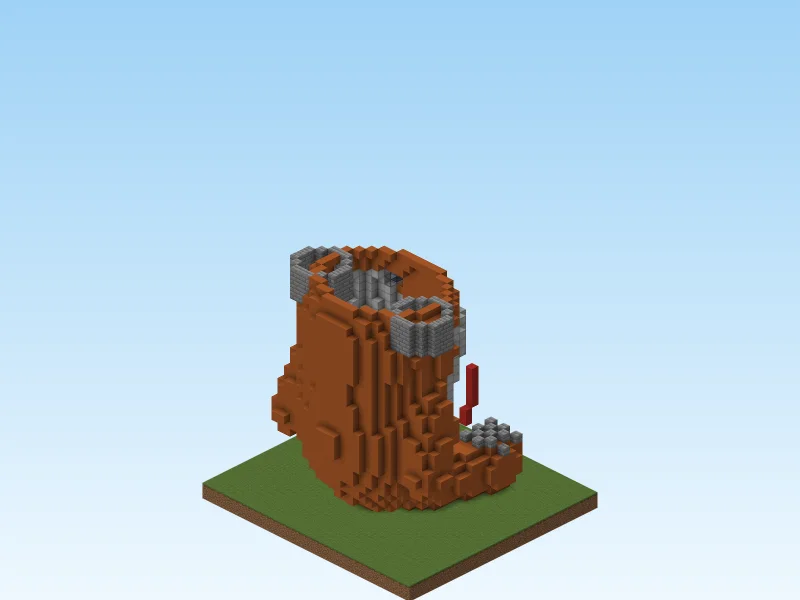
Layer 28 of 47 (72 blocks)
- Orange Terracotta40
- Stone Bricks32
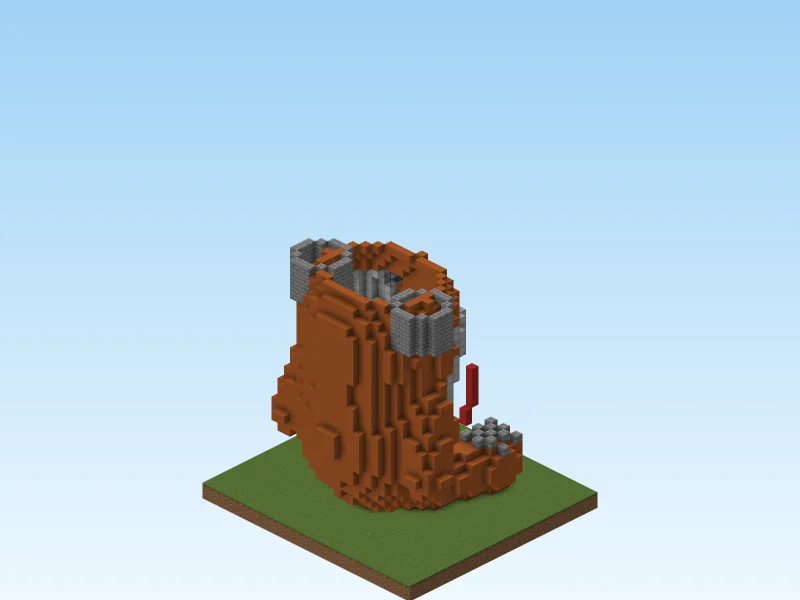
Layer 29 of 47 (68 blocks)
- Orange Terracotta36
- Stone Bricks32

Layer 30 of 47 (146 blocks)
- Orange Terracotta114
- Stone Bricks32

Layer 31 of 47 (32 blocks)
- Stone Bricks32

Layer 32 of 47 (32 blocks)
- Stone Bricks32

Layer 33 of 47 (32 blocks)
- Stone Bricks32

Layer 34 of 47 (32 blocks)
- Stone Bricks32

Layer 35 of 47 (32 blocks)
- Stone Bricks32

Layer 36 of 47 (32 blocks)
- Stone Bricks32
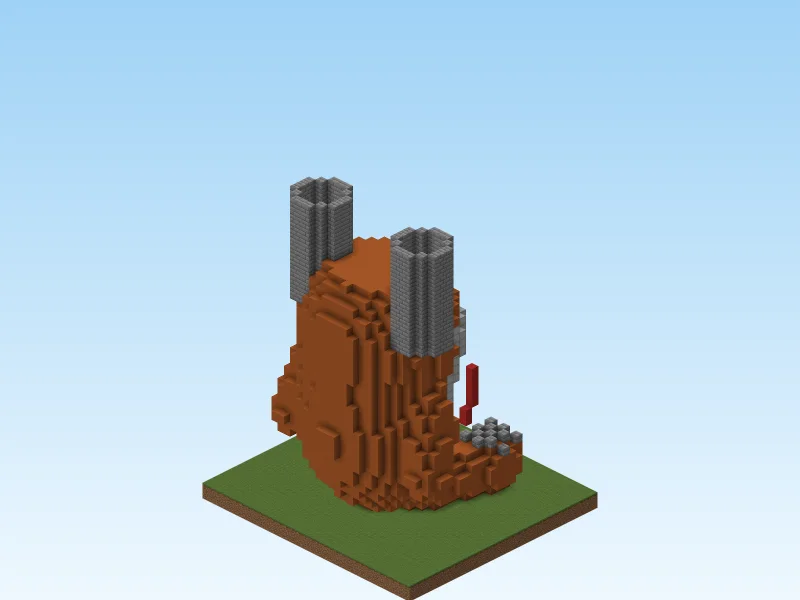
Layer 37 of 47 (32 blocks)
- Stone Bricks32
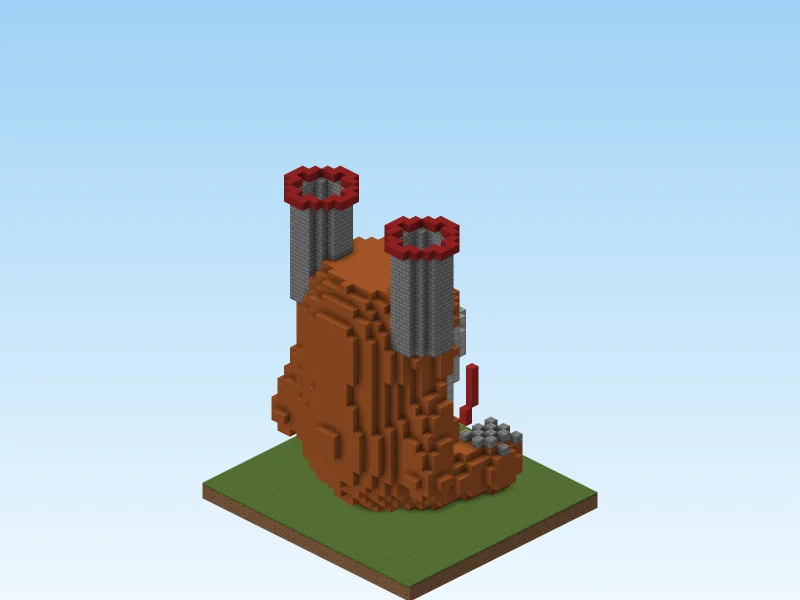
Layer 38 of 47 (56 blocks)
- Red Concrete56

Layer 39 of 47 (32 blocks)
- Red Concrete32

Layer 40 of 47 (32 blocks)
- Red Concrete32
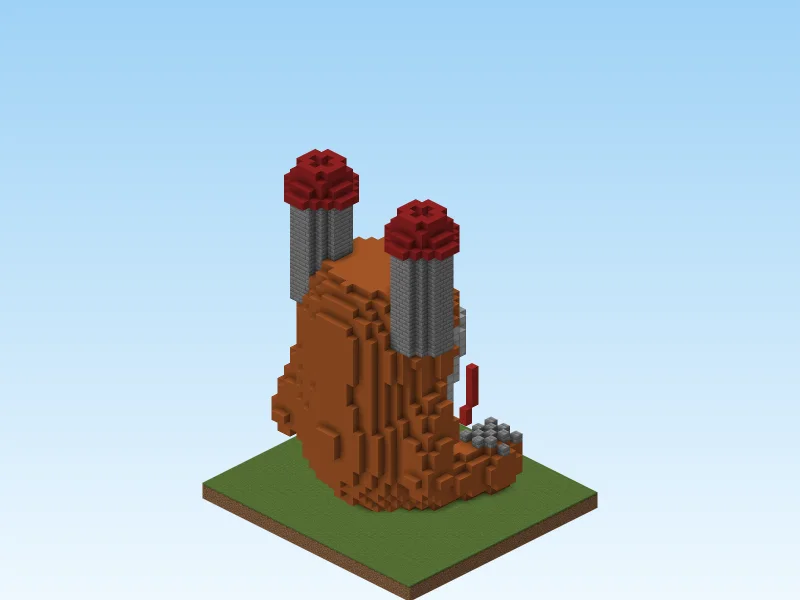
Layer 41 of 47 (32 blocks)
- Red Concrete32
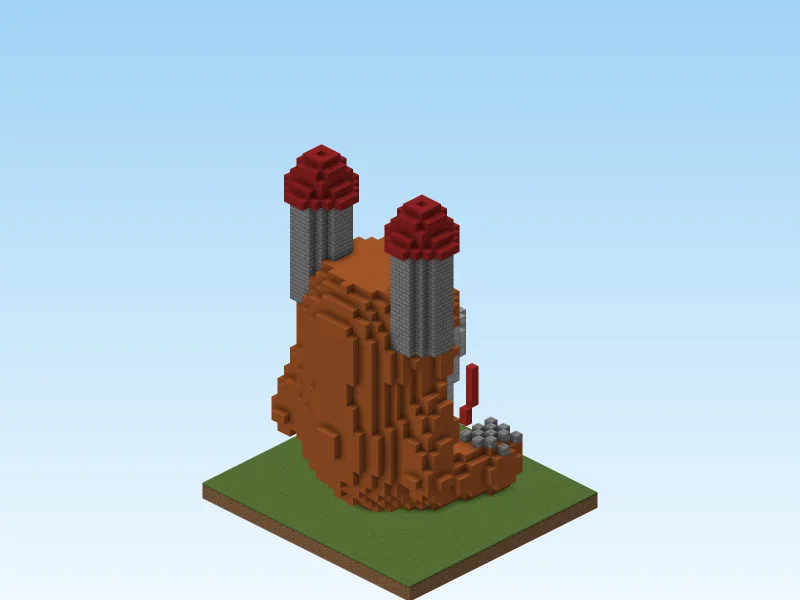
Layer 42 of 47 (16 blocks)
- Red Concrete16

Layer 43 of 47 (2 blocks)
- Red Concrete2
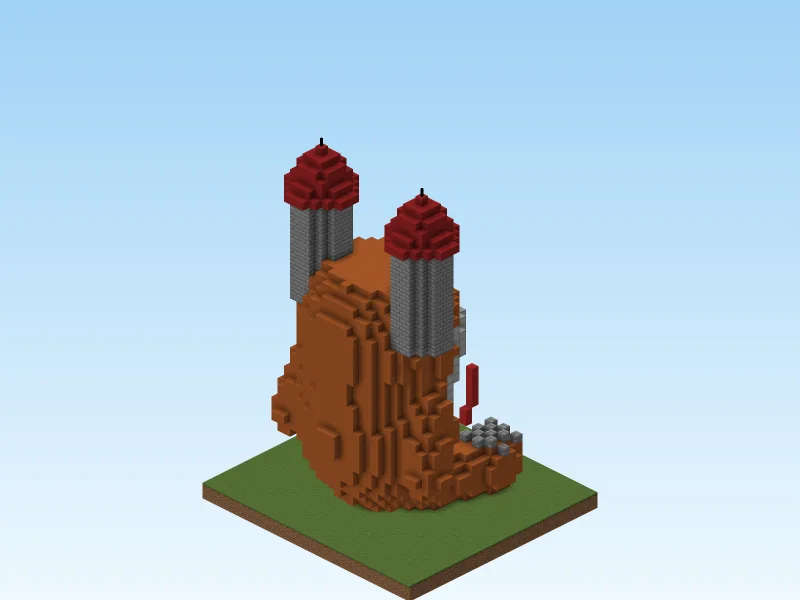
Layer 44 of 47 (2 blocks)
- Chain2

Layer 45 of 47 (2 blocks)
- Chain2

Layer 46 of 47 (8 blocks)
- Red Wool6
- Chain2

Layer 47 of 47 (8 blocks)
- Red Wool6
- Chain2
Simplified blueprint: stairs and slabs are partly shown as full blocks, animals and plants as small squares. Tip: use the arrow keys ← → to switch layers.
Step-by-step guide
Basic shape
Build the plush fox shape from orange terracotta and smooth stone. The head ends flat on top.
Battlements and wall walk
Put a stone brick wall walk on the flat head with battlements all around the edge: alternating one and two blocks high.
Round towers
Where the fox has its ears, build two stone brick round towers with small windows, red cone roofs, a chain as flagpole and a red flag.
Window eyes and nose
The eyes are windows of black stained glass, the nose stays black.
Gate and drawbridge
In the belly a gate 5 wide and 7 high with iron bars as portcullis. In front of it the spruce drawbridge lies between the legs.
Walls and banners
Add battlements on the leg walls, arrow slits on the sides and red banners next to the gate.
Build with HoloPrint (Bedrock)
Download the .mcstructure file below and turn it into a hologram in your world with HoloPrint.
Pro tips
- Build the towers once the head is finished – then the height is right.
- Inside there is room for a throne room in the belly and a spiral staircase up to the towers.
Variations
- Add a moat with water around the fox castle.
- Build the dragon next to it – it guards the castle.
