Wooden Palisade with Gate Towers
- DifficultyMedium
- Size13 × 13 blocks
- Build timeabout 60 minutes
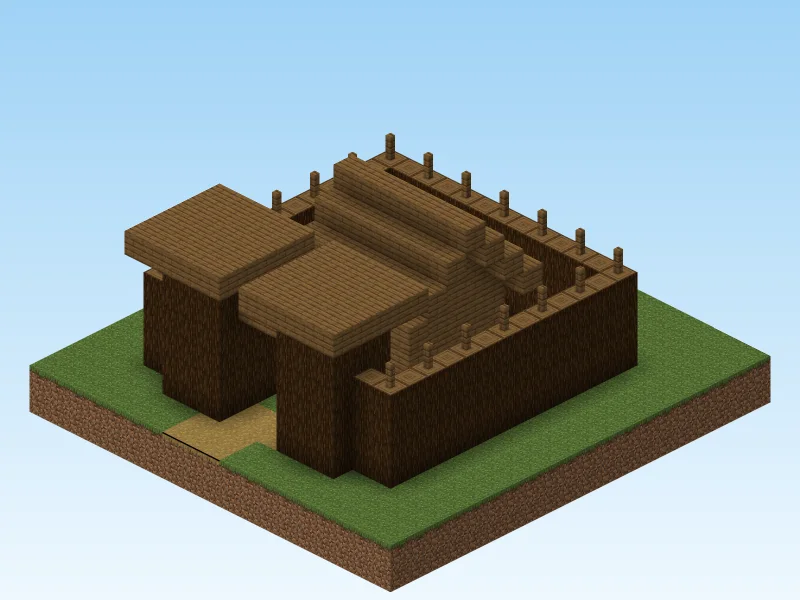
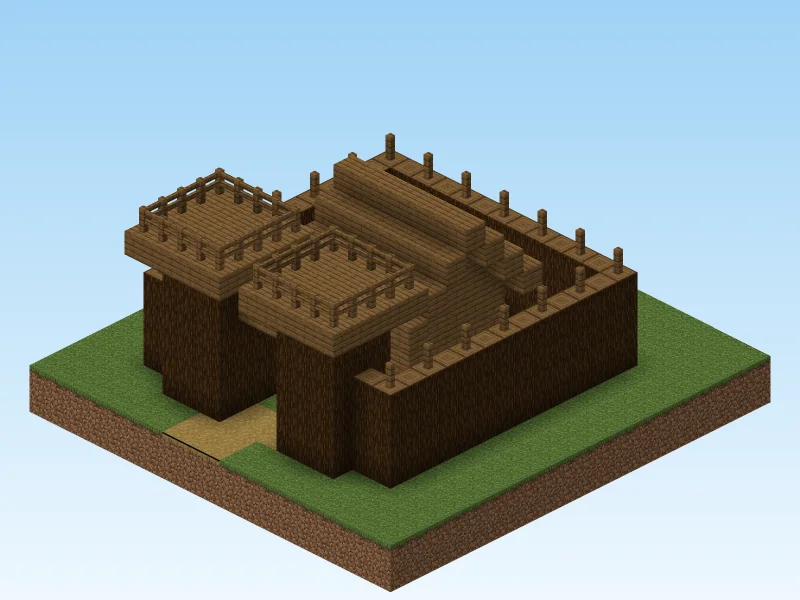
Before stone castles, people protected themselves with palisades: walls of sharpened logs. In Minecraft it's the perfect first fortress, because you have wood early in the game.
Two gate towers guard the entrance, and inside there's room for a hut and a campfire.

🔍 Click on parts
Tap any part of the build in the 3D model – a lamp, a tree, a bench next to the house – and you’ll see exactly how to build that part, with its materials and a layer-by-layer plan.
🧊 Build it as a hologram in Minecraft Bedrock (HoloPrint)
Download this build idea as a .mcstructure file – it is made right from the blueprint below. The HoloPrint website turns it into a pack that places the build as a see-through hologram in your world – you just fill in the blocks.
- Tap the button above – the file wooden-palisade-fort.mcstructure is downloaded.
- Open the HoloPrint website.
- Upload the file there.
- Create your build template texture pack.
- Download the .mcpack file.
- Open it with Minecraft and activate the pack in your world.
- Place an armor stand – the build template appears there. Tip: put it exactly where the build should stand.
Works with Minecraft Bedrock (phone, tablet, console, Windows). HoloPrint is a free fan project, not made by Blockwerk.
Layer-by-layer blueprint
Click through from bottom to top. Every square is one block, the front is at the bottom. Gray shows the layer below. 8 layers, area in the plan: 13 × 15 blocks.
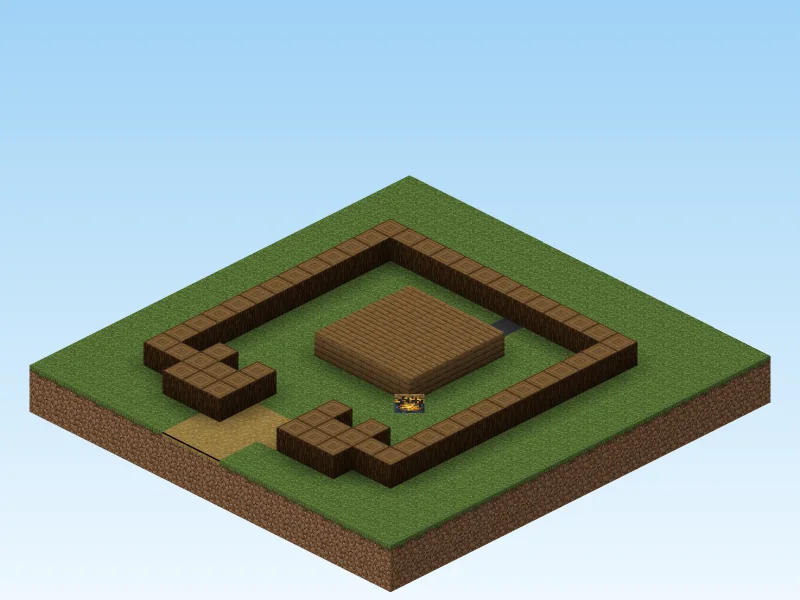
Layer 1 of 8 (81 blocks)
- Spruce Log55
- Spruce Planks25
- Campfire1
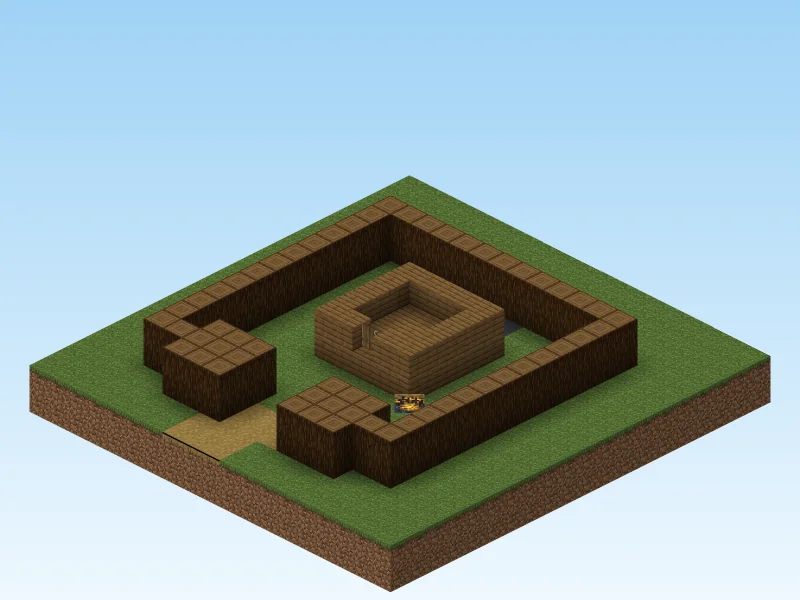
Layer 2 of 8 (73 blocks)
- Spruce Log57
- Spruce Planks15
- Spruce Door1
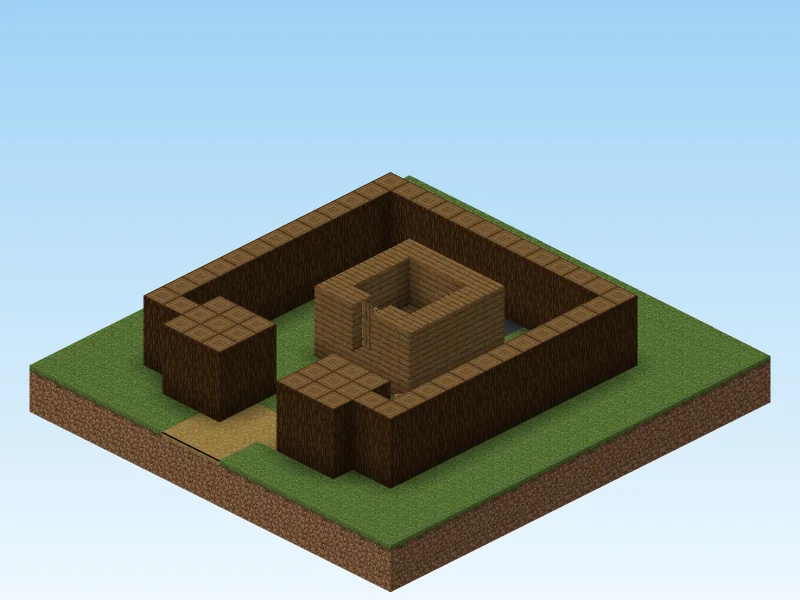
Layer 3 of 8 (73 blocks)
- Spruce Log57
- Spruce Planks15
- Spruce Door1
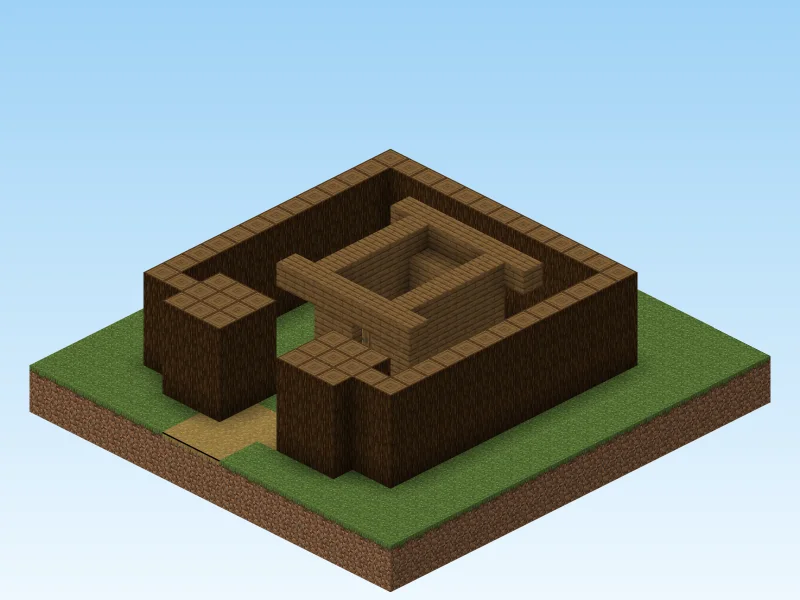
Layer 4 of 8 (81 blocks)
- Spruce Log57
- Spruce Stairs14
- Spruce Planks10

Layer 5 of 8 (58 blocks)
- Spruce Fence19
- Spruce Log16
- Spruce Stairs14
- Spruce Planks9

Layer 6 of 8 (32 blocks)
- Spruce Log16
- Spruce Stairs14
- Spruce Planks2
Layer 7 of 8 (57 blocks)
- Spruce Planks50
- Spruce Stairs7
Layer 8 of 8 (32 blocks)
- Spruce Fence32
Simplified blueprint: stairs and slabs are partly shown as full blocks, animals and plants as small squares. Tip: use the arrow keys ← → to switch layers.
Step-by-step guide
Lay the ring
Mark a square of 13 × 13 blocks and place spruce logs on every edge position.
Raise the wall
Stack the logs 4 blocks high. Put a fence on every second log – it looks like sharpened stakes.
Gate
Leave a 3-block-wide gap in the middle of the front as a gate. Put a layer of planks above it.
Gate towers
Build a tower of spruce logs on each side of the gate, 3 × 3 and 6 high. On top goes a 5 × 5 platform with a fence railing.
Hut
Build a small hut inside, 5 × 5 blocks, with a gable roof.
Campfire
A campfire in the yard provides light and atmosphere.
Pro tips
- Place torches or lanterns inside so no mobs spawn in the yard.
- You get spruce logs fastest from giant spruces in the taiga.
Variations
- A moat all around makes the palisade even safer.
- When you have more stone, rebuild the palisade piece by piece into a stone castle.


