Big Airport with Jet Bridges
- DifficultyHard
- Size280 × 179 blocks, 57 tall
- Build timeabout 30 hours
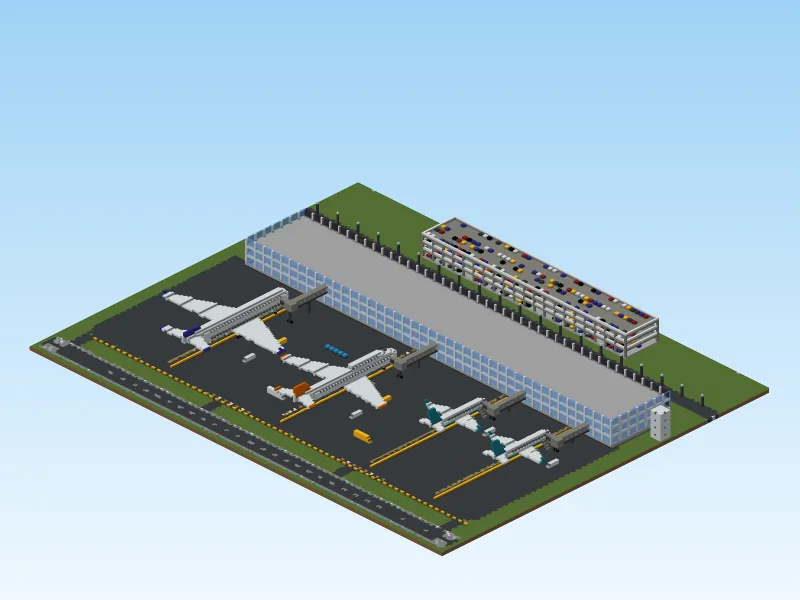
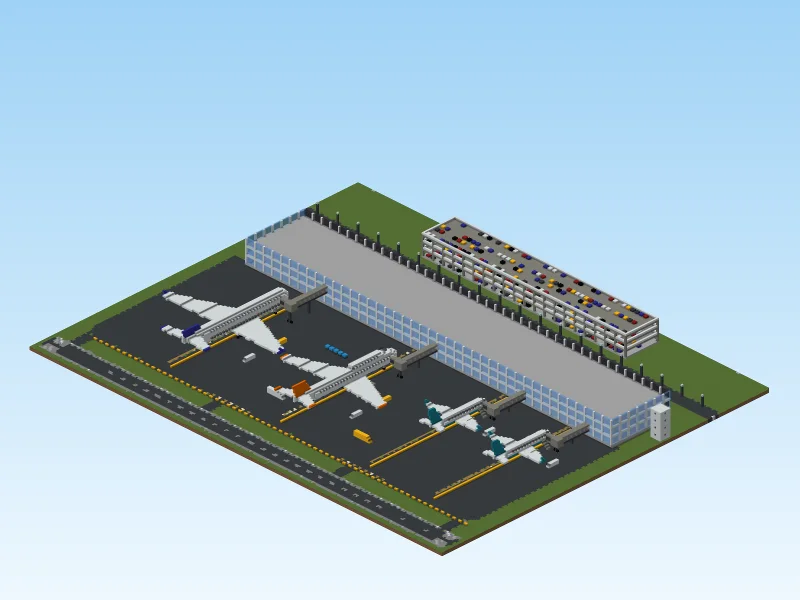
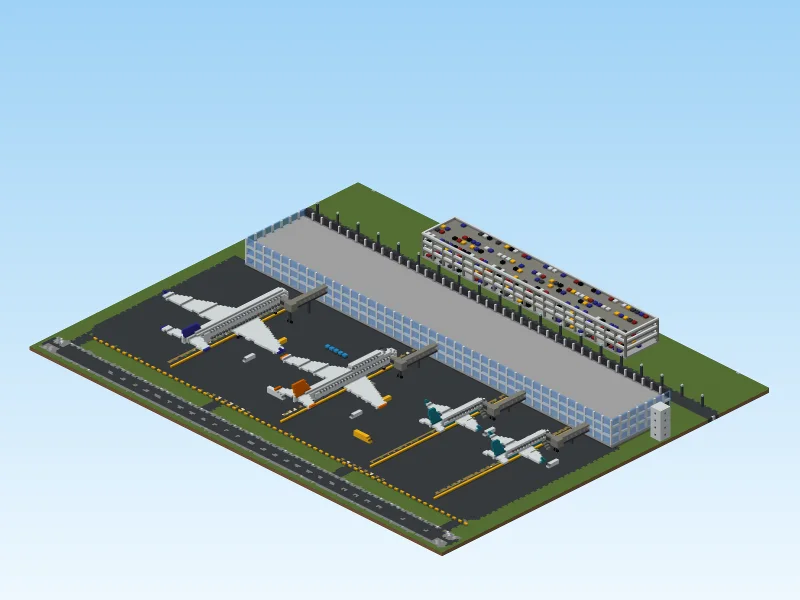
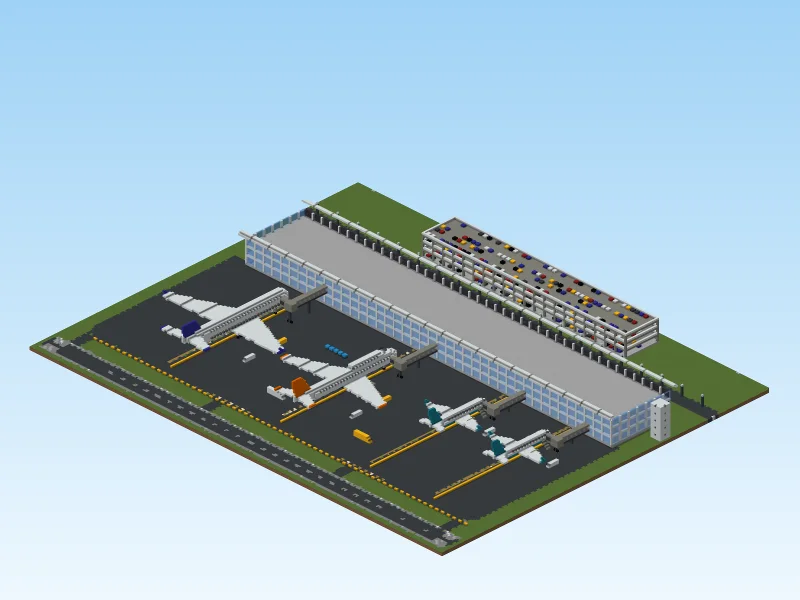
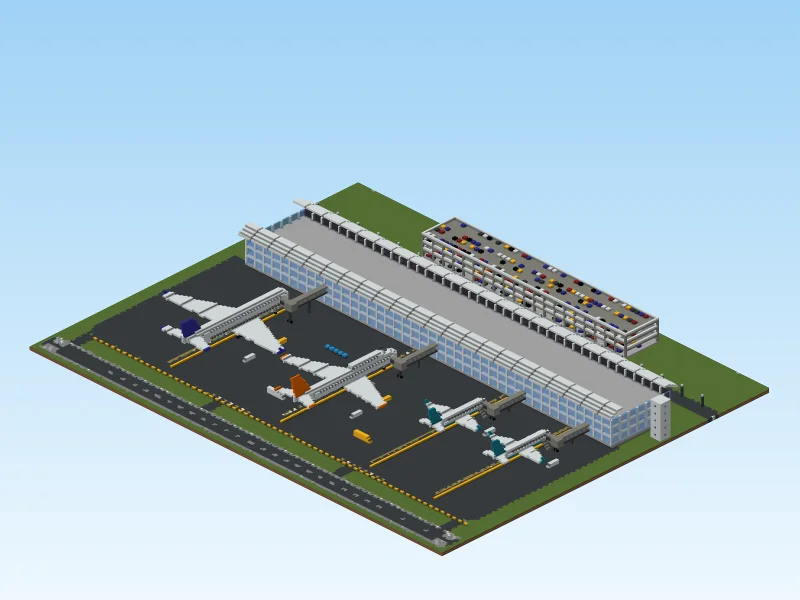
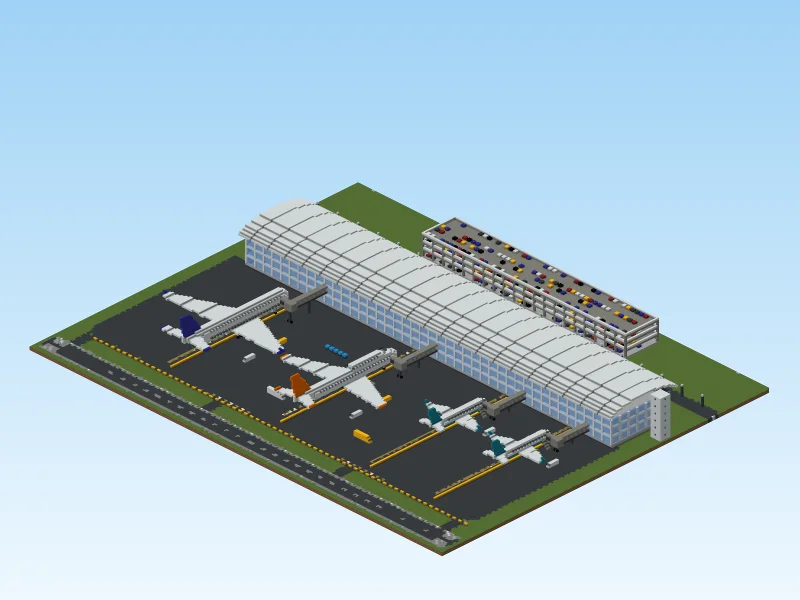
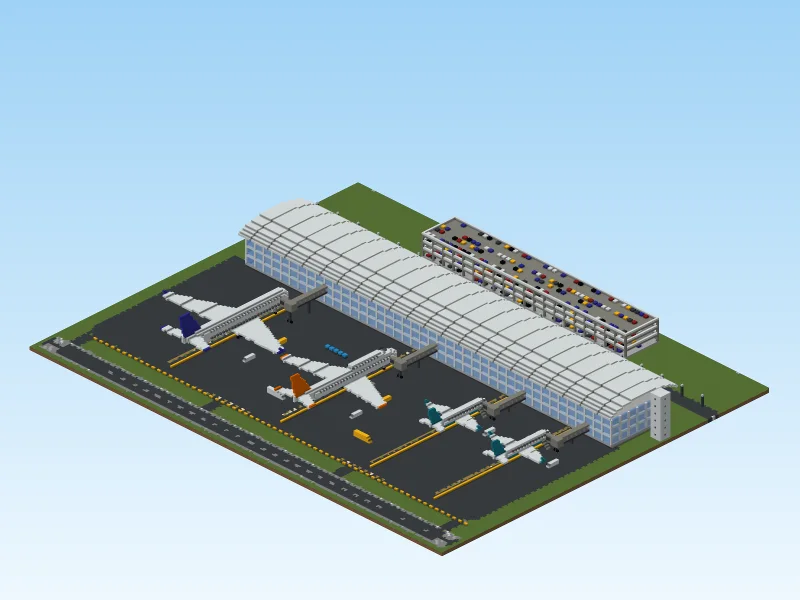
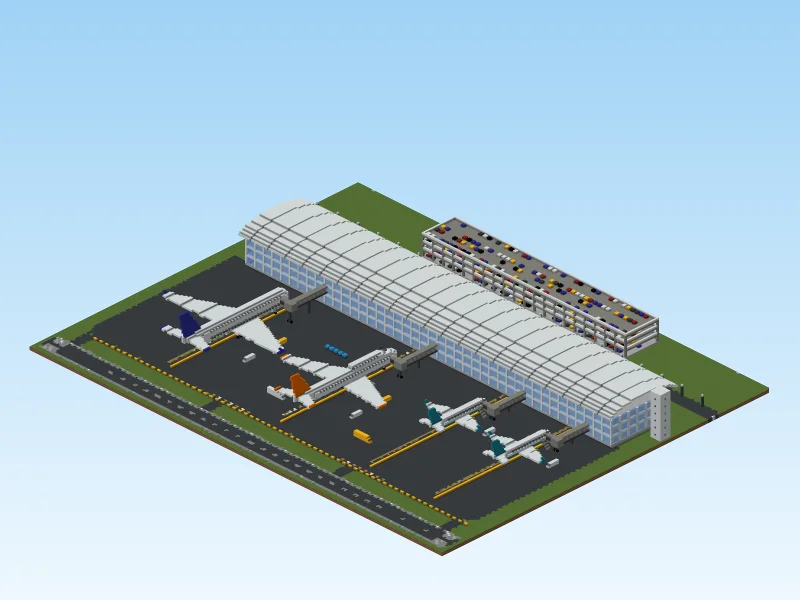
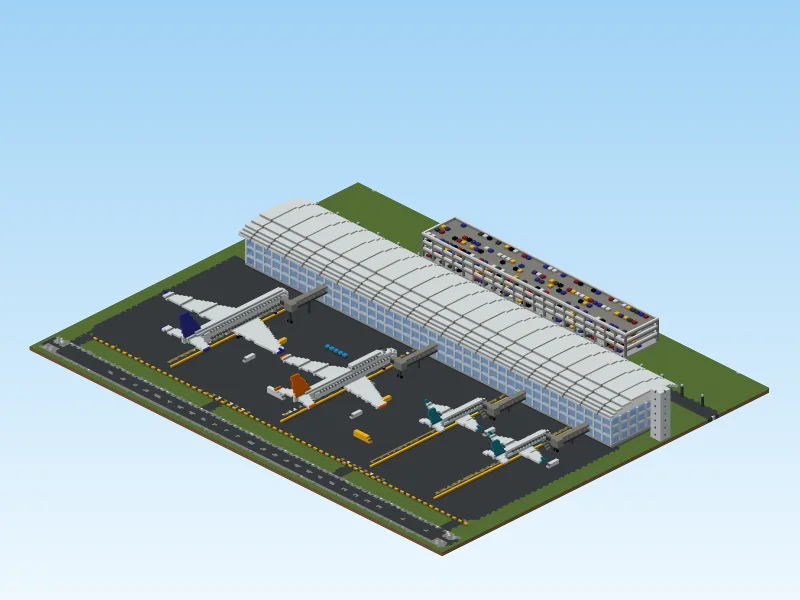
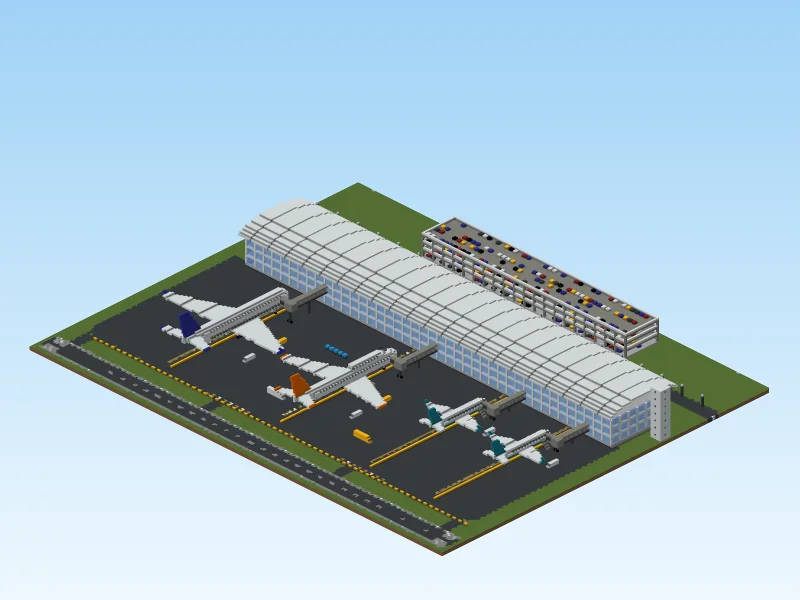
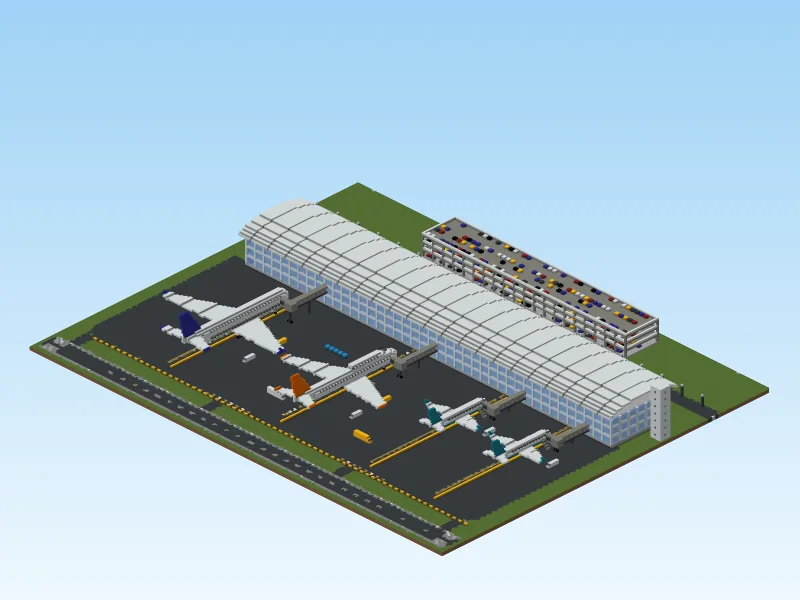
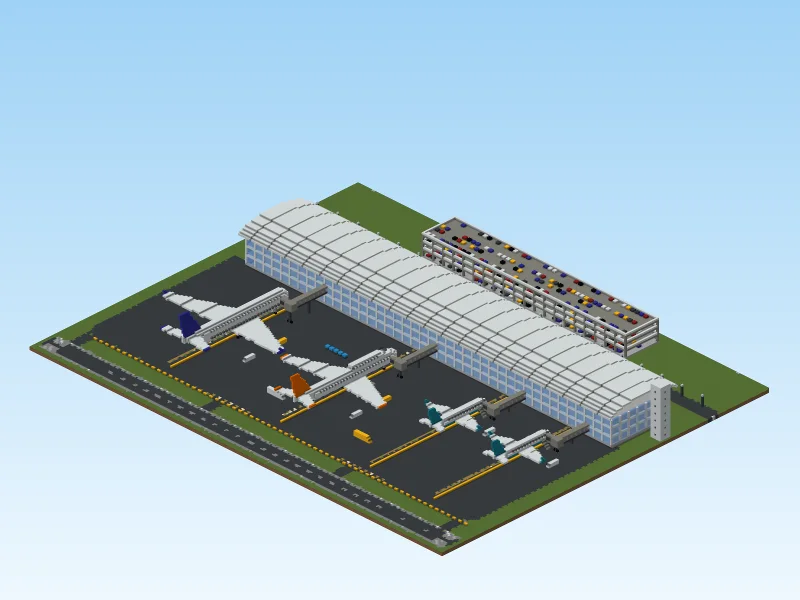
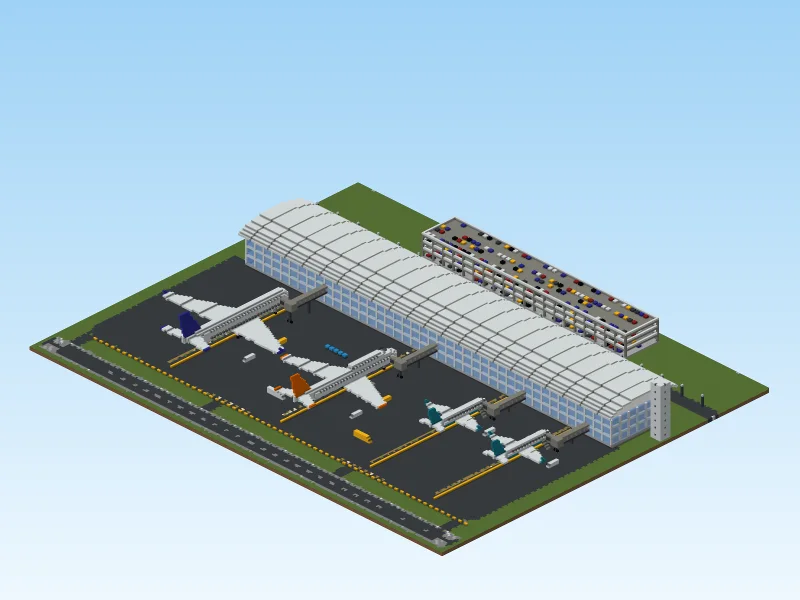
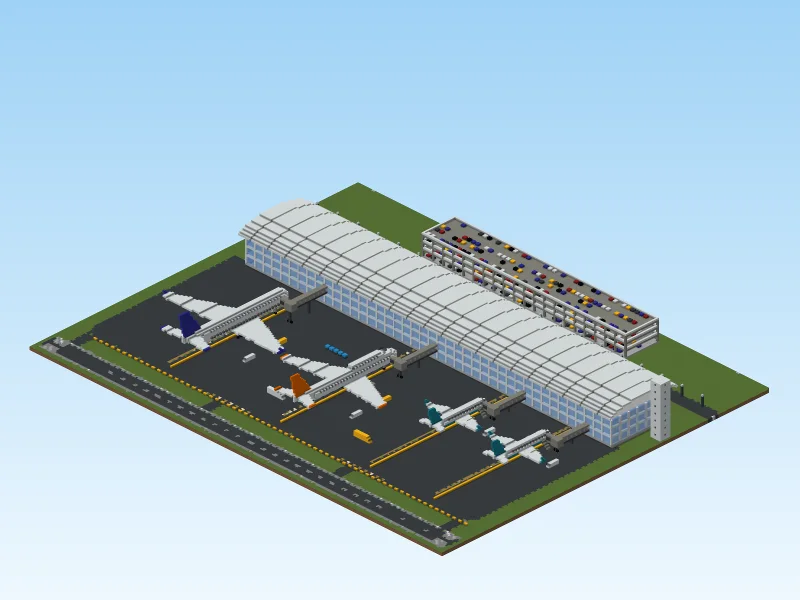
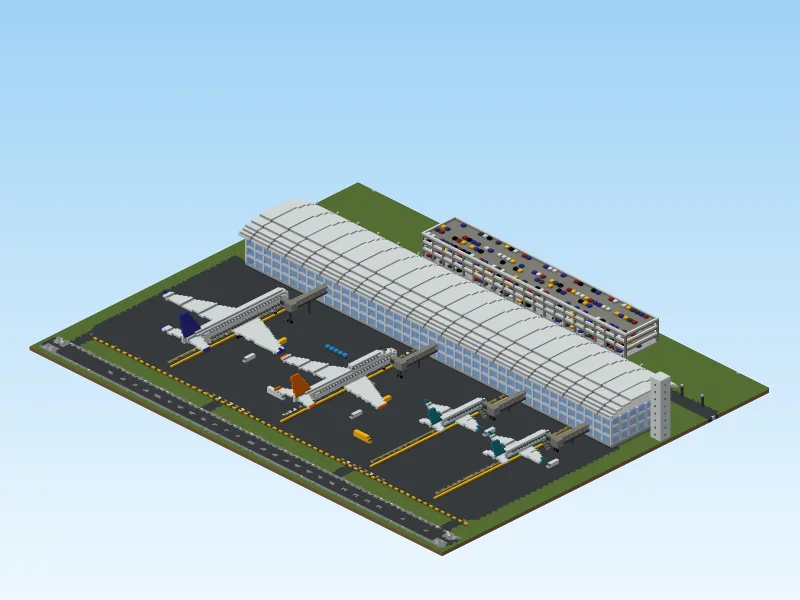
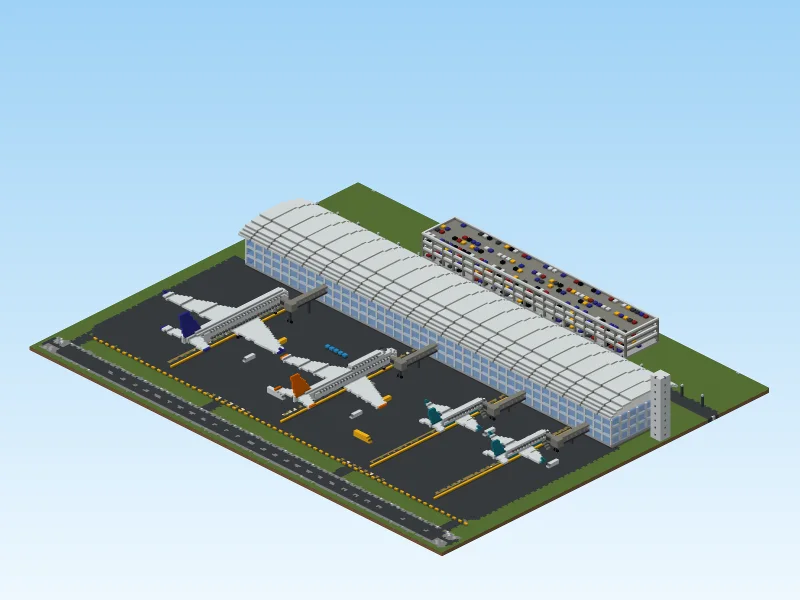
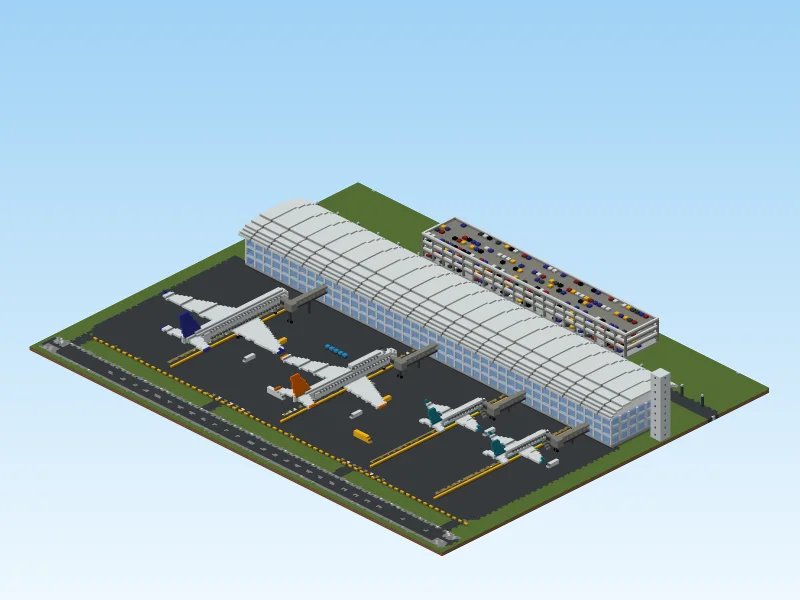
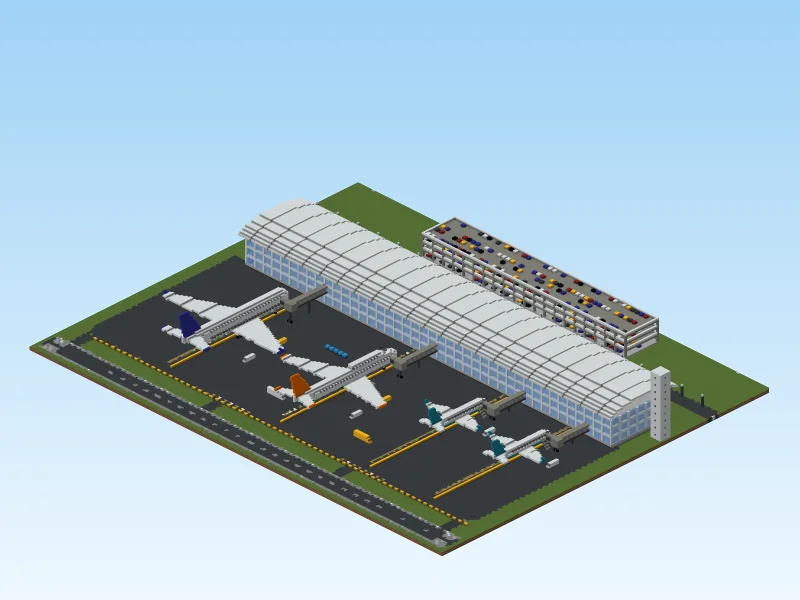
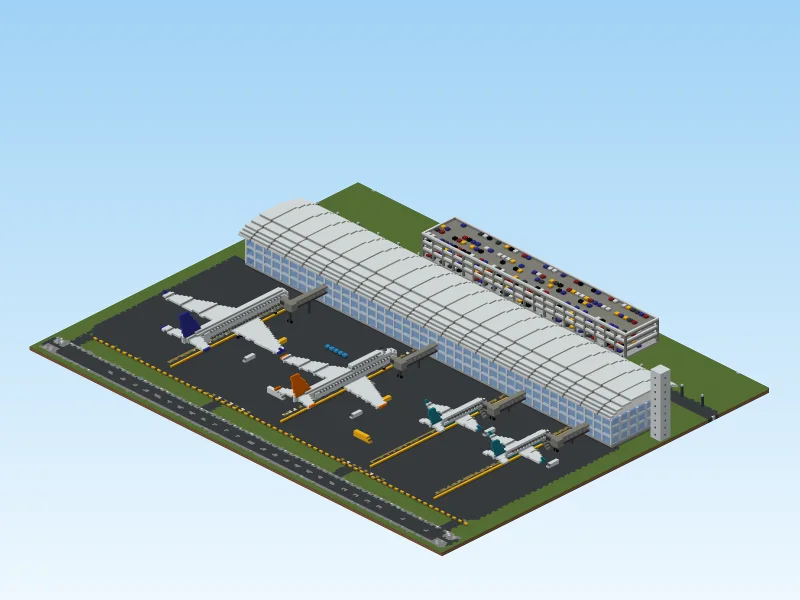
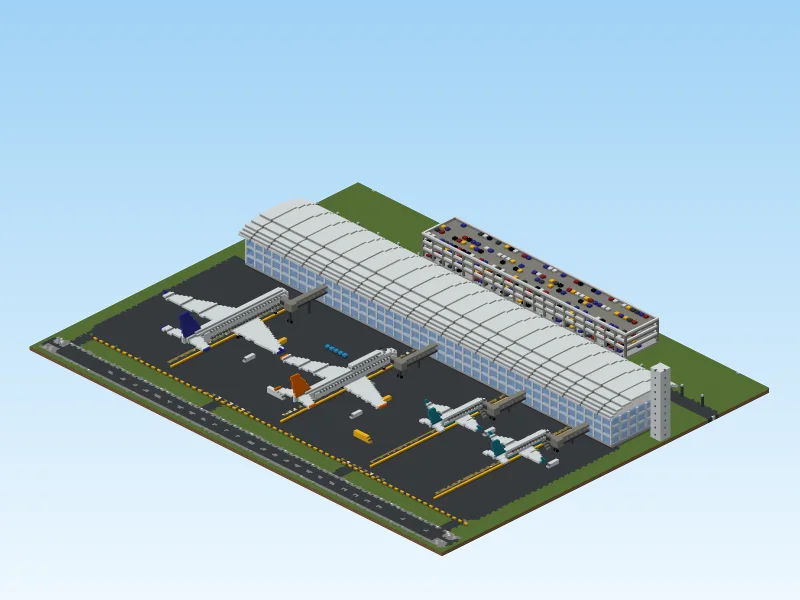
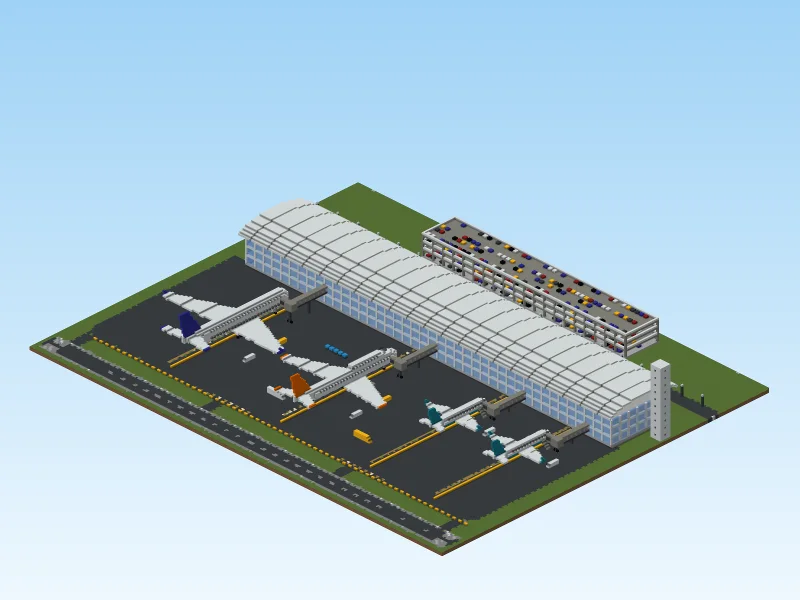
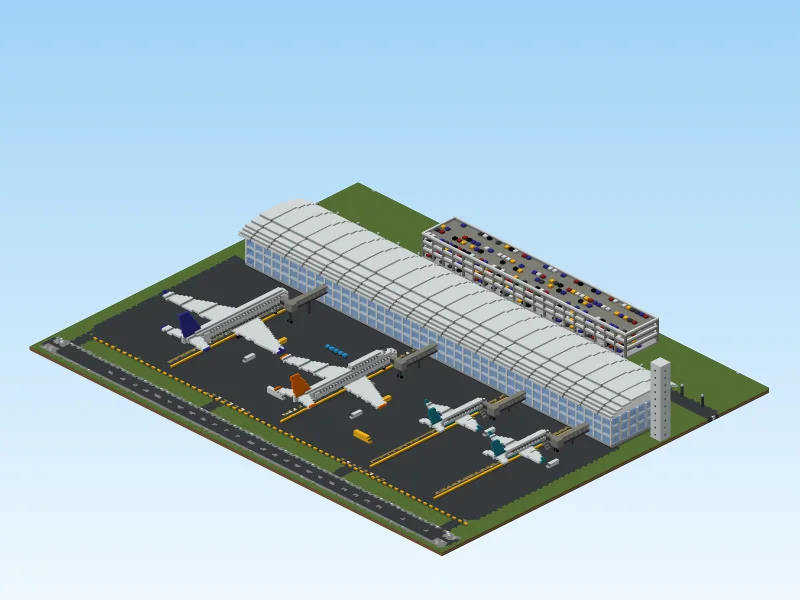
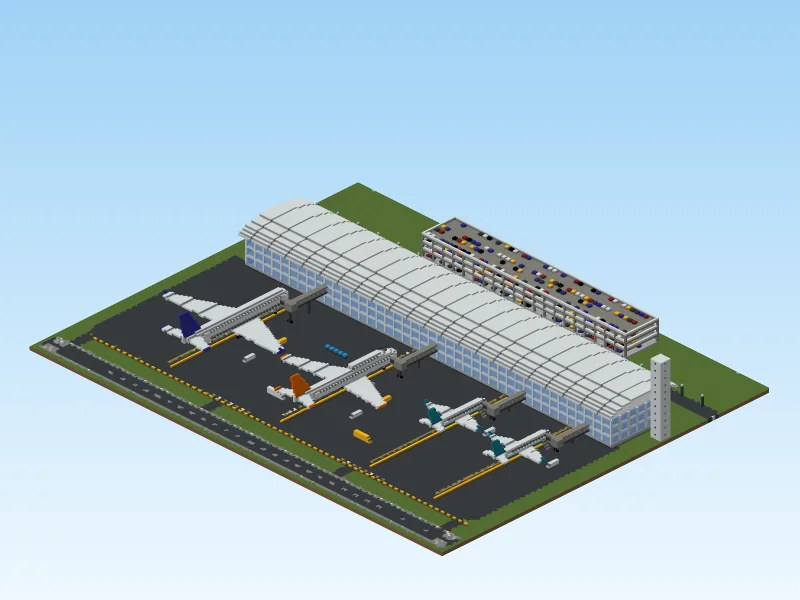
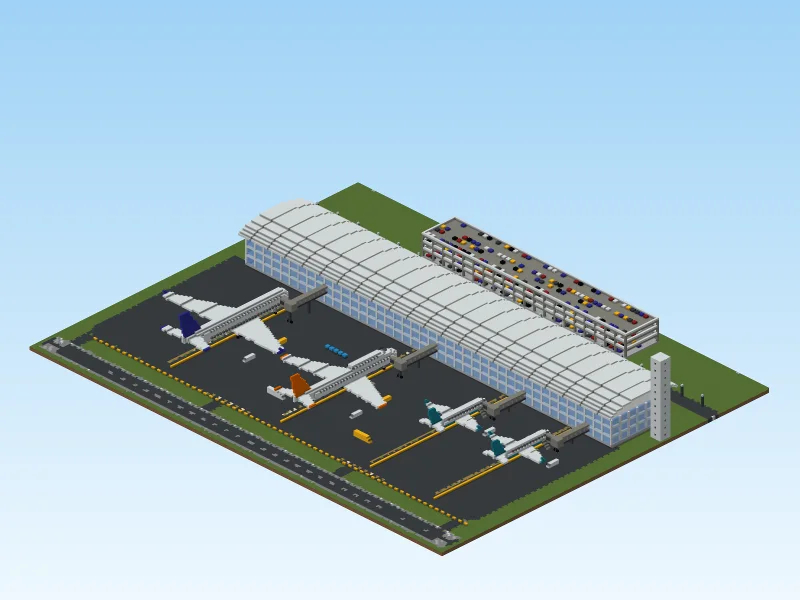
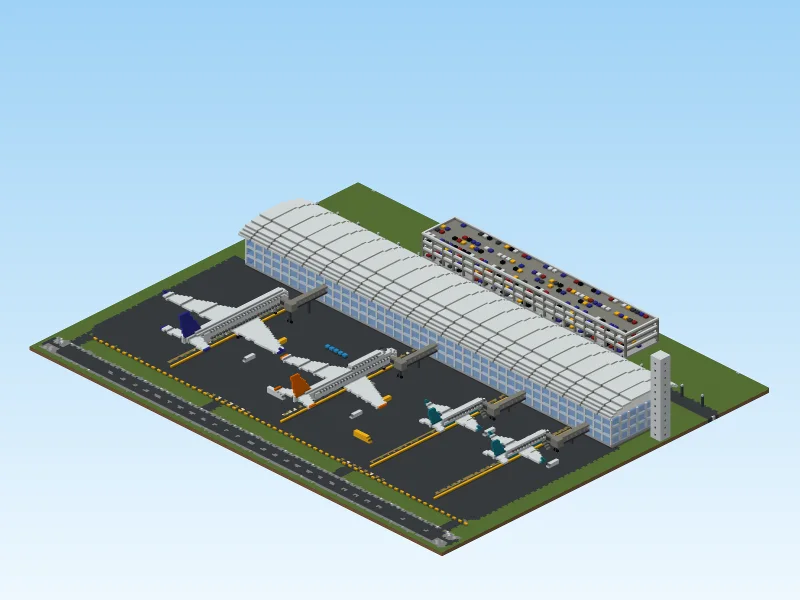
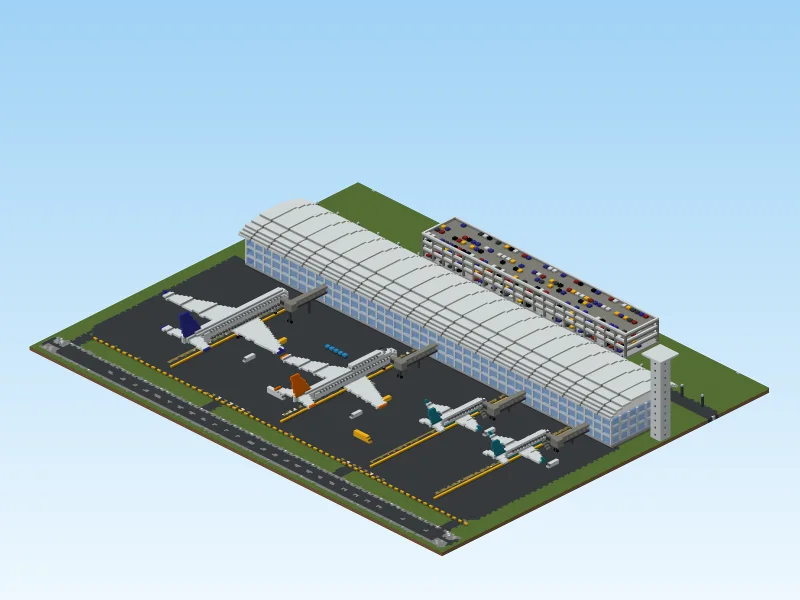
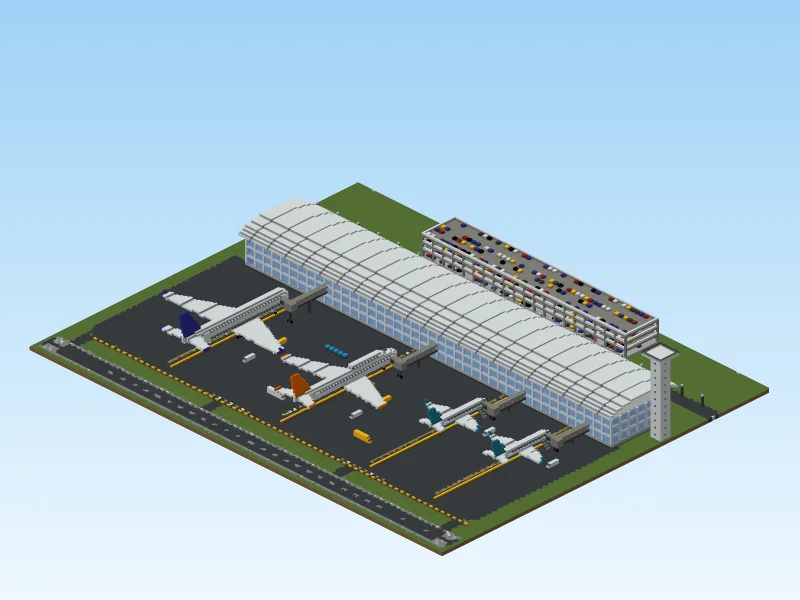
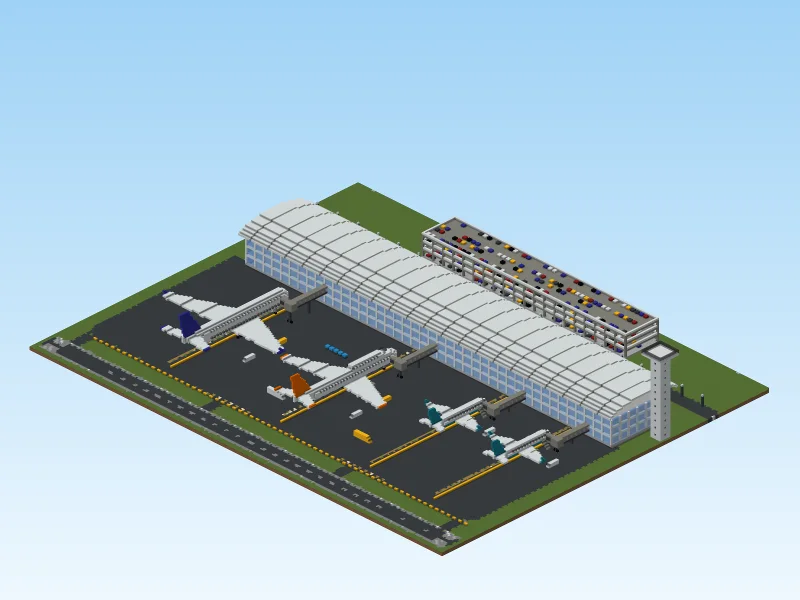
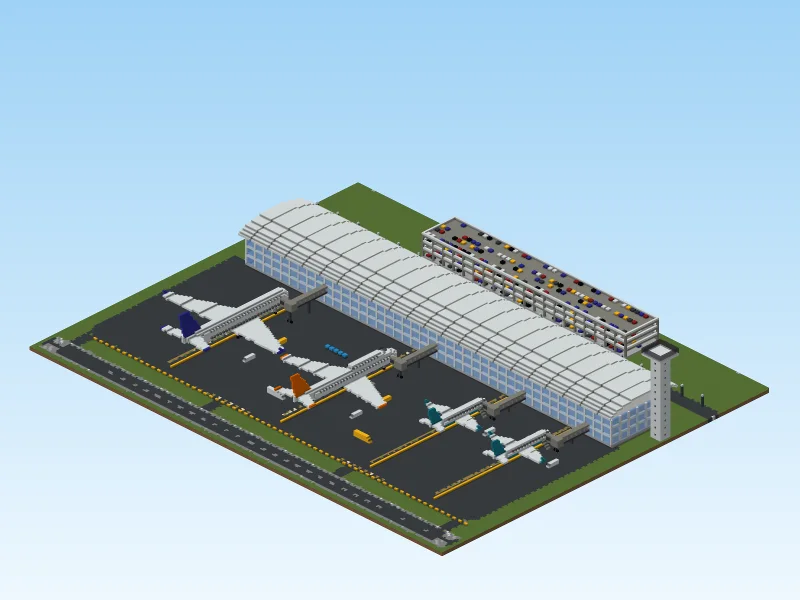
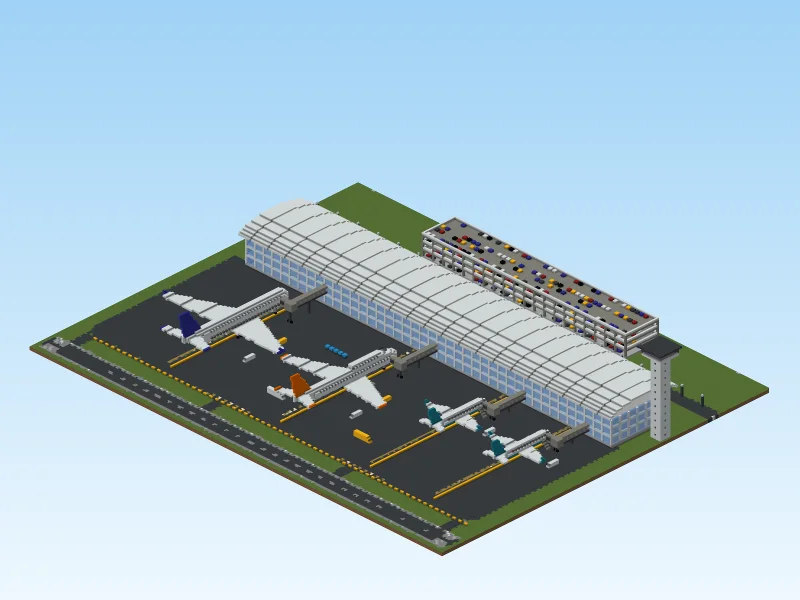
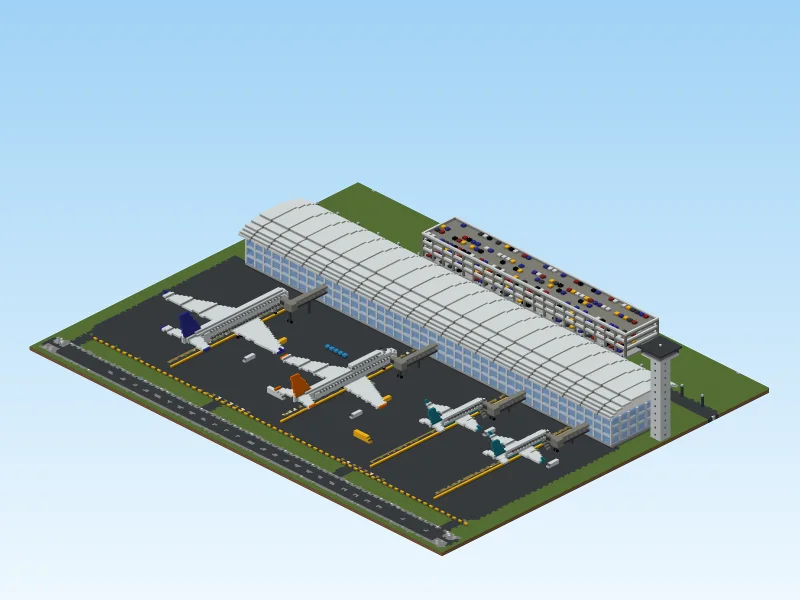
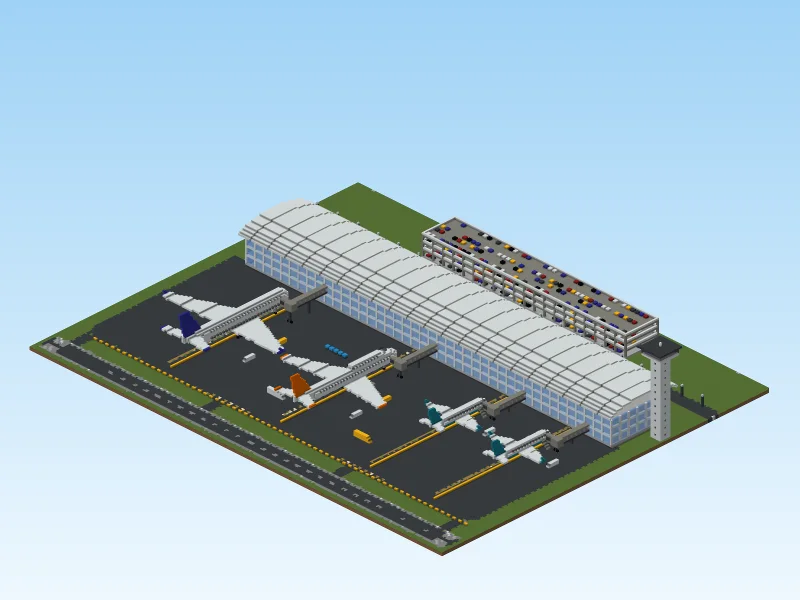
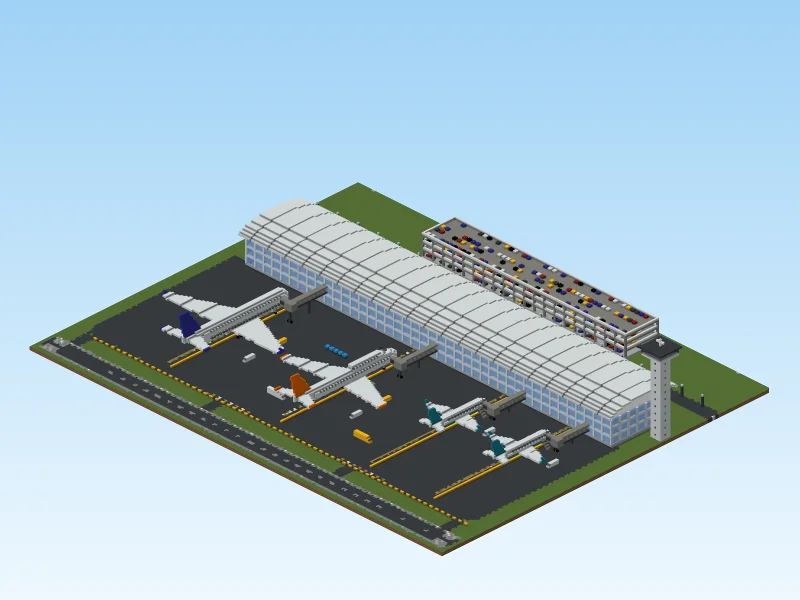
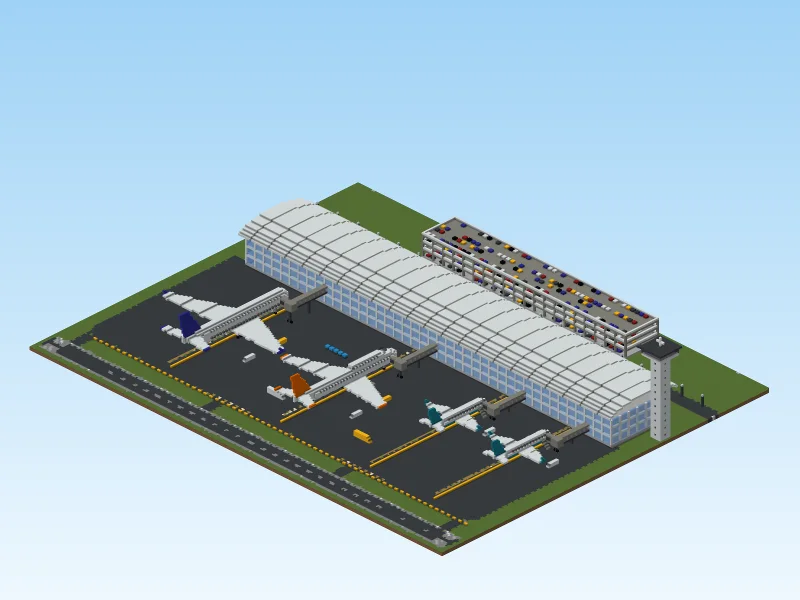
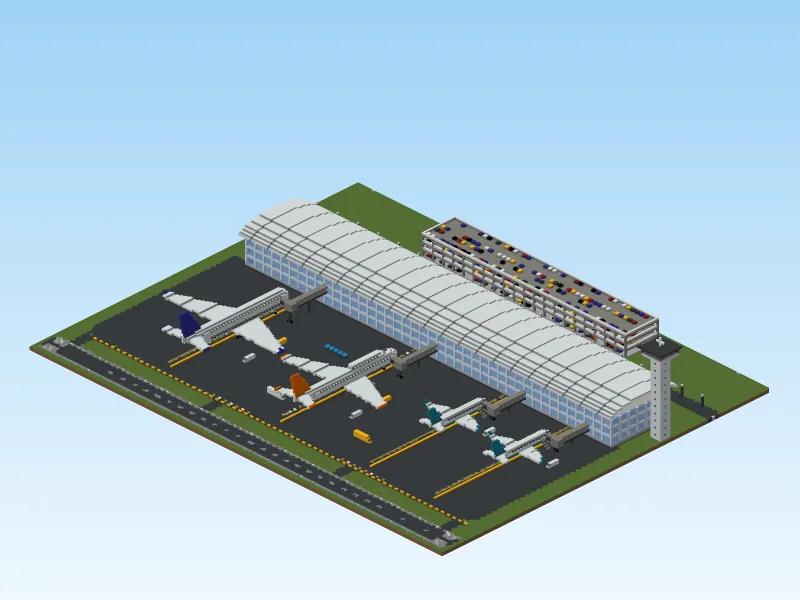
The biggest build in the city: an international airport with a 253-block-long terminal. The glass facade is 15 blocks tall, with a white curved roof sweeping over it.
Four jet bridges dock onto the planes – a giant double-decker jet, a jumbo jet and two medium-haul jets. There's also a tall control tower, ground vehicles, a covered drop-off zone and a four-level parking garage.

🔍 Click on parts
Tap any part of the build in the 3D model – a lamp, a tree, a bench next to the house – and you’ll see exactly how to build that part, with its materials and a layer-by-layer plan.
🧊 Build it as a hologram in Minecraft Bedrock (HoloPrint)
Download this build idea as a .mcstructure file – it is made right from the blueprint below. The HoloPrint website turns it into a pack that places the build as a see-through hologram in your world – you just fill in the blocks.
- Tap the button above – the file big-airport.mcstructure is downloaded.
- Open the HoloPrint website.
- Upload the file there.
- Create your build template texture pack.
- Download the .mcpack file.
- Open it with Minecraft and activate the pack in your world.
- Place an armor stand – the build template appears there. Tip: put it exactly where the build should stand.
Works with Minecraft Bedrock (phone, tablet, console, Windows). HoloPrint is a free fan project, not made by Blockwerk.
Layer-by-layer blueprint
Click through from bottom to top. Every square is one block, the front is at the bottom. Gray shows the layer below. 58 layers, area in the plan: 280 × 192 blocks.
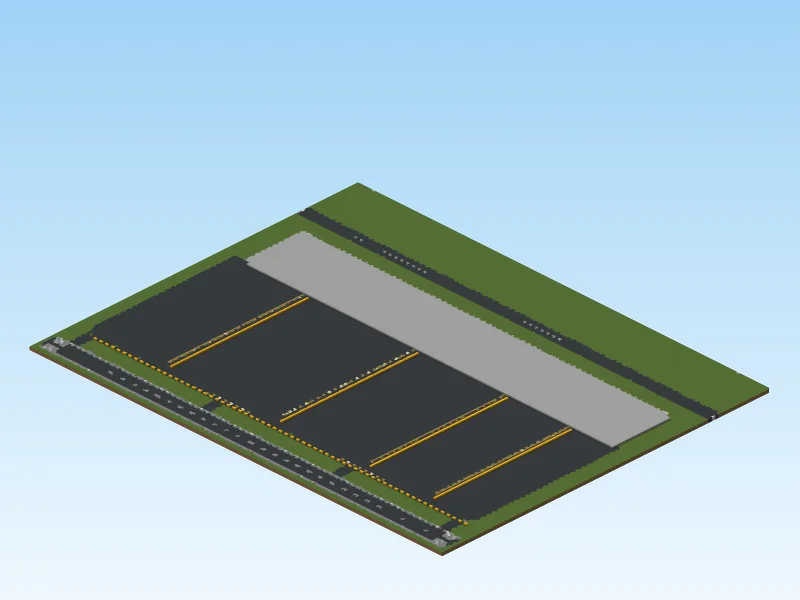
Layer 1 of 58 (10630 blocks)
- Smooth Stone10120
- Yellow Concrete510
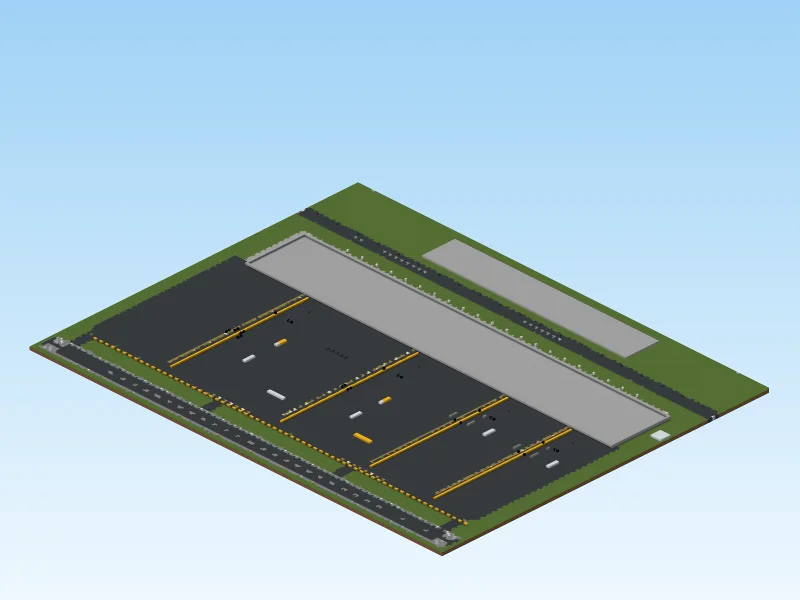
Layer 2 of 58 (4125 blocks)
- Smooth Stone3827
- White Concrete156
- Gray Concrete48
- Yellow Concrete42
- Black Concrete28
- Light Gray Concrete24
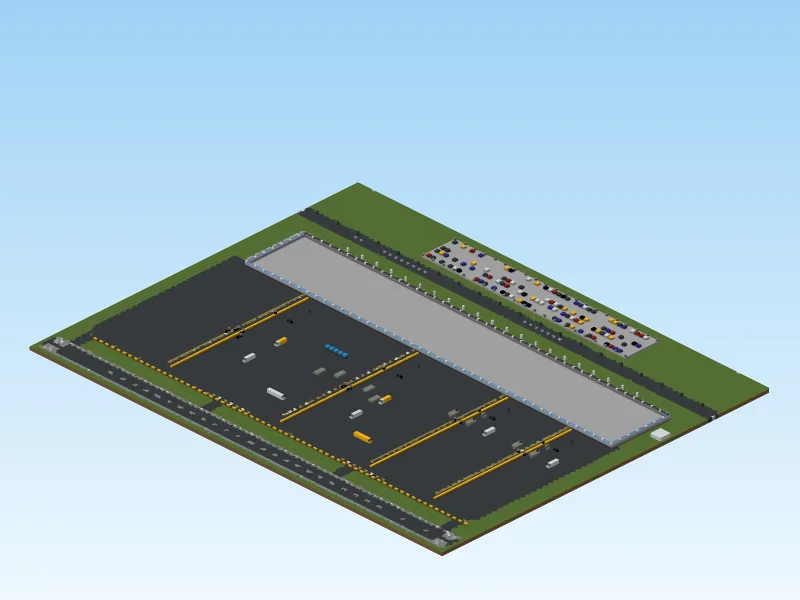
Layer 3 of 58 (1442 blocks)
- White Concrete310
- Light Blue Stained Glass278
- Tinted Glass226
- Light Gray Concrete188
- Gray Concrete140
- Yellow Concrete104
- Blue Concrete68
- Red Concrete56
- Black Concrete52
- Light Blue Concrete20
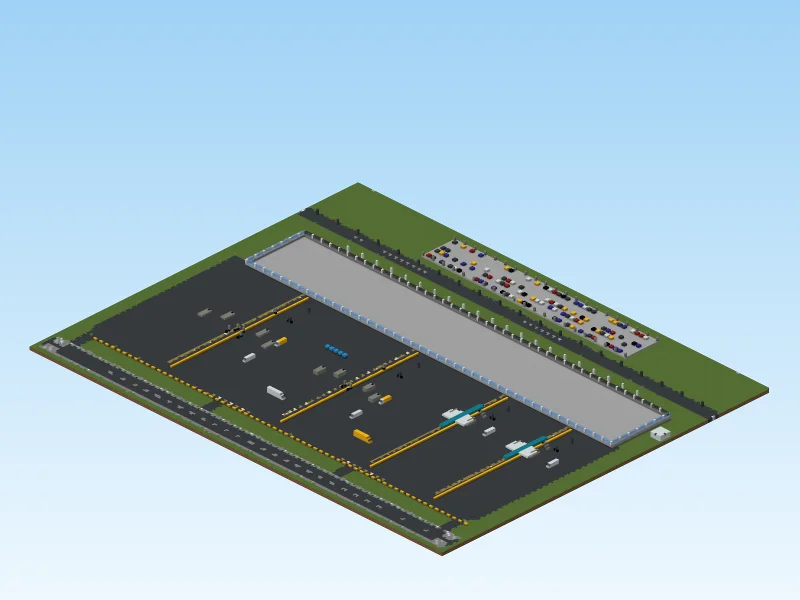
Layer 4 of 58 (1298 blocks)
- White Concrete362
- Light Blue Stained Glass278
- Light Gray Concrete222
- Tinted Glass212
- Cyan Concrete170
- Gray Concrete28
- Yellow Concrete18
- Black Concrete8
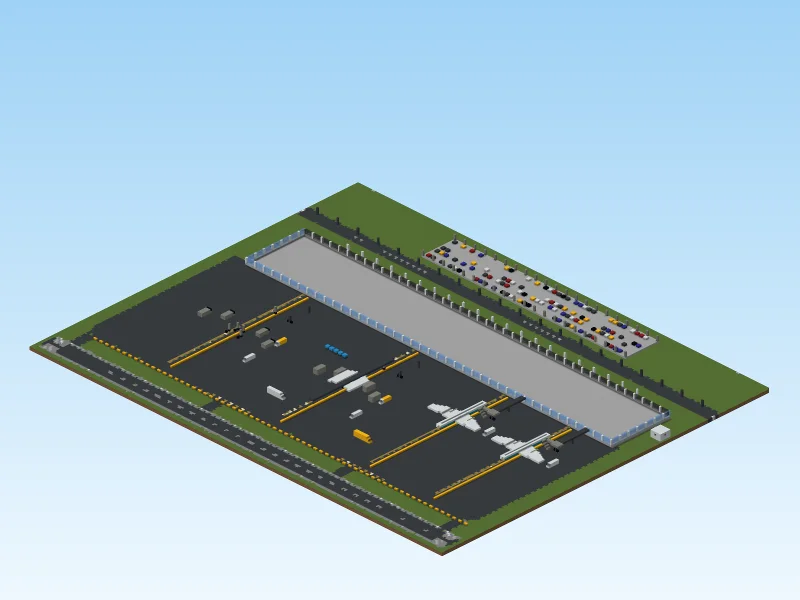
Layer 5 of 58 (1698 blocks)
- White Concrete640
- Gray Concrete307
- Light Blue Stained Glass278
- Light Gray Concrete251
- Tinted Glass210
- Black Concrete12
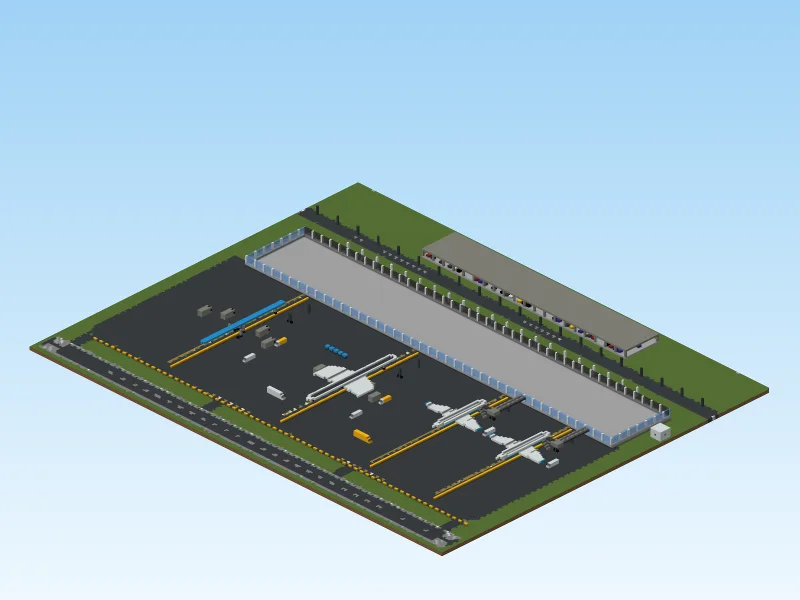
Layer 6 of 58 (4804 blocks)
- Light Gray Concrete3383
- White Concrete652
- Light Blue Stained Glass278
- Tinted Glass210
- Light Blue Concrete169
- Light Gray Stained Glass52
- Gray Concrete44
- Cyan Concrete12
- Black Concrete4

Layer 7 of 58 (12987 blocks)
- Smooth Stone9789
- White Concrete2564
- Gray Concrete172
- Light Gray Concrete130
- Tinted Glass60
- Red Concrete60
- Yellow Concrete56
- Blue Concrete56
- Light Gray Stained Glass52
- Black Concrete44
- Cyan Concrete4
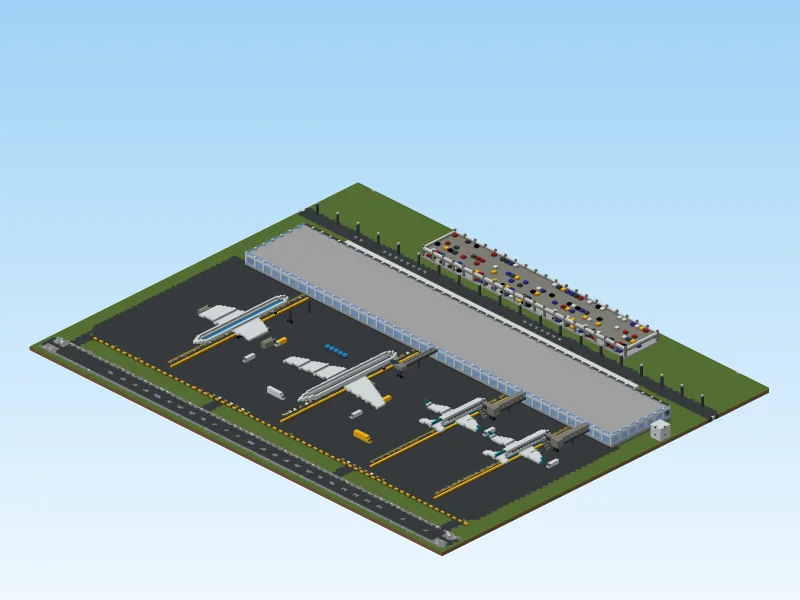
Layer 8 of 58 (1777 blocks)
- White Concrete963
- Light Blue Stained Glass278
- Light Gray Concrete244
- Tinted Glass212
- Light Gray Stained Glass30
- Sea Lantern20
- Cyan Concrete18
- Gray Concrete12
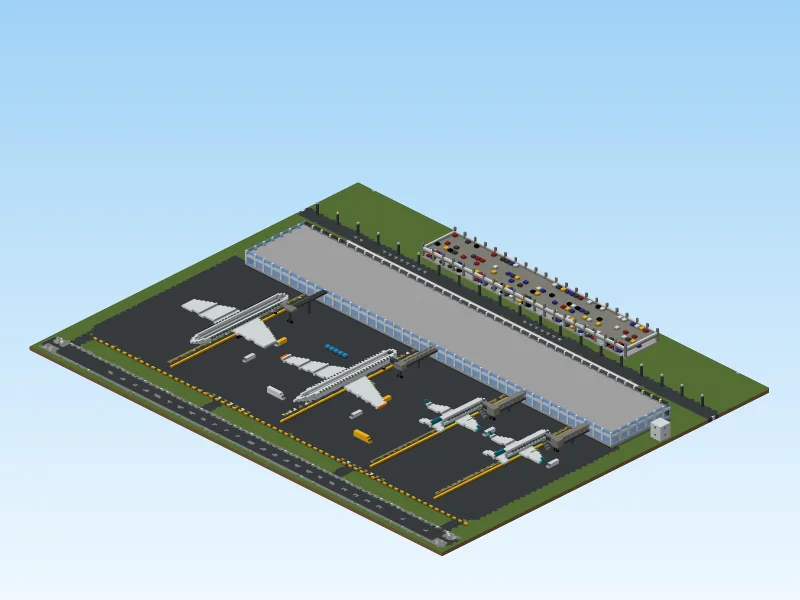
Layer 9 of 58 (1560 blocks)
- White Concrete736
- Tinted Glass316
- Light Blue Stained Glass278
- Light Gray Concrete102
- Gray Concrete76
- Light Gray Stained Glass30
- Cyan Concrete12
- Orange Concrete10
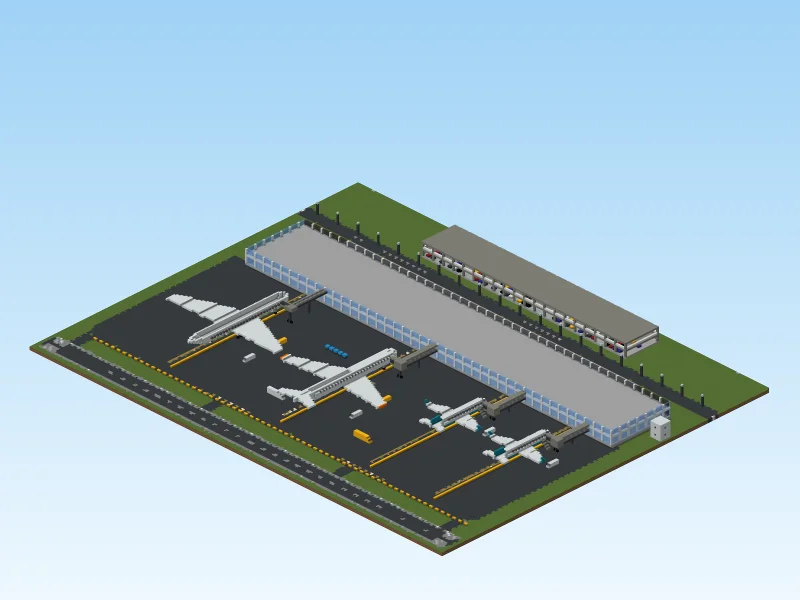
Layer 10 of 58 (4667 blocks)
- Light Gray Concrete3369
- White Concrete758
- Light Blue Stained Glass278
- Tinted Glass210
- Light Gray Stained Glass30
- Cyan Concrete12
- Gray Concrete10

Layer 11 of 58 (1865 blocks)
- White Concrete894
- Light Blue Stained Glass278
- Tinted Glass210
- Red Concrete84
- Gray Concrete78
- Black Concrete76
- Light Gray Concrete74
- Blue Concrete62
- Yellow Concrete48
- Light Gray Stained Glass30
- Orange Concrete19
- Cyan Concrete12
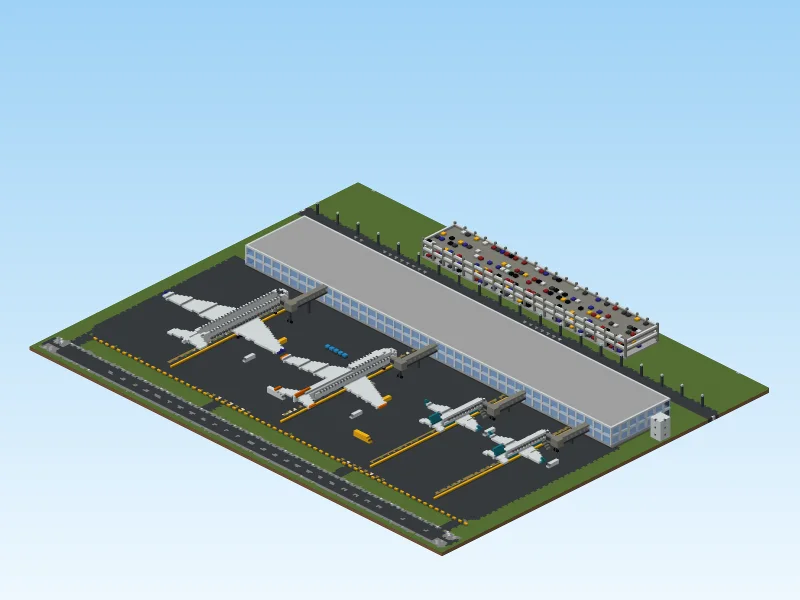
Layer 12 of 58 (10977 blocks)
- Smooth Stone9789
- White Concrete952
- Light Gray Concrete136
- Tinted Glass76
- Cyan Concrete12
- Orange Concrete10
- Blue Concrete2
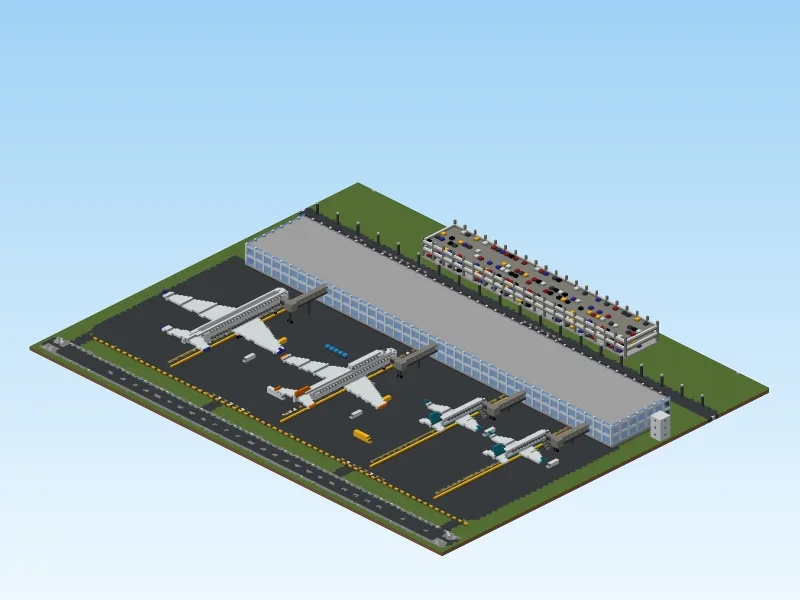
Layer 13 of 58 (955 blocks)
- White Concrete390
- Light Blue Stained Glass278
- Tinted Glass216
- Light Gray Concrete42
- Blue Concrete10
- Cyan Concrete10
- Orange Concrete9

Layer 14 of 58 (4084 blocks)
- Light Gray Concrete3243
- White Concrete321
- Light Blue Stained Glass278
- Tinted Glass210
- Blue Concrete12
- Orange Concrete10
- Cyan Concrete10
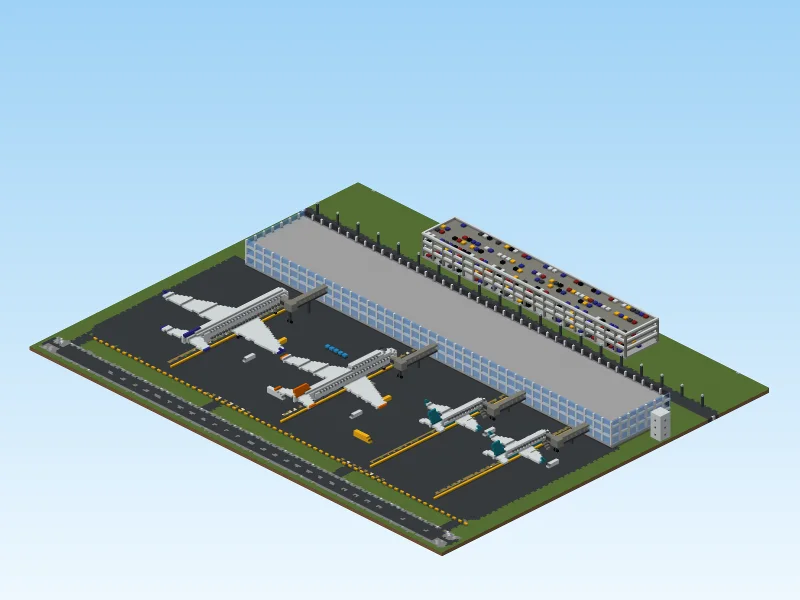
Layer 15 of 58 (1415 blocks)
- White Concrete557
- Light Blue Stained Glass278
- Tinted Glass210
- Blue Concrete119
- Black Concrete68
- Yellow Concrete60
- Red Concrete56
- Gray Concrete48
- Cyan Concrete10
- Orange Concrete9
Layer 16 of 58 (660 blocks)
- Light Blue Stained Glass278
- Tinted Glass212
- White Concrete143
- Blue Concrete11
- Orange Concrete8
- Cyan Concrete8
Layer 17 of 58 (69 blocks)
- White Concrete49
- Blue Concrete11
- Orange Concrete9
Layer 18 of 58 (67 blocks)
- White Concrete49
- Blue Concrete10
- Orange Concrete8

Layer 19 of 58 (580 blocks)
- White Concrete521
- Light Gray Concrete42
- Blue Concrete10
- Orange Concrete7
Layer 20 of 58 (1092 blocks)
- White Concrete991
- Light Gray Concrete84
- Blue Concrete9
- Orange Concrete6
- Tinted Glass2

Layer 21 of 58 (1091 blocks)
- White Concrete993
- Light Gray Concrete84
- Blue Concrete9
- Orange Concrete5
Layer 22 of 58 (2119 blocks)
- White Concrete1937
- Light Gray Concrete168
- Blue Concrete8
- Orange Concrete6

Layer 23 of 58 (3146 blocks)
- White Concrete2881
- Light Gray Concrete252
- Blue Concrete8
- Orange Concrete5

Layer 24 of 58 (4425 blocks)
- White Concrete4059
- Light Gray Concrete357
- Blue Concrete7
- Tinted Glass2
Layer 25 of 58 (56 blocks)
- White Concrete49
- Blue Concrete7
Layer 26 of 58 (56 blocks)
- White Concrete49
- Blue Concrete7
Layer 27 of 58 (55 blocks)
- White Concrete49
- Blue Concrete6
Layer 28 of 58 (49 blocks)
- White Concrete47
- Tinted Glass2
Layer 29 of 58 (49 blocks)
- White Concrete49
Layer 30 of 58 (49 blocks)
- White Concrete49
Layer 31 of 58 (49 blocks)
- White Concrete49
Layer 32 of 58 (49 blocks)
- White Concrete47
- Tinted Glass2
Layer 33 of 58 (49 blocks)
- White Concrete49

Layer 34 of 58 (49 blocks)
- White Concrete49
Layer 35 of 58 (49 blocks)
- White Concrete49
Layer 36 of 58 (49 blocks)
- White Concrete47
- Tinted Glass2
Layer 37 of 58 (49 blocks)
- White Concrete49
Layer 38 of 58 (49 blocks)
- White Concrete49
Layer 39 of 58 (49 blocks)
- White Concrete49
Layer 40 of 58 (49 blocks)
- White Concrete47
- Tinted Glass2

Layer 41 of 58 (49 blocks)
- White Concrete49
Layer 42 of 58 (49 blocks)
- White Concrete49
Layer 43 of 58 (49 blocks)
- White Concrete49

Layer 44 of 58 (49 blocks)
- White Concrete47
- Tinted Glass2
Layer 45 of 58 (49 blocks)
- White Concrete49
Layer 46 of 58 (49 blocks)
- White Concrete49
Layer 47 of 58 (49 blocks)
- White Concrete49
Layer 48 of 58 (169 blocks)
- White Concrete169
Layer 49 of 58 (48 blocks)
- Tinted Glass48
Layer 50 of 58 (48 blocks)
- Tinted Glass48
Layer 51 of 58 (48 blocks)
- Tinted Glass48
Layer 52 of 58 (225 blocks)
- Gray Concrete225
Layer 53 of 58 (1 blocks)
- Block of Iron1
Layer 54 of 58 (1 blocks)
- Block of Iron1

Layer 55 of 58 (5 blocks)
- Block of Iron5
Layer 56 of 58 (1 blocks)
- Block of Iron1
Layer 57 of 58 (1 blocks)
- Block of Iron1
Layer 58 of 58 (1 blocks)
- Redstone Dust1
Simplified blueprint: stairs and slabs are partly shown as full blocks, animals and plants as small squares. Tip: use the arrow keys ← → to switch layers.
Step-by-step guide
Runway
Lay out a 279-block-long, 15-wide runway with a center line and threshold bars. In front of it runs a taxiway with a yellow center line, connected by four links.
Apron
Between taxiway and terminal build a huge apron of black concrete with yellow lead-in lines for every plane.
Terminal
The terminal is 253 blocks long and 41 deep. The facade is glass with white posts every 6 blocks and white bands every 5 layers. Inside there are two mezzanine floors.
Curved roof
The roof arches over the whole depth: at height 15 at the edges, height 22 in the middle. A light gray line crosses it every 12 blocks.
Jet bridges
Four tunnels of gray concrete and glass lead from the facade to the plane doors, carried by supports.
Planes and tower
Park the planes nose-in at the bridges. To the right stands a 46-block-tall control tower with a big glass cab.
Landside
Behind the terminal come the drop-off zone with a white canopy, a wide road with street lamps and a four-level parking garage full of cars.
Pro tips
- A superflat world in creative mode is ideal for a build this big.
- You can also find the planes as separate build ideas with their own blueprint.
- In creative mode the /fill command is much faster: it fills whole walls and areas at once.
Variations
- Build a second runway parallel to the first.
- Connect the terminal to the parking garage with a monorail.


