Regional Airport with Terminal and Tower
- DifficultyMedium
- Size187 × 105 blocks, 37 tall
- Build timeabout 10 hours
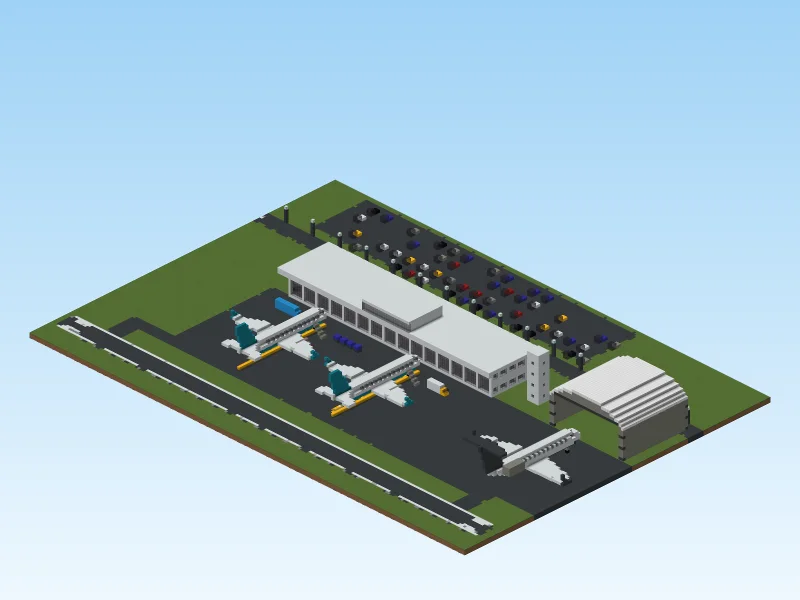
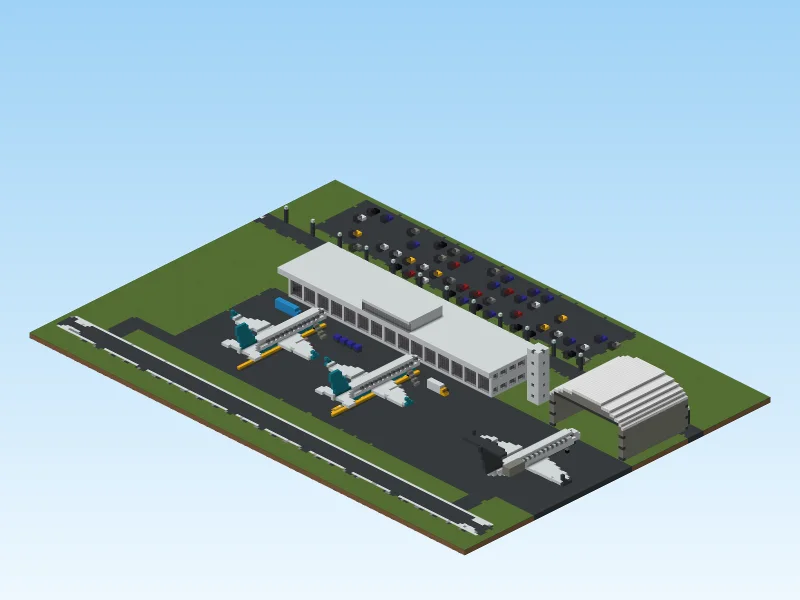
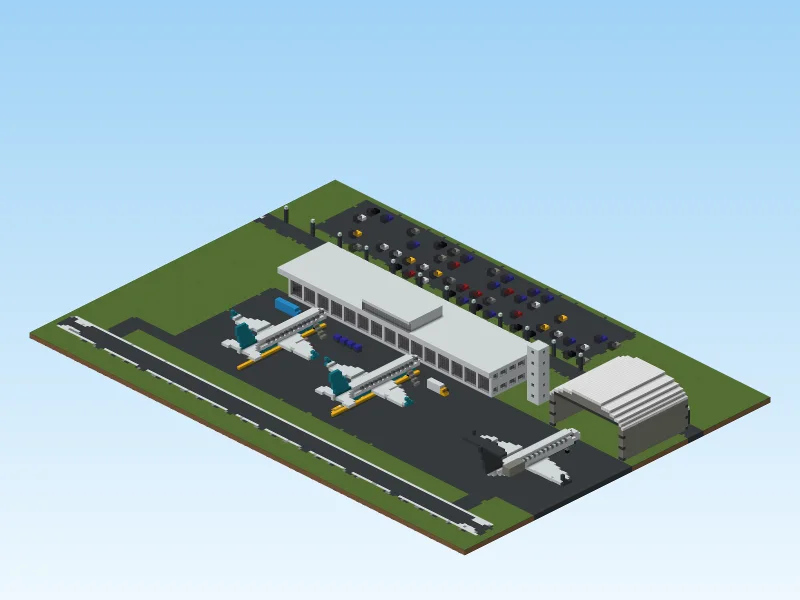
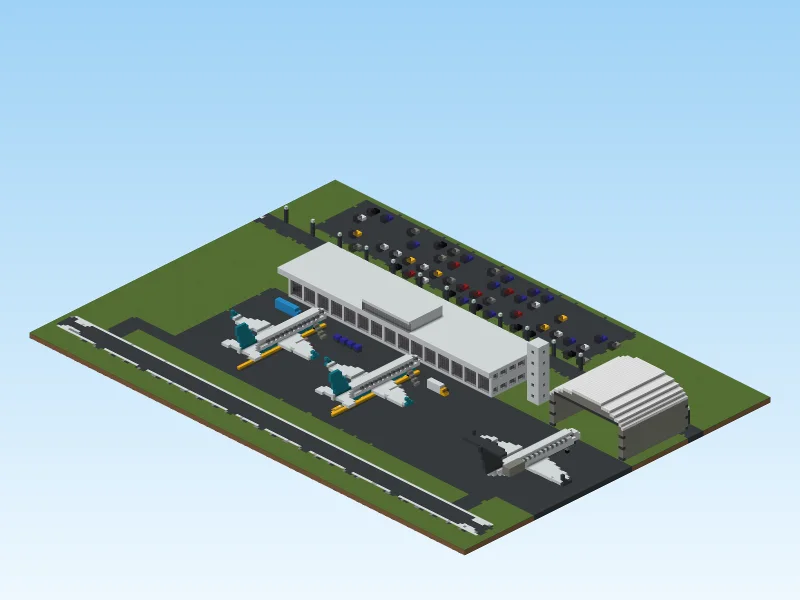
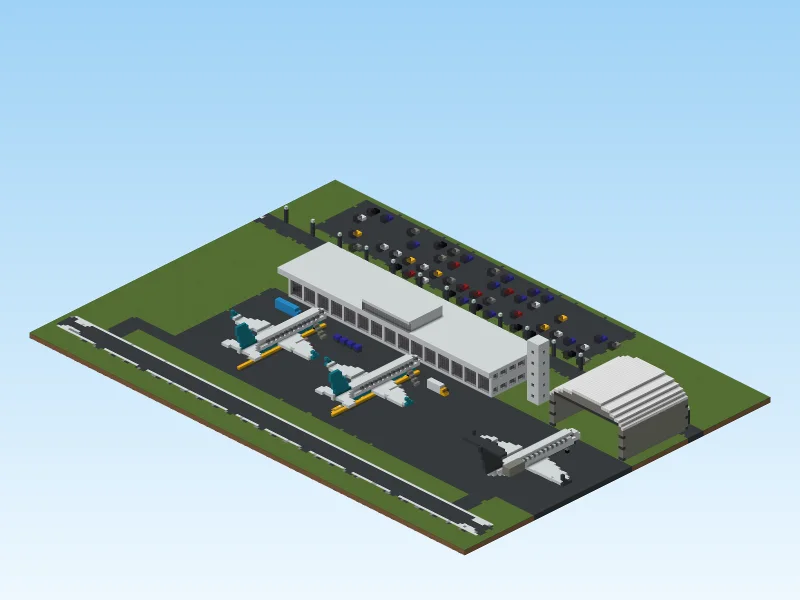
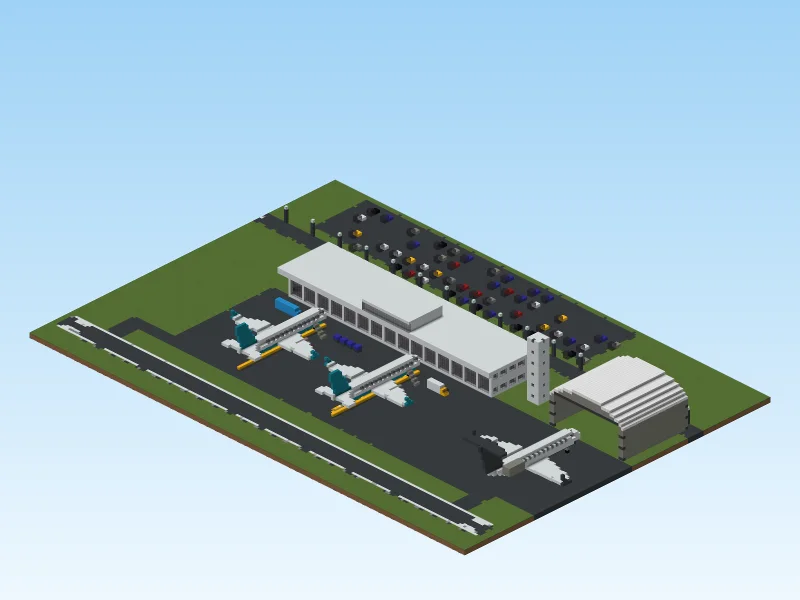
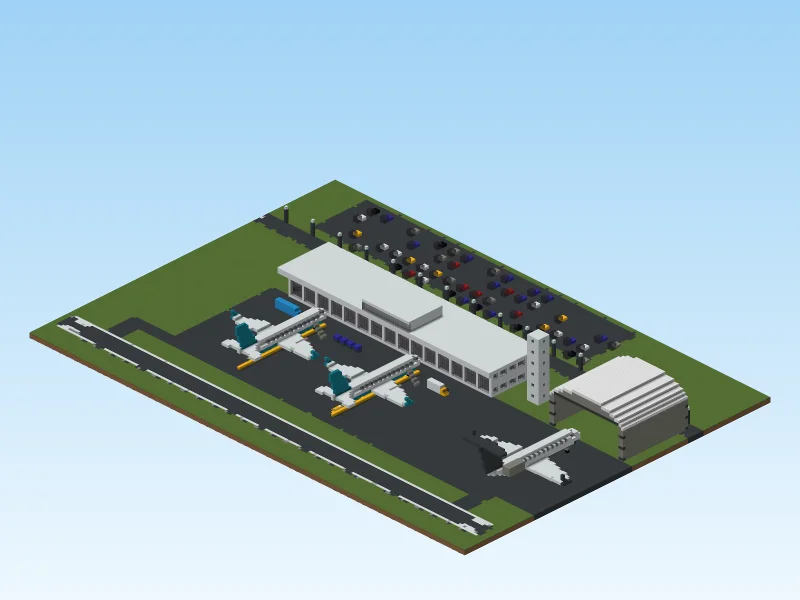
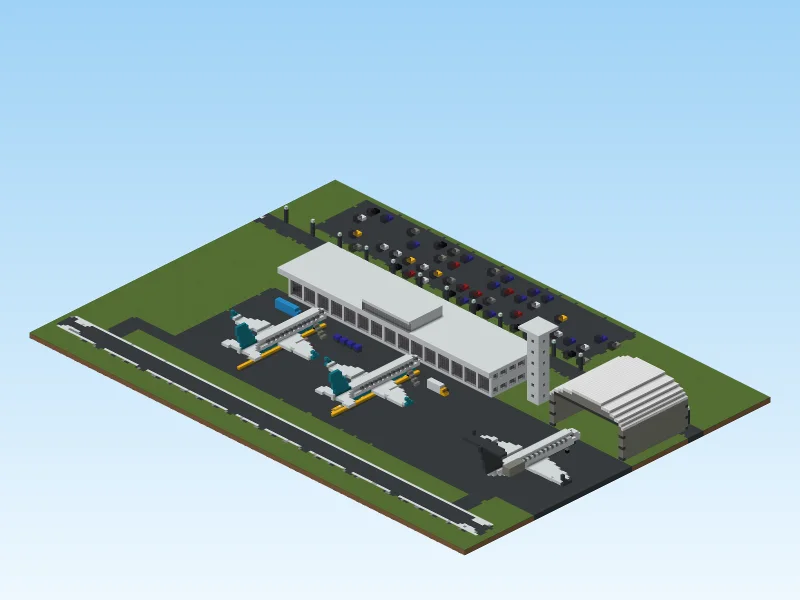
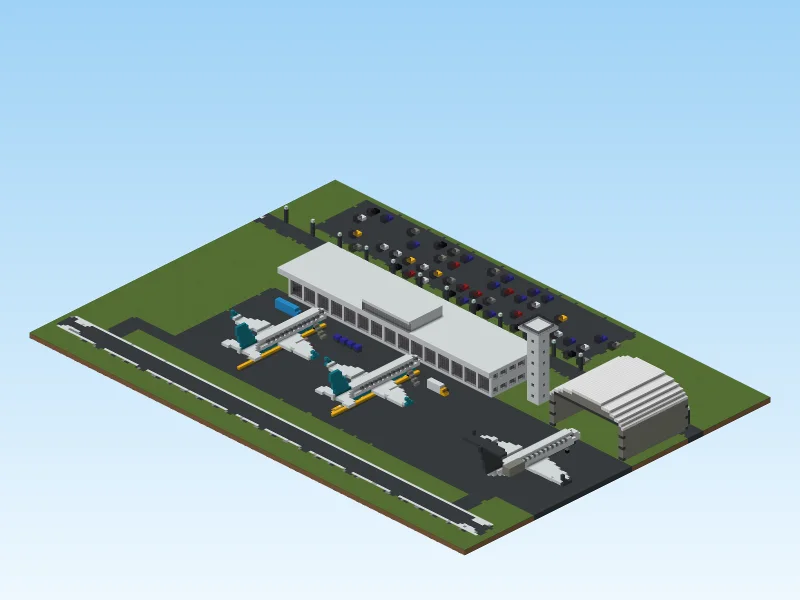
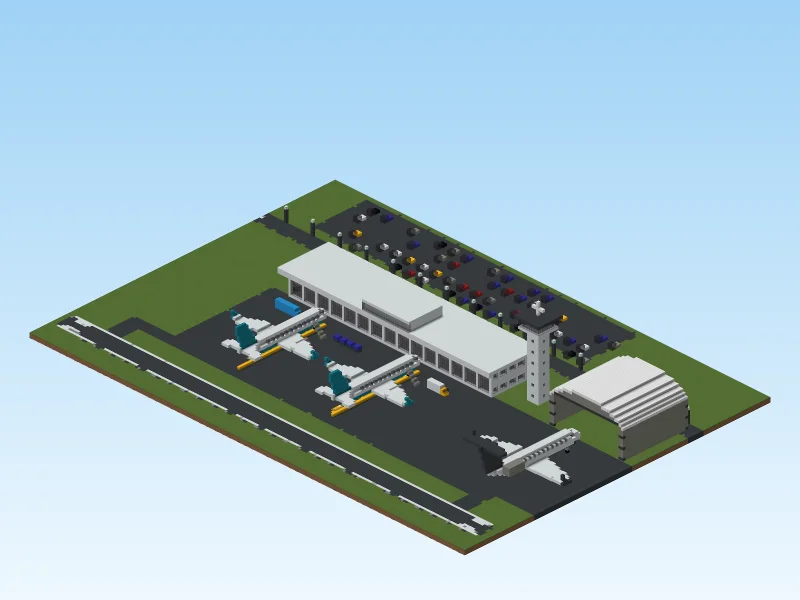
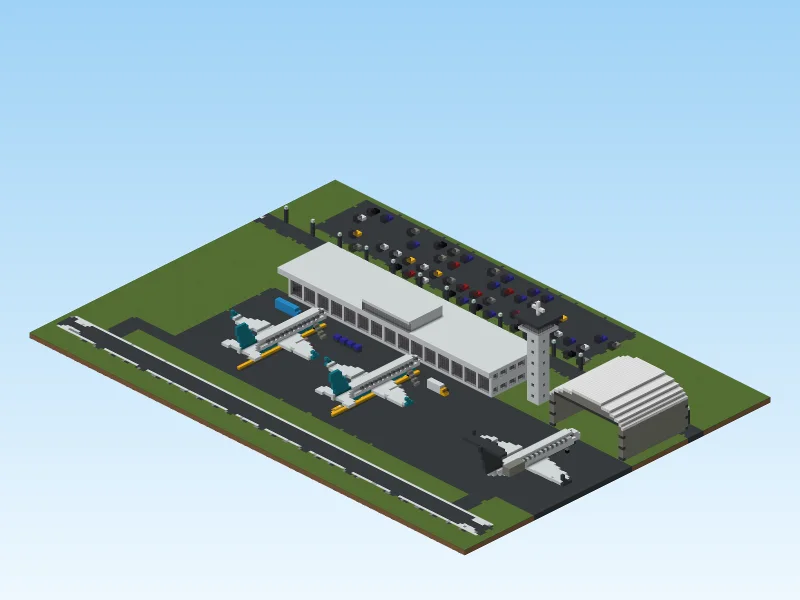
A mid-sized airport like many cities have: a long terminal with a glass front, a tall control tower and a big maintenance hangar.
Two passenger jets and a private jet stand on the apron, along with baggage carts, a fuel truck and a bus. On the other side of the terminal are the road and a big parking lot.

🔍 Click on parts
Tap any part of the build in the 3D model – a lamp, a tree, a bench next to the house – and you’ll see exactly how to build that part, with its materials and a layer-by-layer plan.
🧊 Build it as a hologram in Minecraft Bedrock (HoloPrint)
Download this build idea as a .mcstructure file – it is made right from the blueprint below. The HoloPrint website turns it into a pack that places the build as a see-through hologram in your world – you just fill in the blocks.
- Tap the button above – the file regional-airport.mcstructure is downloaded.
- Open the HoloPrint website.
- Upload the file there.
- Create your build template texture pack.
- Download the .mcpack file.
- Open it with Minecraft and activate the pack in your world.
- Place an armor stand – the build template appears there. Tip: put it exactly where the build should stand.
Works with Minecraft Bedrock (phone, tablet, console, Windows). HoloPrint is a free fan project, not made by Blockwerk.
Layer-by-layer blueprint
Click through from bottom to top. Every square is one block, the front is at the bottom. Gray shows the layer below. 38 layers, area in the plan: 187 × 105 blocks.

Layer 1 of 38 (78 blocks)
- Yellow Concrete78
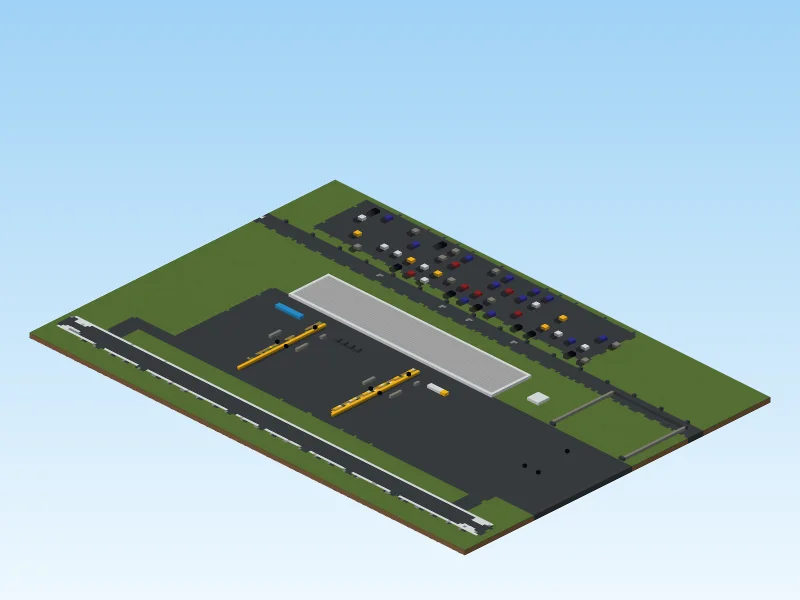
Layer 2 of 38 (2241 blocks)
- Smooth Stone1424
- White Concrete283
- Tinted Glass192
- Light Gray Concrete114
- Gray Concrete69
- Blue Concrete48
- Black Concrete41
- Yellow Concrete24
- Red Concrete24
- Light Blue Concrete22
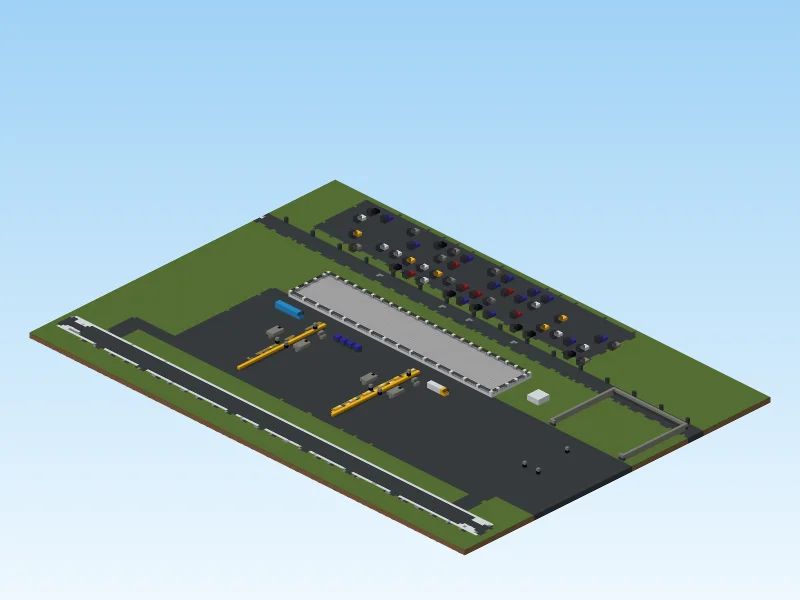
Layer 3 of 38 (665 blocks)
- Tinted Glass362
- Light Gray Concrete160
- White Concrete85
- Light Blue Concrete20
- Blue Concrete16
- Gray Concrete16
- Black Concrete4
- Yellow Concrete2
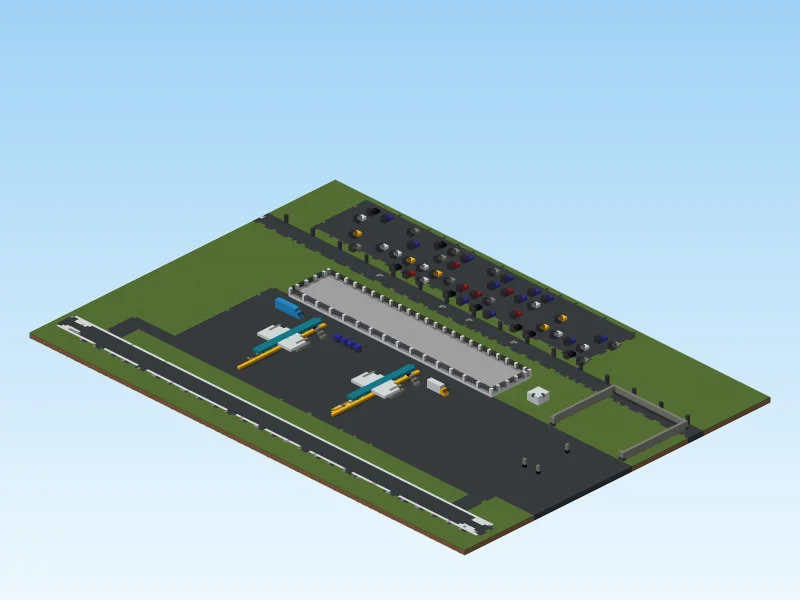
Layer 4 of 38 (753 blocks)
- White Concrete263
- Cyan Concrete170
- Tinted Glass168
- Light Gray Concrete118
- Light Blue Concrete18
- Gray Concrete16
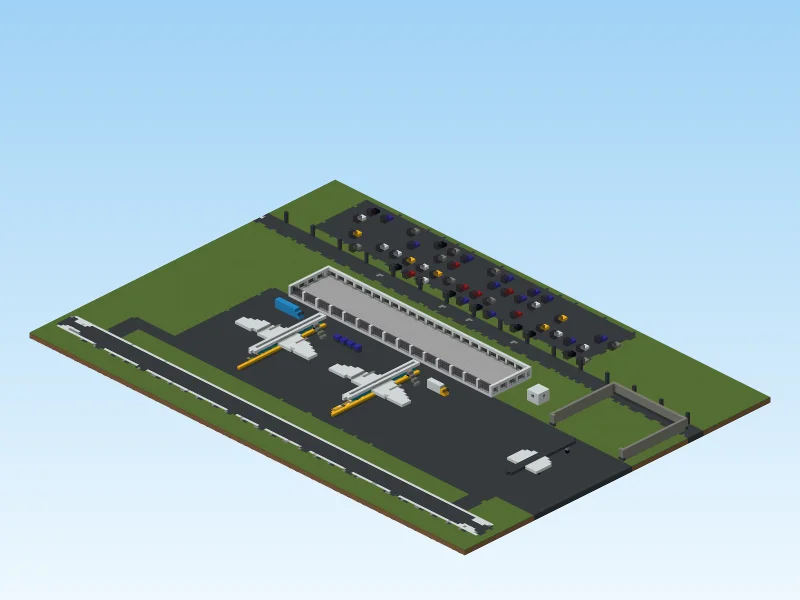
Layer 5 of 38 (853 blocks)
- White Concrete578
- Gray Concrete105
- Light Gray Concrete95
- Tinted Glass75
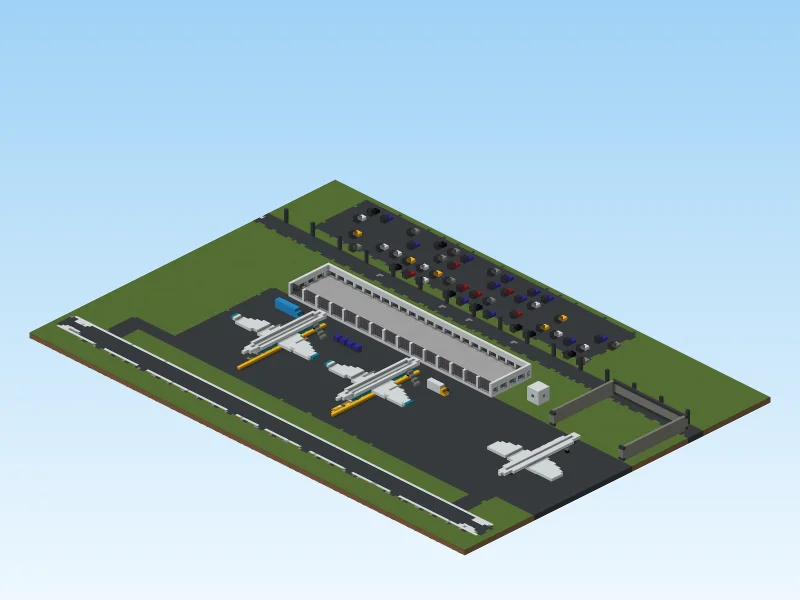
Layer 6 of 38 (755 blocks)
- White Concrete561
- Tinted Glass75
- Light Gray Concrete54
- Gray Concrete53
- Cyan Concrete12
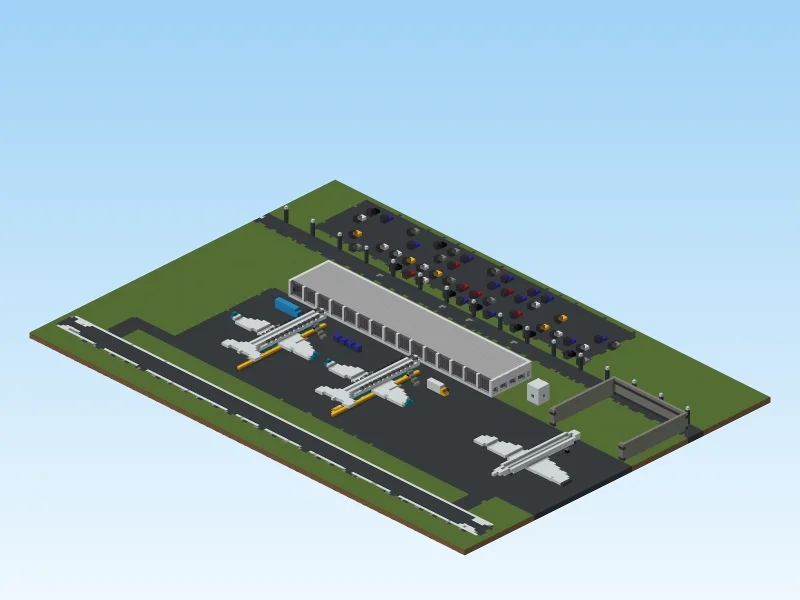
Layer 7 of 38 (2212 blocks)
- Smooth Stone1424
- White Concrete534
- Tinted Glass135
- Light Gray Concrete91
- Sea Lantern16
- Gray Concrete8
- Cyan Concrete4
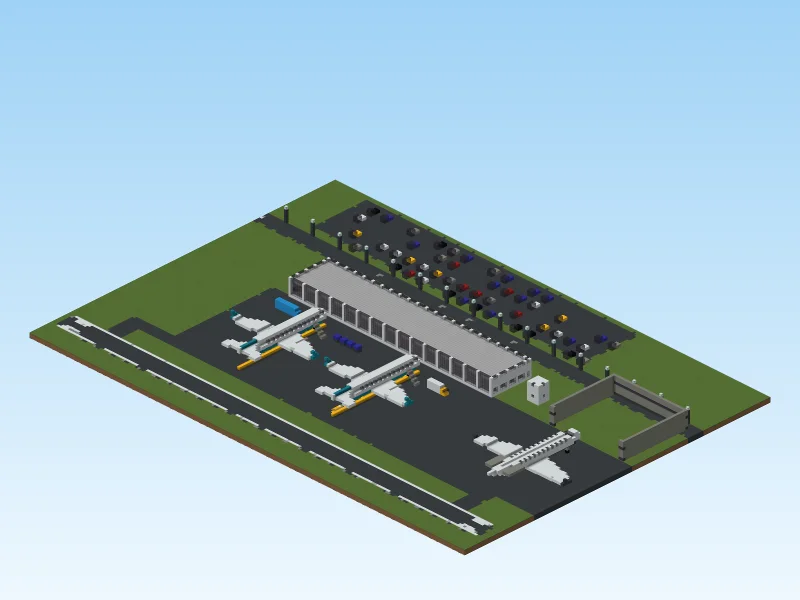
Layer 8 of 38 (692 blocks)
- White Concrete343
- Tinted Glass196
- Light Gray Concrete133
- Cyan Concrete18
- Gray Concrete2
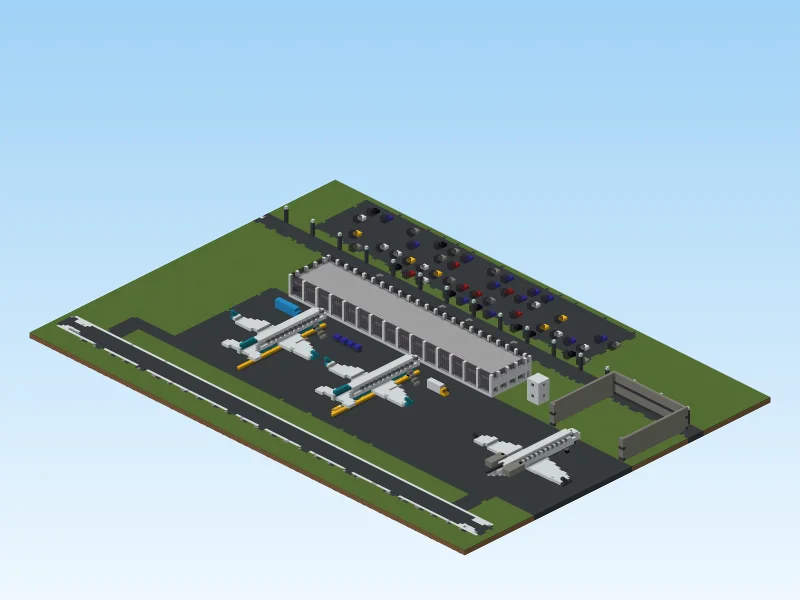
Layer 9 of 38 (484 blocks)
- Tinted Glass166
- White Concrete163
- Light Gray Concrete131
- Cyan Concrete12
- Gray Concrete10
- Black Concrete2

Layer 10 of 38 (393 blocks)
- White Concrete164
- Light Gray Concrete96
- Tinted Glass75
- Gray Concrete46
- Cyan Concrete12
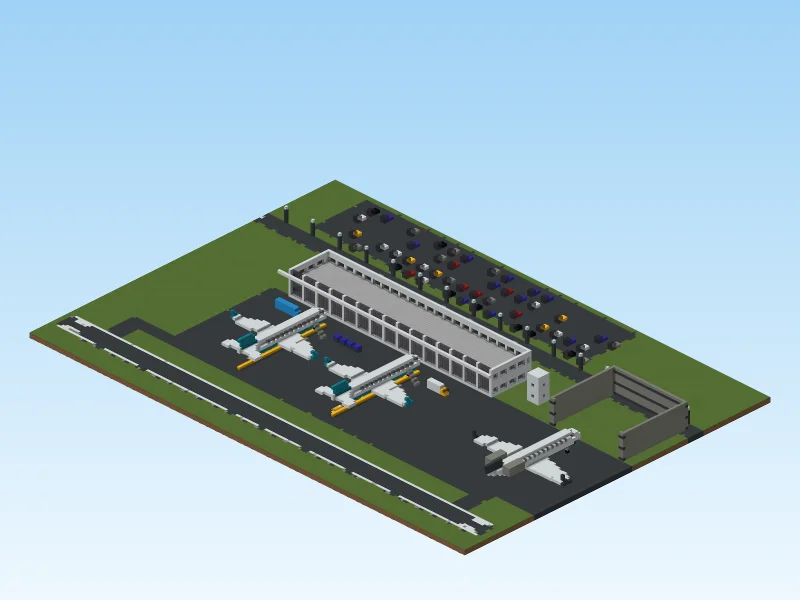
Layer 11 of 38 (445 blocks)
- White Concrete259
- Light Gray Concrete91
- Tinted Glass75
- Cyan Concrete12
- Gray Concrete8
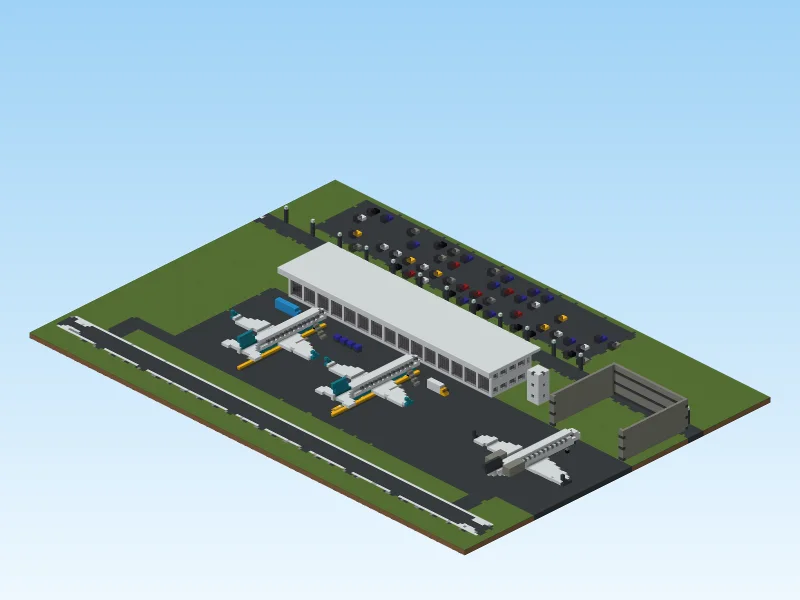
Layer 12 of 38 (2320 blocks)
- White Concrete2208
- Light Gray Concrete91
- Cyan Concrete12
- Gray Concrete7
- Tinted Glass2

Layer 13 of 38 (448 blocks)
- White Concrete319
- Block of Iron58
- Light Gray Concrete33
- Tinted Glass21
- Cyan Concrete10
- Gray Concrete7

Layer 14 of 38 (472 blocks)
- White Concrete319
- Gray Concrete64
- Block of Iron58
- Tinted Glass21
- Cyan Concrete10

Layer 15 of 38 (522 blocks)
- White Concrete319
- Block of Iron116
- Light Gray Concrete50
- Tinted Glass21
- Cyan Concrete10
- Gray Concrete6
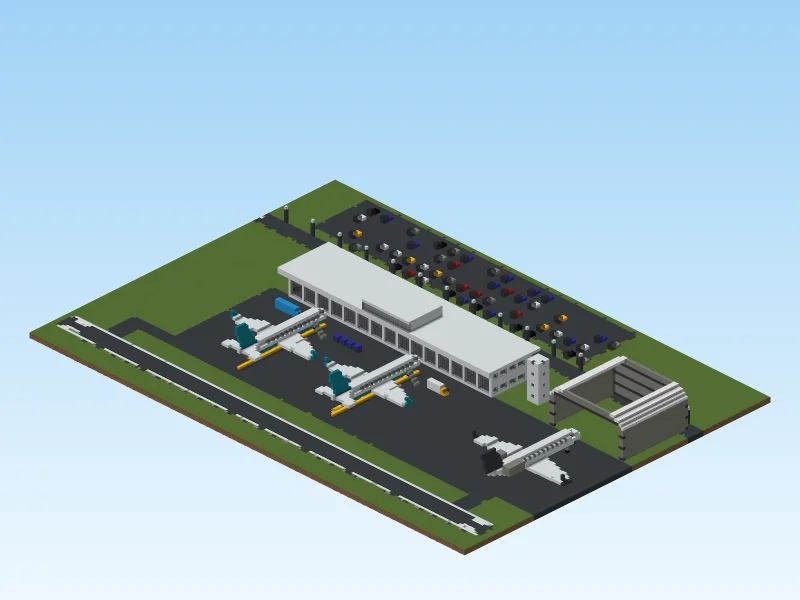
Layer 16 of 38 (512 blocks)
- White Concrete338
- Block of Iron116
- Light Gray Concrete42
- Cyan Concrete8
- Gray Concrete6
- Tinted Glass2
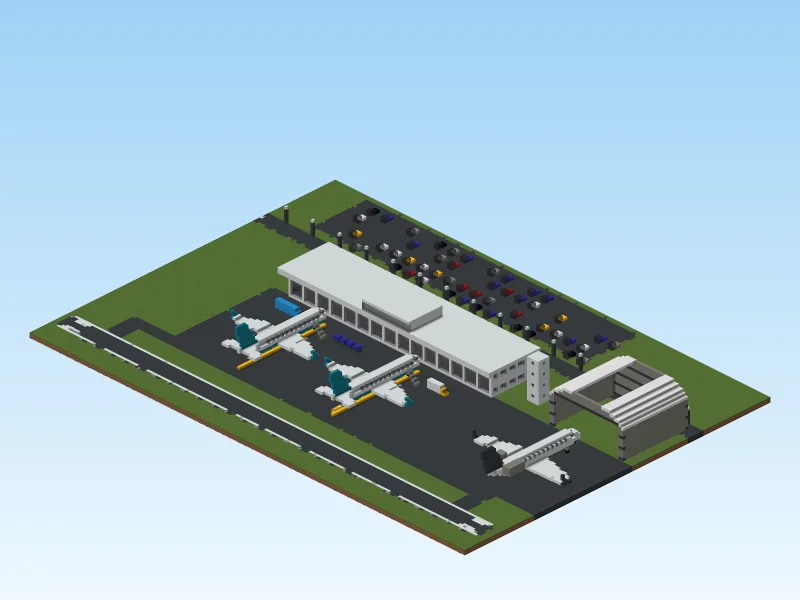
Layer 17 of 38 (288 blocks)
- Block of Iron232
- Light Gray Concrete26
- White Concrete25
- Gray Concrete5

Layer 18 of 38 (408 blocks)
- Block of Iron377
- White Concrete25
- Gray Concrete6
Layer 19 of 38 (94 blocks)
- Gray Concrete69
- White Concrete25
Layer 20 of 38 (25 blocks)
- White Concrete23
- Tinted Glass2
Layer 21 of 38 (25 blocks)
- White Concrete25
Layer 22 of 38 (25 blocks)
- White Concrete25
Layer 23 of 38 (25 blocks)
- White Concrete25
Layer 24 of 38 (25 blocks)
- White Concrete23
- Tinted Glass2
Layer 25 of 38 (25 blocks)
- White Concrete25

Layer 26 of 38 (25 blocks)
- White Concrete25

Layer 27 of 38 (25 blocks)
- White Concrete25
Layer 28 of 38 (81 blocks)
- White Concrete81
Layer 29 of 38 (32 blocks)
- Tinted Glass32
Layer 30 of 38 (32 blocks)
- Tinted Glass32
Layer 31 of 38 (32 blocks)
- Tinted Glass32

Layer 32 of 38 (121 blocks)
- Gray Concrete121

Layer 33 of 38 (1 blocks)
- Block of Iron1
Layer 34 of 38 (1 blocks)
- Block of Iron1

Layer 35 of 38 (5 blocks)
- Block of Iron5

Layer 36 of 38 (1 blocks)
- Block of Iron1
Layer 37 of 38 (1 blocks)
- Block of Iron1
Layer 38 of 38 (1 blocks)
- Redstone Dust1
Simplified blueprint: stairs and slabs are partly shown as full blocks, animals and plants as small squares. Tip: use the arrow keys ← → to switch layers.
Step-by-step guide
Runway and taxiway
Lay out a 189-block-long runway with markings. A taxiway runs parallel to it and connects to the runway at both ends.
Apron
Between taxiway and terminal build a big area of black concrete with yellow lines for the parking stands.
Terminal
Build a 91-block-long building with two tall floors of white concrete. Facing the apron, the front is all tinted glass with white posts. The roof is raised in the middle.
Control tower
Build a slim tower of white concrete, 26 blocks tall, with a glass cab all around, a gray roof and an antenna.
Hangar
A big hangar with a barrel roof and an open gate stands next to it.
Planes
Park two medium-haul jets and a private jet on the apron with their noses towards the terminal.
Landside
Behind the terminal come a road with a sidewalk, street lamps and a big parking lot with cars.
Pro tips
- Build the fuselage first and only then the wings – that way you hit the right height and position.
- You can also find the planes as separate build ideas with their own blueprint.
- In creative mode the /fill command is much faster: it fills whole walls and areas at once.
Variations
- Add a jet bridge to the terminal.
- Put a fire station with red fire trucks next to the runway.


