Small Airfield with Hangar
- DifficultyEasy
- Size125 × 71 blocks, 20 tall
- Build timeabout 4 hours
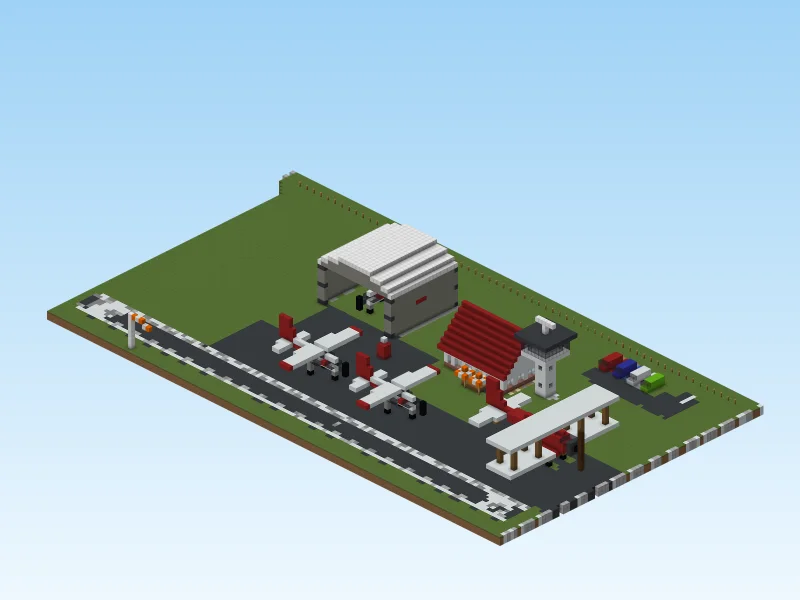
A cozy country airfield like you find in many regions: a runway, a hangar with a round roof and a small flight school with a tower.
Two small propeller planes and a red biplane are parked on the apron. A windsock shows the pilots where the wind is coming from.

🔍 Click on parts
Tap any part of the build in the 3D model – a lamp, a tree, a bench next to the house – and you’ll see exactly how to build that part, with its materials and a layer-by-layer plan.
🧊 Build it as a hologram in Minecraft Bedrock (HoloPrint)
Download this build idea as a .mcstructure file – it is made right from the blueprint below. The HoloPrint website turns it into a pack that places the build as a see-through hologram in your world – you just fill in the blocks.
- Tap the button above – the file small-airfield.mcstructure is downloaded.
- Open the HoloPrint website.
- Upload the file there.
- Create your build template texture pack.
- Download the .mcpack file.
- Open it with Minecraft and activate the pack in your world.
- Place an armor stand – the build template appears there. Tip: put it exactly where the build should stand.
Works with Minecraft Bedrock (phone, tablet, console, Windows). HoloPrint is a free fan project, not made by Blockwerk.
Layer-by-layer blueprint
Click through from bottom to top. Every square is one block, the front is at the bottom. Gray shows the layer below. 20 layers, area in the plan: 125 × 71 blocks.
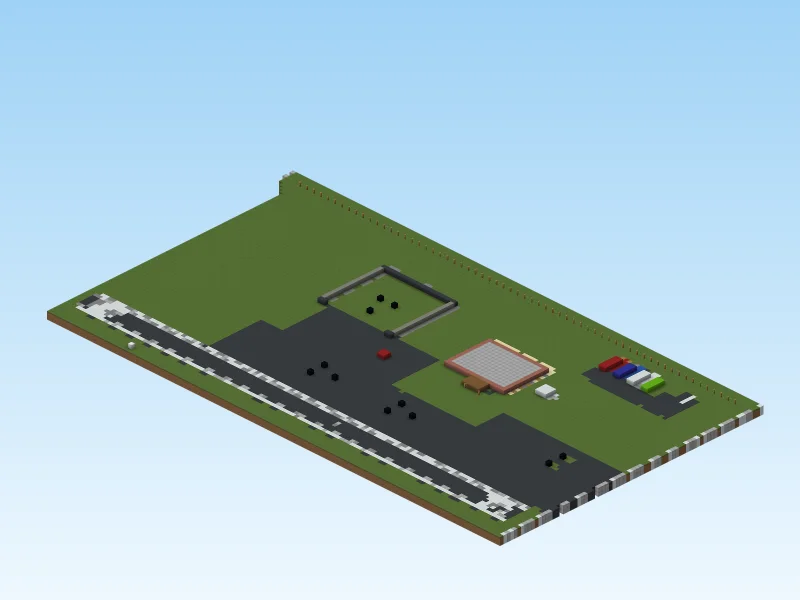
Layer 1 of 20 (425 blocks)
- Smooth Stone165
- Oak Fence65
- Bricks56
- Light Gray Concrete34
- Gray Concrete25
- White Concrete19
- Spruce Planks15
- Red Concrete14
- Black Concrete11
- Blue Concrete10
- Lime Concrete10
- Block of Iron1
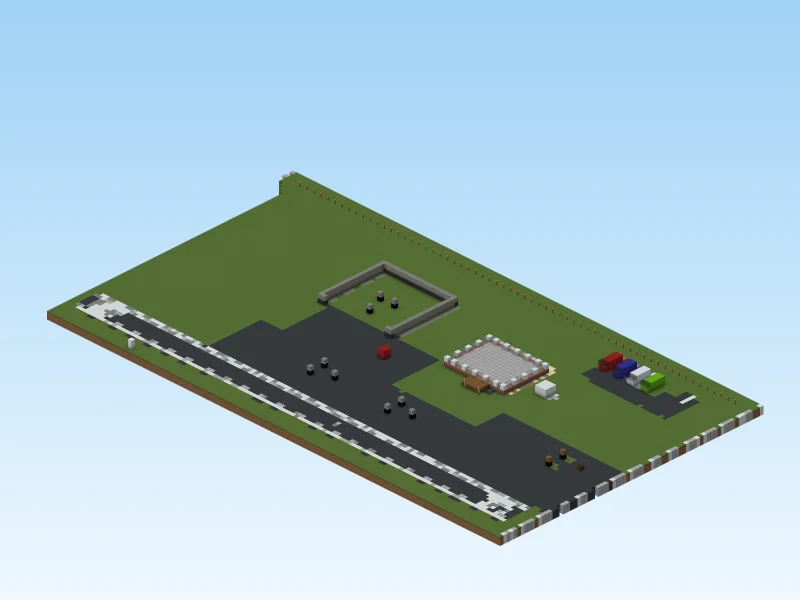
Layer 2 of 20 (183 blocks)
- Light Gray Concrete68
- White Concrete37
- Glass36
- Red Concrete12
- Tinted Glass8
- Blue Concrete8
- Lime Concrete8
- Oak Fence2
- Spruce Planks2
- Block of Iron1
- Dark Oak Planks1
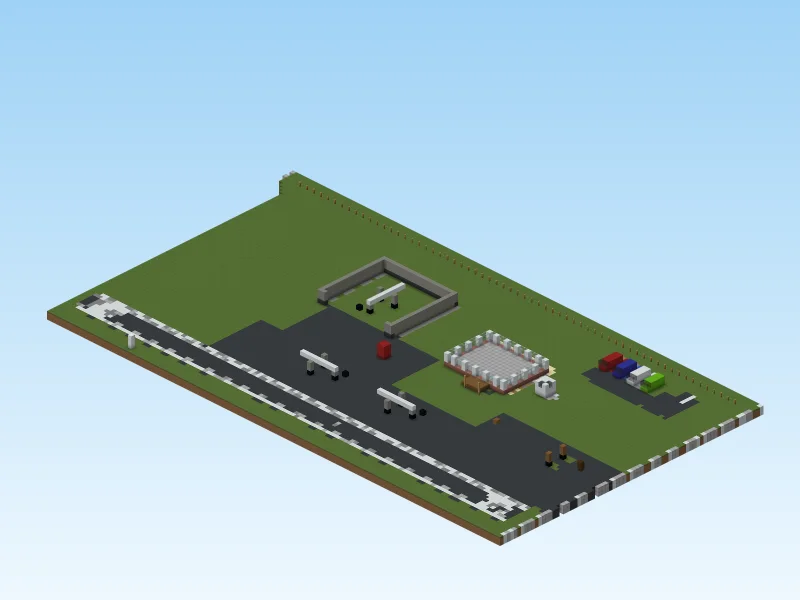
Layer 3 of 20 (174 blocks)
- Light Gray Concrete65
- White Concrete57
- Glass36
- Red Concrete4
- Black Concrete3
- Spruce Planks3
- Tinted Glass2
- Oak Fence2
- Block of Iron1
- Dark Oak Planks1
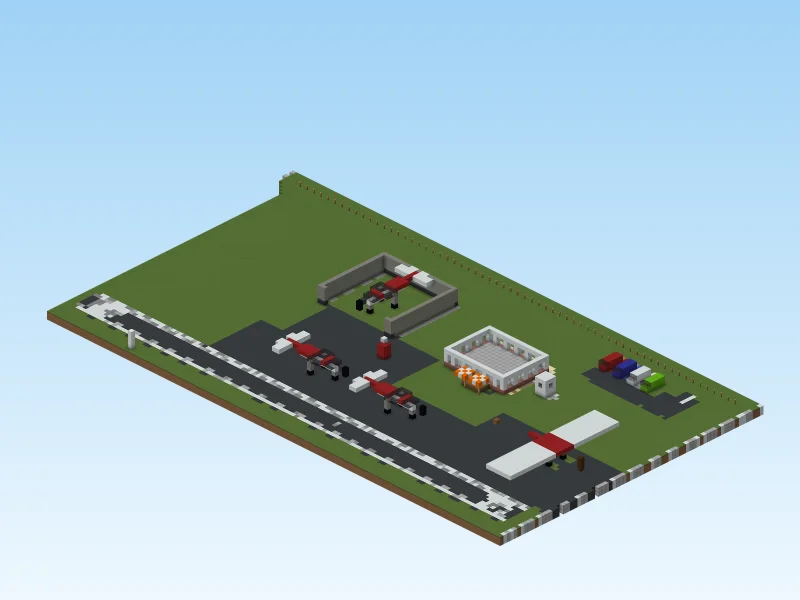
Layer 4 of 20 (547 blocks)
- White Concrete316
- Red Concrete95
- Tinted Glass63
- Light Gray Concrete55
- Orange Concrete10
- Gray Concrete3
- Black Concrete3
- Block of Iron1
- Dark Oak Planks1
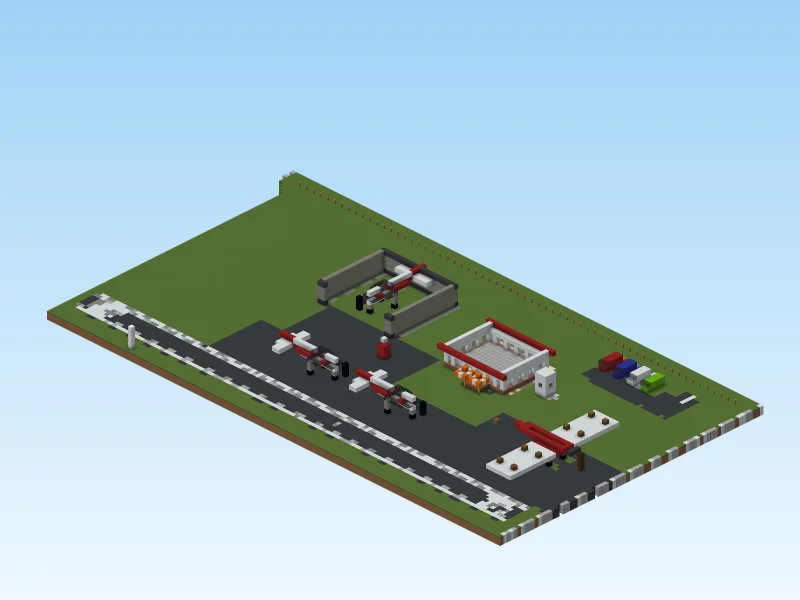
Layer 5 of 20 (246 blocks)
- Red Concrete81
- White Concrete62
- Light Gray Concrete34
- Gray Concrete27
- Tinted Glass27
- Spruce Planks8
- Black Concrete3
- Orange Concrete2
- Block of Iron1
- Dark Oak Planks1
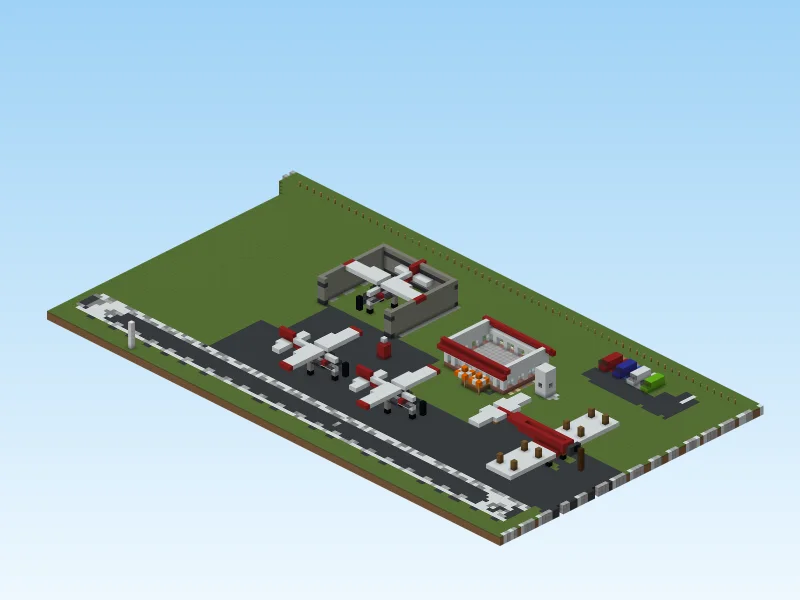
Layer 6 of 20 (452 blocks)
- White Concrete277
- Red Concrete109
- Light Gray Concrete52
- Spruce Planks8
- Gray Concrete3
- Block of Iron1
- Black Concrete1
- Dark Oak Planks1

Layer 7 of 20 (198 blocks)
- Red Concrete92
- Light Gray Concrete58
- White Concrete26
- Tinted Glass8
- Spruce Planks8
- Gray Concrete3
- Block of Iron1
- Orange Concrete1
- Dark Oak Planks1
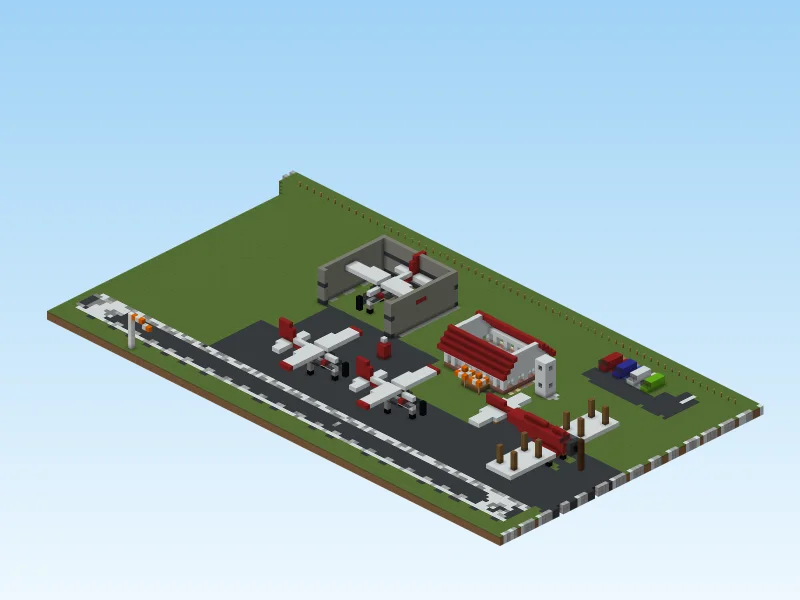
Layer 8 of 20 (155 blocks)
- Red Concrete61
- Light Gray Concrete58
- White Concrete24
- Spruce Planks8
- Orange Concrete2
- Block of Iron1
- Dark Oak Planks1

Layer 9 of 20 (140 blocks)
- Red Concrete51
- Light Gray Concrete34
- Gray Concrete24
- White Concrete19
- Spruce Planks8
- Glass3
- Dark Oak Planks1

Layer 10 of 20 (391 blocks)
- White Concrete272
- Red Concrete42
- Block of Iron38
- Light Gray Concrete38
- Dark Oak Planks1

Layer 11 of 20 (173 blocks)
- Block of Iron76
- Red Concrete41
- Light Gray Concrete30
- Tinted Glass24
- White Concrete2

Layer 12 of 20 (178 blocks)
- Block of Iron114
- Tinted Glass24
- Red Concrete22
- Light Gray Concrete18

Layer 13 of 20 (195 blocks)
- Block of Iron171
- Tinted Glass24

Layer 14 of 20 (81 blocks)
- Gray Concrete81
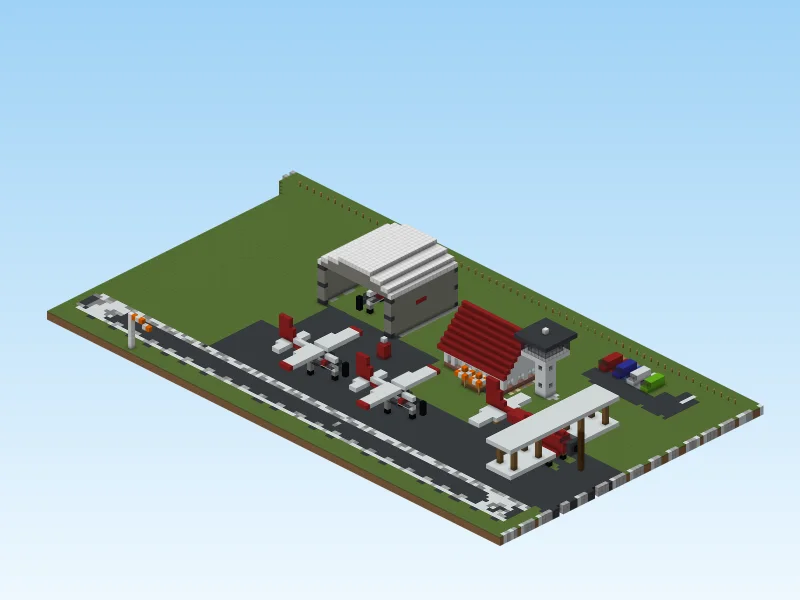
Layer 15 of 20 (1 blocks)
- Block of Iron1

Layer 16 of 20 (1 blocks)
- Block of Iron1
Layer 17 of 20 (5 blocks)
- Block of Iron5

Layer 18 of 20 (1 blocks)
- Block of Iron1

Layer 19 of 20 (1 blocks)
- Block of Iron1

Layer 20 of 20 (1 blocks)
- Redstone Dust1
Simplified blueprint: stairs and slabs are partly shown as full blocks, animals and plants as small squares. Tip: use the arrow keys ← → to switch layers.
Step-by-step guide
Runway
Lay a 121-block-long, 9-wide strip of black concrete with white edges, a dashed center line and white bars at both ends.
Apron
In front of it build an area of black concrete where the planes park.
Hangar
Build a hall with a round barrel roof of iron blocks and walls of light gray concrete. Leave a big gate open at the front.
Flight school and tower
Next to it stands a house of white concrete with a red gable roof and a terrace with parasols, plus a small tower with a glass cab.
Propeller planes
Build two small planes with the wing on top of the fuselage, white with red stripes and a red tail.
Windsock and fuel pump
Put a windsock of orange and white concrete by the runway and a small fuel pump on the apron.
Pro tips
- Build the fuselage first and only then the wings – that way you hit the right height and position.
- The white bars at the end of the runway are called threshold markings – they show where the runway begins.
Variations
- Build a glider with long, narrow wings.
- Place sea lantern lights along the edges of the runway at night.


