Village Elementary School with Playground
- DifficultyEasy
- Size52 × 45 blocks, 16 tall
- Build timeabout 3 hours
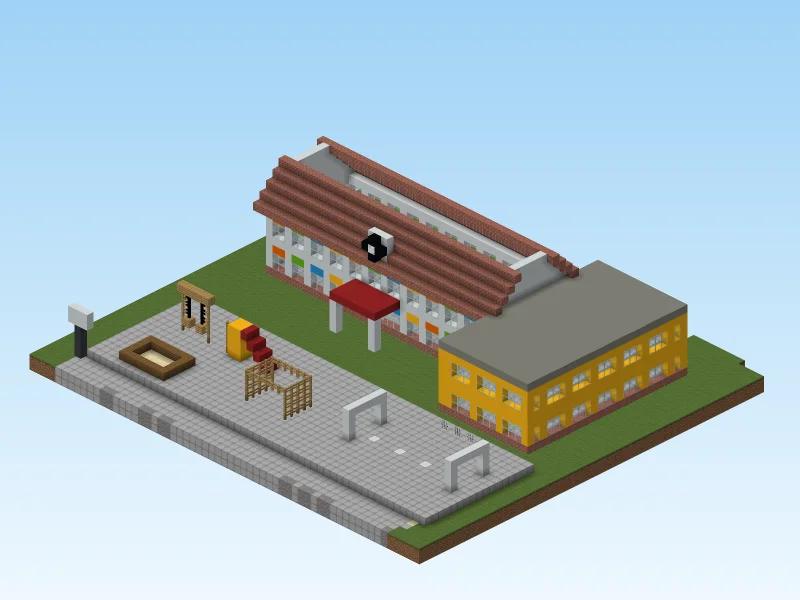
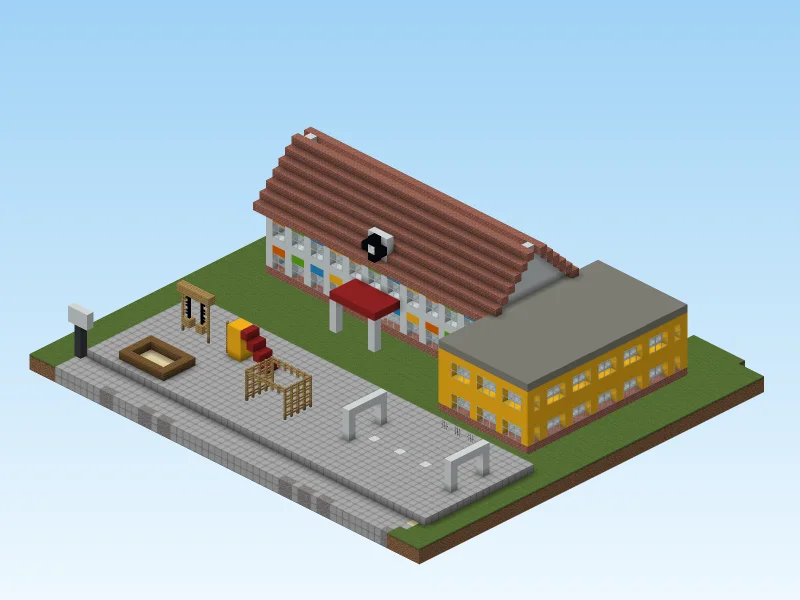
A cheerful little elementary school for your village: a white schoolhouse with a red brick roof and colorful window frames, next to it a yellow wing with the gym.
The schoolyard has everything you need for recess – swing, slide, sandbox, climbing frame and two soccer goals. A big clock hangs above the entrance.

🔍 Click on parts
Tap any part of the build in the 3D model – a lamp, a tree, a bench next to the house – and you’ll see exactly how to build that part, with its materials and a layer-by-layer plan.
🧊 Build it as a hologram in Minecraft Bedrock (HoloPrint)
Download this build idea as a .mcstructure file – it is made right from the blueprint below. The HoloPrint website turns it into a pack that places the build as a see-through hologram in your world – you just fill in the blocks.
- Tap the button above – the file village-elementary-school.mcstructure is downloaded.
- Open the HoloPrint website.
- Upload the file there.
- Create your build template texture pack.
- Download the .mcpack file.
- Open it with Minecraft and activate the pack in your world.
- Place an armor stand – the build template appears there. Tip: put it exactly where the build should stand.
Works with Minecraft Bedrock (phone, tablet, console, Windows). HoloPrint is a free fan project, not made by Blockwerk.
Layer-by-layer blueprint
Click through from bottom to top. Every square is one block, the front is at the bottom. Gray shows the layer below. 17 layers, area in the plan: 54 × 45 blocks.
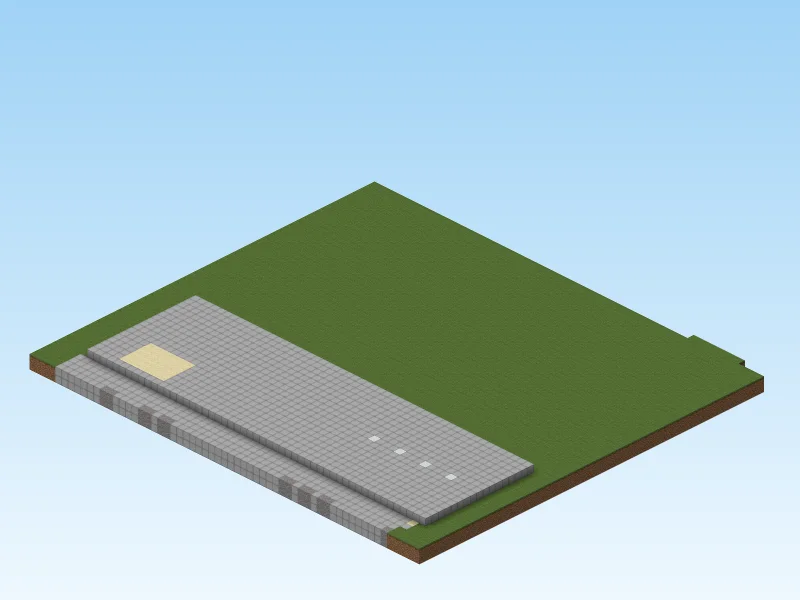
Layer 1 of 17 (901 blocks)
- Smooth Stone862
- Sand35
- White Concrete4

Layer 2 of 17 (855 blocks)
- Smooth Stone639
- Bricks166
- Spruce Planks20
- Oak Fence13
- White Concrete6
- Yellow Concrete4
- Iron Bars4
- Red Concrete2
- Gray Concrete1
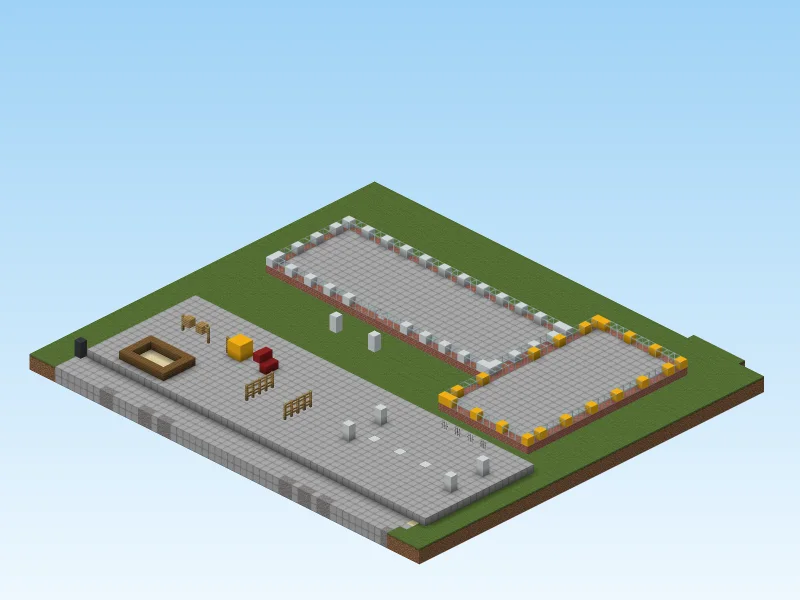
Layer 3 of 17 (194 blocks)
- Glass112
- White Concrete38
- Yellow Concrete25
- Oak Fence13
- Oak Planks2
- Red Concrete2
- Iron Door1
- Gray Concrete1

Layer 4 of 17 (194 blocks)
- Glass112
- White Concrete38
- Yellow Concrete25
- Oak Fence13
- Chain2
- Red Concrete2
- Iron Door1
- Gray Concrete1

Layer 5 of 17 (212 blocks)
- White Concrete81
- Yellow Concrete79
- Oak Fence23
- Glass9
- Orange Concrete6
- Light Blue Concrete5
- Lime Concrete4
- Chain2
- Red Concrete2
- Gray Concrete1

Layer 6 of 17 (840 blocks)
- Smooth Stone639
- White Concrete95
- Yellow Concrete74
- Red Concrete28
- Oak Fence2
- Chain2
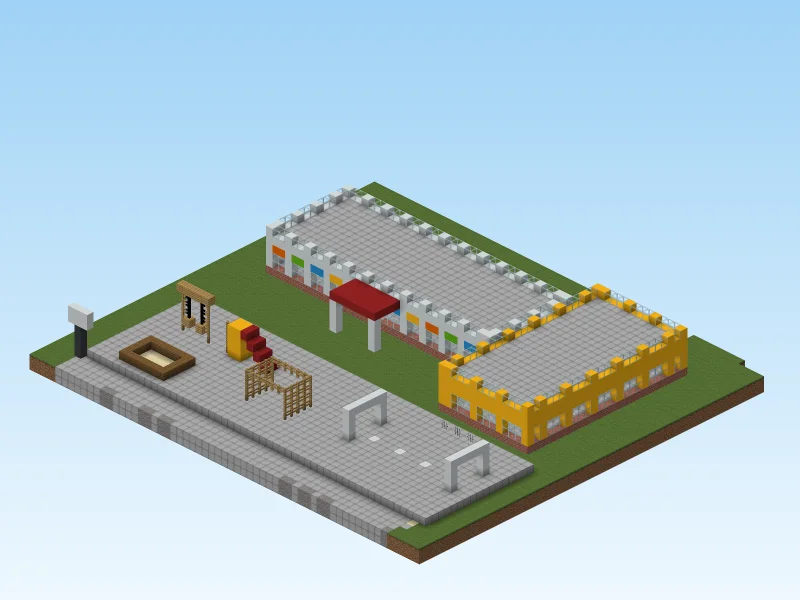
Layer 7 of 17 (174 blocks)
- Glass110
- White Concrete37
- Yellow Concrete22
- Oak Planks5

Layer 8 of 17 (166 blocks)
- Glass110
- White Concrete34
- Yellow Concrete22

Layer 9 of 17 (166 blocks)
- Yellow Concrete79
- White Concrete69
- Orange Concrete6
- Lime Concrete6
- Light Blue Concrete6
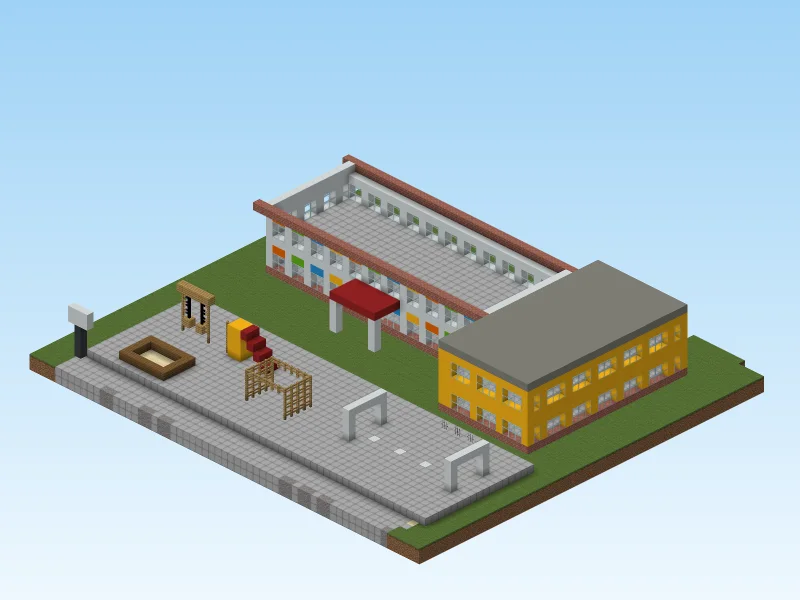
Layer 10 of 17 (448 blocks)
- Light Gray Concrete350
- Bricks72
- White Concrete26

Layer 11 of 17 (97 blocks)
- Bricks71
- White Concrete25
- Black Concrete1

Layer 12 of 17 (98 blocks)
- Bricks74
- White Concrete21
- Black Concrete2
- Calcite1

Layer 13 of 17 (92 blocks)
- Bricks74
- White Concrete17
- Black Concrete1
Layer 14 of 17 (84 blocks)
- Bricks74
- White Concrete10

Layer 15 of 17 (80 blocks)
- Bricks74
- White Concrete6
Layer 16 of 17 (76 blocks)
- Bricks74
- White Concrete2

Layer 17 of 17 (37 blocks)
- Bricks37
Simplified blueprint: stairs and slabs are partly shown as full blocks, animals and plants as small squares. Tip: use the arrow keys ← → to switch layers.
Step-by-step guide
Schoolyard
Pave a schoolyard of smooth stone in front of the building, with a sidewalk in front of it.
Schoolhouse
Build a two-story house of white concrete on a brick base. Each floor is 4 blocks tall and has rows of glass windows.
Colorful window frames
Under each window place a block in a different color – orange, lime, light blue and yellow in turn.
Roof and clock
Put a brick gable roof on top. Above the entrance with its red canopy, a clock of calcite with black hands sits in the gable.
Gym
On the right, a yellow wing with a flat roof holds the gym.
Playground
Build a swing of fences and chains, a yellow slide with a red chute, a sandbox with a wooden edge and a climbing frame.
Soccer and bikes
Set up two goals of white concrete, plus bike racks of iron bars and a school sign.
Pro tips
- Lay out the ground plan with paths and squares first, then the buildings – that way everything fits together in the end.
- The swing doesn't really swing in Minecraft – but with a chain and a wooden step it looks just like one.
Variations
- Build a kindergarten with a small playground next to it.
- Furnish classrooms inside with desks, chairs and a blackboard of black concrete.


