Old Brick High School with Bell Turret
- DifficultyMedium
- Size77 × 41 blocks, 33 tall
- Build timeabout 6 hours
A grand old school like you find in many European towns: a long red brick building with light cornices between the floors and a steep dark roof.
In the middle a gable with a portal and a clock projects forward. On top of the roof sits a small bell turret with a green copper cap and a golden tip.

🔍 Click on parts
Tap any part of the build in the 3D model – a lamp, a tree, a bench next to the house – and you’ll see exactly how to build that part, with its materials and a layer-by-layer plan.
🧊 Build it as a hologram in Minecraft Bedrock (HoloPrint)
Download this build idea as a .mcstructure file – it is made right from the blueprint below. The HoloPrint website turns it into a pack that places the build as a see-through hologram in your world – you just fill in the blocks.
- Tap the button above – the file old-brick-high-school.mcstructure is downloaded.
- Open the HoloPrint website.
- Upload the file there.
- Create your build template texture pack.
- Download the .mcpack file.
- Open it with Minecraft and activate the pack in your world.
- Place an armor stand – the build template appears there. Tip: put it exactly where the build should stand.
Works with Minecraft Bedrock (phone, tablet, console, Windows). HoloPrint is a free fan project, not made by Blockwerk.
Layer-by-layer blueprint
Click through from bottom to top. Every square is one block, the front is at the bottom. Gray shows the layer below. 34 layers, area in the plan: 77 × 41 blocks.
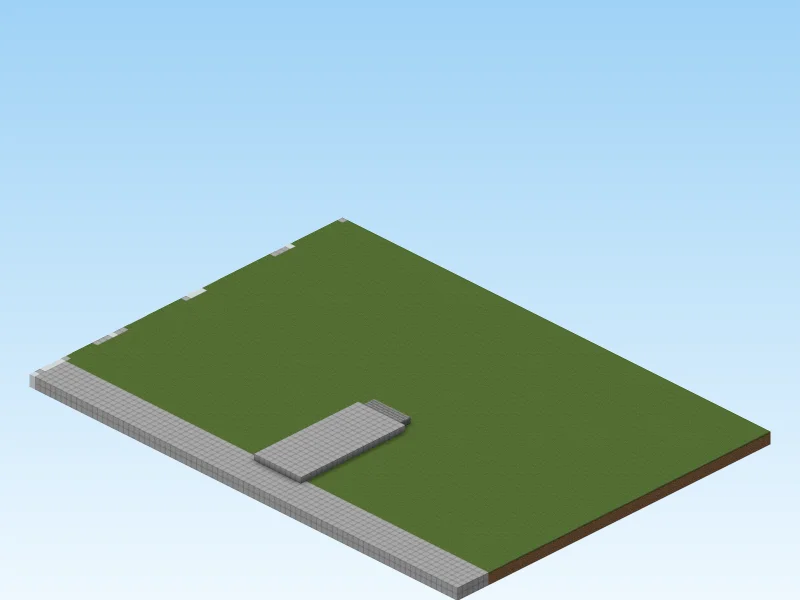
Layer 1 of 34 (194 blocks)
- Smooth Stone180
- Stone Bricks14

Layer 2 of 34 (1097 blocks)
- Smooth Stone871
- Stone Bricks171
- Iron Bars34
- Calcite19
- Gray Concrete2

Layer 3 of 34 (181 blocks)
- Glass108
- Bricks62
- Calcite6
- Dark Oak Planks3
- Gray Concrete2

Layer 4 of 34 (181 blocks)
- Glass108
- Bricks62
- Calcite6
- Dark Oak Planks3
- Gray Concrete2

Layer 5 of 34 (181 blocks)
- Calcite110
- Bricks66
- Dark Oak Planks3
- Gray Concrete2

Layer 6 of 34 (183 blocks)
- Bricks170
- Calcite11
- Sea Lantern2

Layer 7 of 34 (1052 blocks)
- Smooth Stone871
- Bricks95
- Calcite86

Layer 8 of 34 (181 blocks)
- Glass109
- Bricks66
- Calcite6

Layer 9 of 34 (181 blocks)
- Glass109
- Bricks66
- Calcite6

Layer 10 of 34 (181 blocks)
- Calcite110
- Bricks71
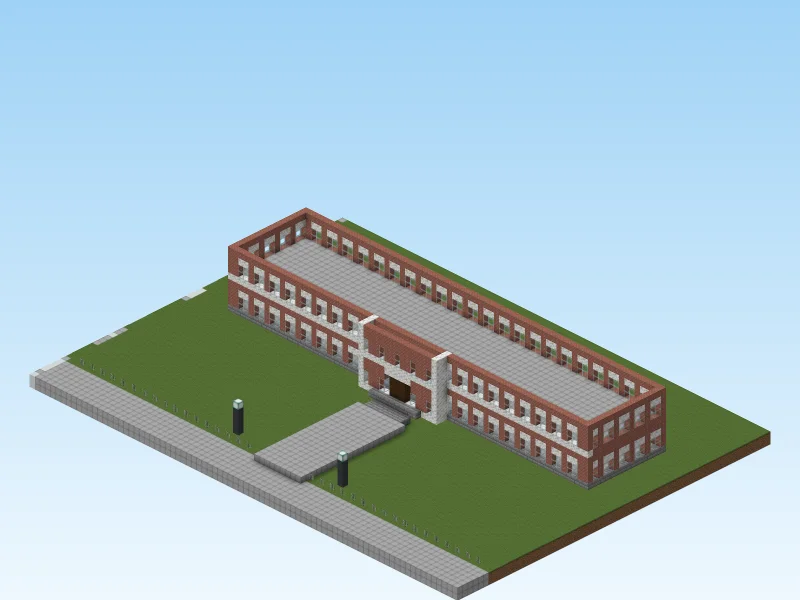
Layer 11 of 34 (181 blocks)
- Bricks175
- Calcite6

Layer 12 of 34 (1052 blocks)
- Smooth Stone871
- Bricks95
- Calcite86
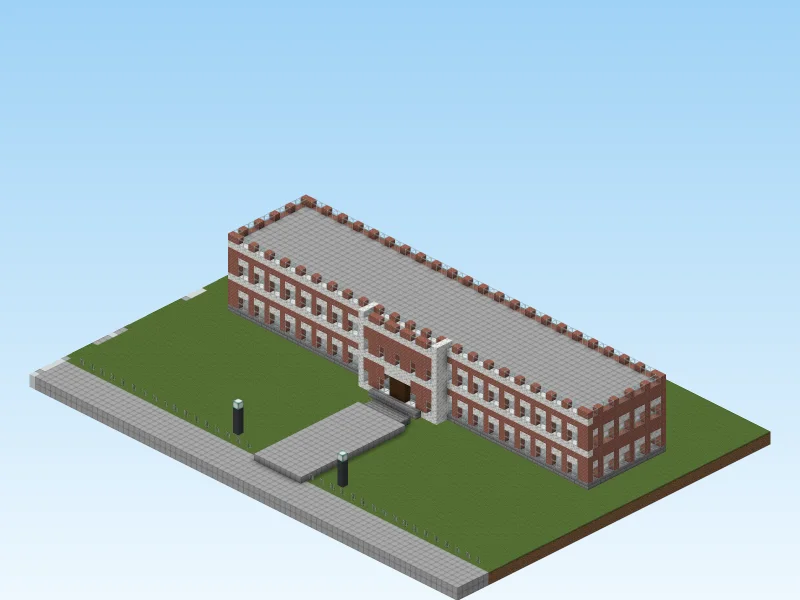
Layer 13 of 34 (181 blocks)
- Glass109
- Bricks66
- Calcite6

Layer 14 of 34 (181 blocks)
- Glass109
- Bricks66
- Calcite6

Layer 15 of 34 (181 blocks)
- Calcite110
- Bricks71

Layer 16 of 34 (181 blocks)
- Bricks175
- Calcite6

Layer 17 of 34 (189 blocks)
- Deepslate Tile Stairs140
- Bricks30
- Calcite19

Layer 18 of 34 (183 blocks)
- Deepslate Tile Stairs142
- Bricks26
- Calcite15

Layer 19 of 34 (177 blocks)
- Deepslate Tile Stairs142
- Bricks35

Layer 20 of 34 (171 blocks)
- Deepslate Tile Stairs142
- Bricks18
- Calcite11

Layer 21 of 34 (165 blocks)
- Deepslate Tile Stairs142
- Bricks21
- Calcite1
- Black Concrete1

Layer 22 of 34 (159 blocks)
- Deepslate Tile Stairs142
- Bricks10
- Calcite6
- Black Concrete1

Layer 23 of 34 (153 blocks)
- Deepslate Tile Stairs142
- Bricks11

Layer 24 of 34 (162 blocks)
- Deepslate Tile Stairs132
- Calcite28
- Bricks2
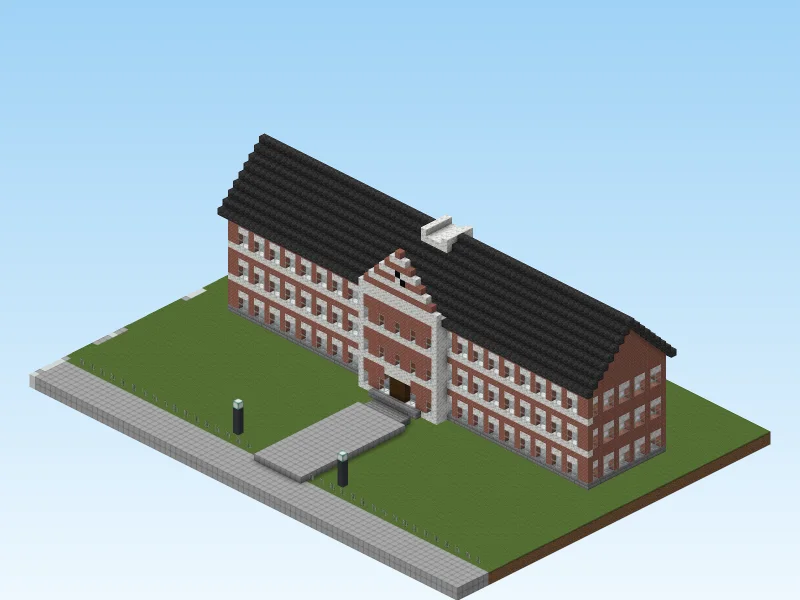
Layer 25 of 34 (77 blocks)
- Deepslate Tile Stairs66
- Calcite10
- Bricks1
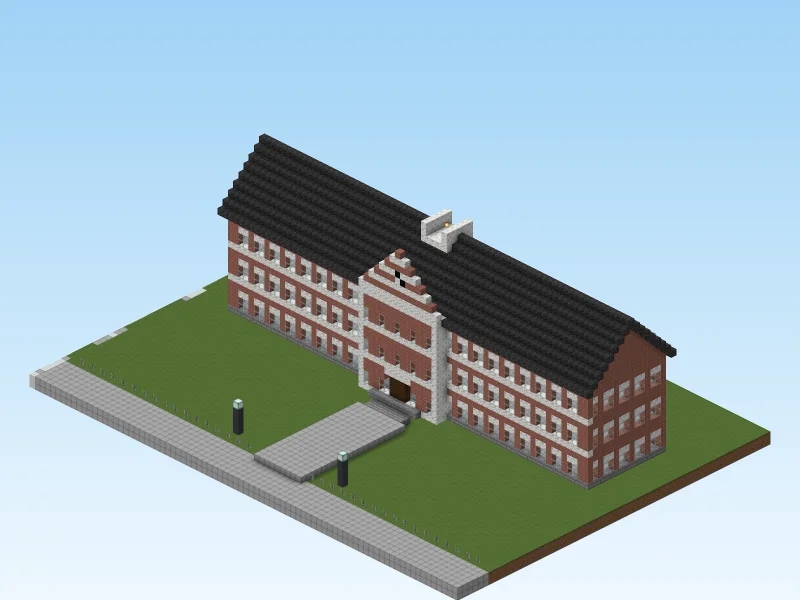
Layer 26 of 34 (11 blocks)
- Calcite10
- Bell1

Layer 27 of 34 (25 blocks)
- Calcite25

Layer 28 of 34 (49 blocks)
- Oxidized Copper49
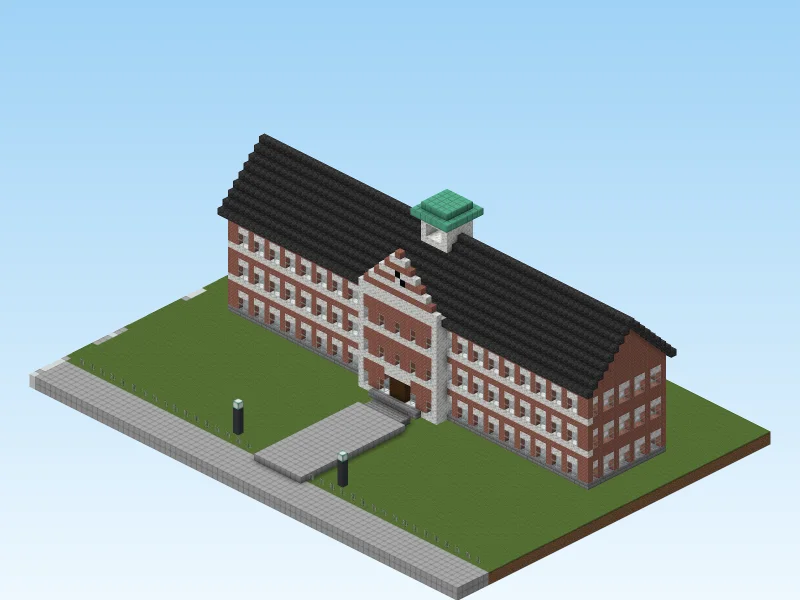
Layer 29 of 34 (25 blocks)
- Oxidized Copper25
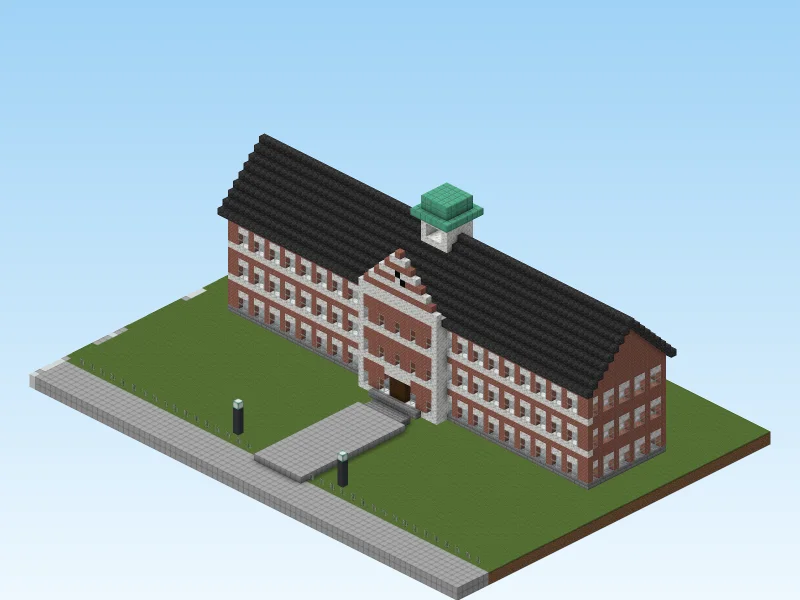
Layer 30 of 34 (25 blocks)
- Oxidized Copper25

Layer 31 of 34 (9 blocks)
- Oxidized Copper9

Layer 32 of 34 (1 blocks)
- Oxidized Copper1

Layer 33 of 34 (1 blocks)
- Block of Gold1

Layer 34 of 34 (1 blocks)
- Block of Gold1
Simplified blueprint: stairs and slabs are partly shown as full blocks, animals and plants as small squares. Tip: use the arrow keys ← → to switch layers.
Step-by-step guide
Forecourt
Lay a path of smooth stone to the entrance and a sidewalk in front.
Brick building
Build a 69-block-long building with three floors, each 5 blocks tall, of bricks on a stone brick base. The windows have light calcite lintels.
Cornices
Between the floors a band of calcite runs around the building.
Roof
Put a steep gable roof of deepslate tiles on top.
Center gable and portal
In the middle, build a projecting part with a gable, striped in calcite and bricks. The portal with a dark oak door sits at the bottom, a clock at the top.
Bell turret
On the ridge, place an open calcite turret with a bell. Above it, a cap of oxidized copper that narrows to a point, with a golden tip.
Pro tips
- Oxidized copper appears when copper blocks sit in the open air for a long time – or just use green concrete.
- In creative mode the /fill command is much faster: it fills whole walls and areas at once.
Variations
- Build an assembly hall with a stage and wooden benches.
- Plant an avenue of trees in front of the school.


